24
Track1
Playing tracks repeatedly
(Repeat: Track)
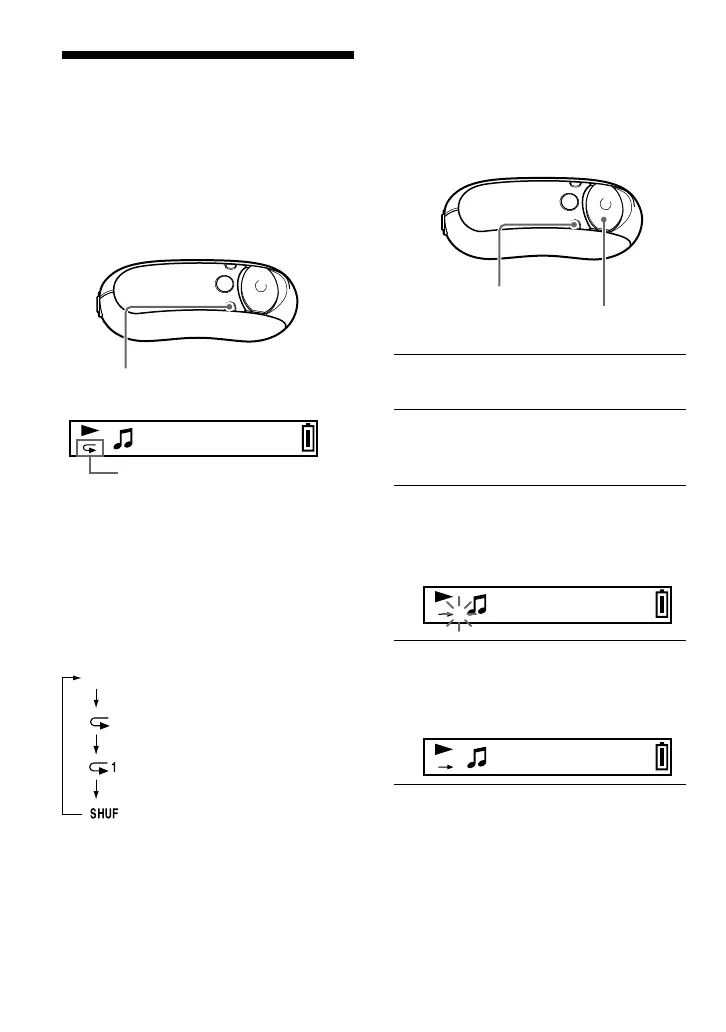
Track Repeat mode is changed by pressing
the REP/SOUND button. You can check the
current Track Repeat mode with the icon of
the display.
Select Track Repeat mode
(Repeat: Track) first (page 22).
Then, press the REP/SOUND
button repeatedly to select the
desired repeat mode.
Each press changes the Track Repeat icon as
follows:
Track Repeat icon
Playing a specified section
repeatedly (Repeat: A-B)
While playing a track, you can set the start
point (A) and end point (B) for a section you
wish to play repeatedly.
1 Select A-B Repeat mode (Repeat:
A-B) (page 22).
2 Press the center of the 5 Direction
JOG (Nx) to start playback.
“A t” blinks.
3 Press the REP/SOUND button to
set the start point (A) while
playing back.
“A t” appears and “B” blinks.
Track1
A B
4 Press the REP/SOUND button to
set the end point (B).
“AtB” appears and the specified
section is played back repeatedly.
Track1
A B
REP/SOUND
button
Repeat mode
REP/SOUND button
5 Direction JOG
(Shuffle Repeat)
None (Normal play)
(Repeat)
(Single Repeat)



 To Next Page