32
B
Adjusting the settings of
your Network Walkman
Adjusting the
current time
setting
(Date-Time)
You can set the current time and display it
while the audio player is played or in stop
mode.
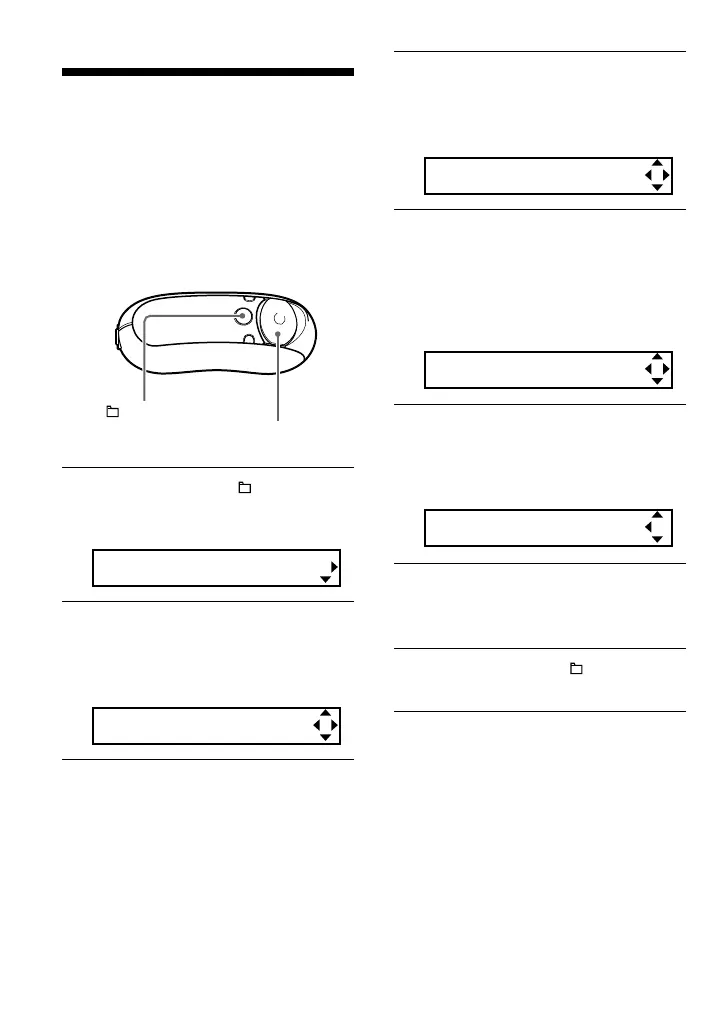
1 Press and hold the /MENU
button until the following menu
screen appears.
Search
2 Press U u of the 5 Direction JOG
to select “Date-Time” and press
i (VOL) to confirm.
The year digit appears in [ ].
y[05]m:01 d:01
3 Press U u of the 5 Direction JOG
to adjust the “year” setting and
press i (VOL) to confirm.
The month digit appears in [ ].
y:05 m[01]d:01
4 As you did in step 3, adjust the
“month” and “date”, and press
i (VOL) of the 5 Direction JOG to
confirm.
The time setting screen appears and the
hour appears in [ ].
[00]: 00 am
5 Press U u of the 5 Direction JOG
to adjust the “hour” and press
i (VOL) to confirm.
The minute appears in [ ].
10 :[00] am
6 Press U u of the 5 Direction JOG
to adjust the “minute” and press
i (VOL) to confirm.
7 Press and hold the /MENU
button until the screen changes.
/MENU
button
5 Direction JOG



 To Next Page