Status Released
To reject a second call with a text message
1
When you hear repeated beeps during a call, tap RESPONSE OPTIONS
[phone_strings_ans_mach_response_options_] .
2
Select a predefined message or tap Write new message [reject_with_message_write_new] .
GUID GUID-C7B2AAC2-90FE-4C43-A847-EDD862442B84
Title To reject a second call with a message
Changes For Kugo - label correction
Version 6
Author SzilviaM
Status Released
To edit the text message used to reject a call
1
From your Home screen [preference_title_home_wallpaper] , tap
ID: ICN-SONY-HOME-APPTRAY-
NORMAL .
2
Find and tap Settings [settings_label_launcher] > Call [call_settings_title] > Reject call with
message [call_settings_reject_call_with_message] .
3
Tap the message that you want to edit, then make the necessary changes.
4
Tap OK [button_ok] .
GUID GUID-BD89ACAE-CE3B-4176-9AB1-961828375848
Title To edit the message used to reject a call
Changes For Kagura - adding "choose a SIM card" for DS devices
Version 13
Author SzilviaM
Status Released
Ongoing calls
GUID GUID-D912EDDE-EAC1-4B36-BC45-CC568D8E32AC
Title Ongoing calls
Changes For nxtstp UG
Version 3
Author JorgenL
Status Released
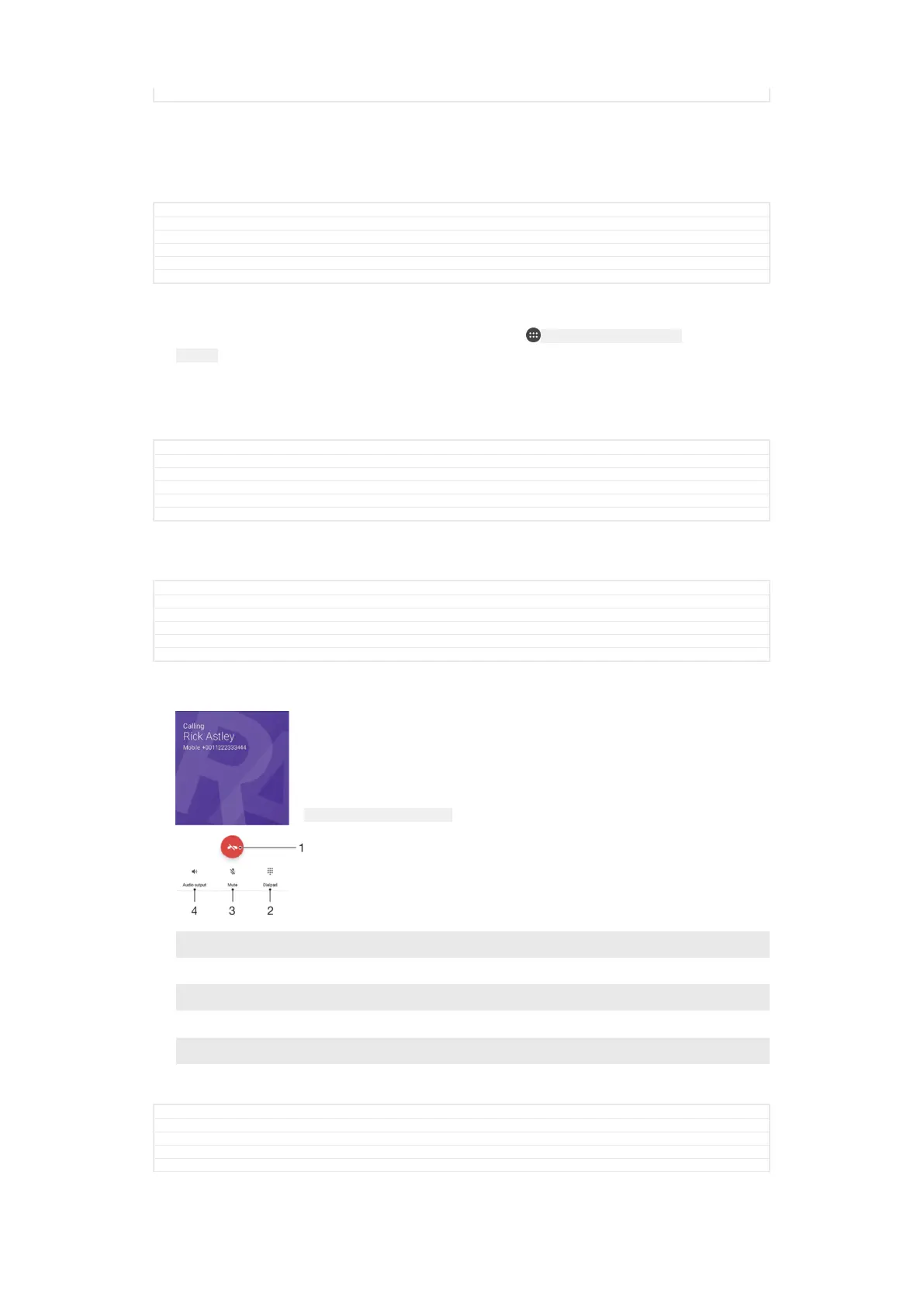
ID: SCR-SONY-ONGOING-CALLS
1 End a call
2 Make a second call
3 Put the current call on hold or retrieve a call on hold
4 Enter DTMF digits during a call
5 Mute the microphone during a call
6 Turn on the loudspeaker during a call
GUID GUID-32D508A4-531B-4CD1-AF11-ACF619584DA0
Title Ongoing calls overview
Changes For Canopus M 6.0 update - with "DTMF digits"
Version 9
Author SzilviaM
110
This is an internet version of this publication. © Print only for private use.



 To Next Page