Camera
GUID GUID-E4470E6D-79A2-4CE2-AE2C-002C9F139F1A
Title Camera
Changes
Version 1
Author JorgenL
Status Released
Taking photos and recording videos
ID: ILL-SONY-17PE-CAMERA
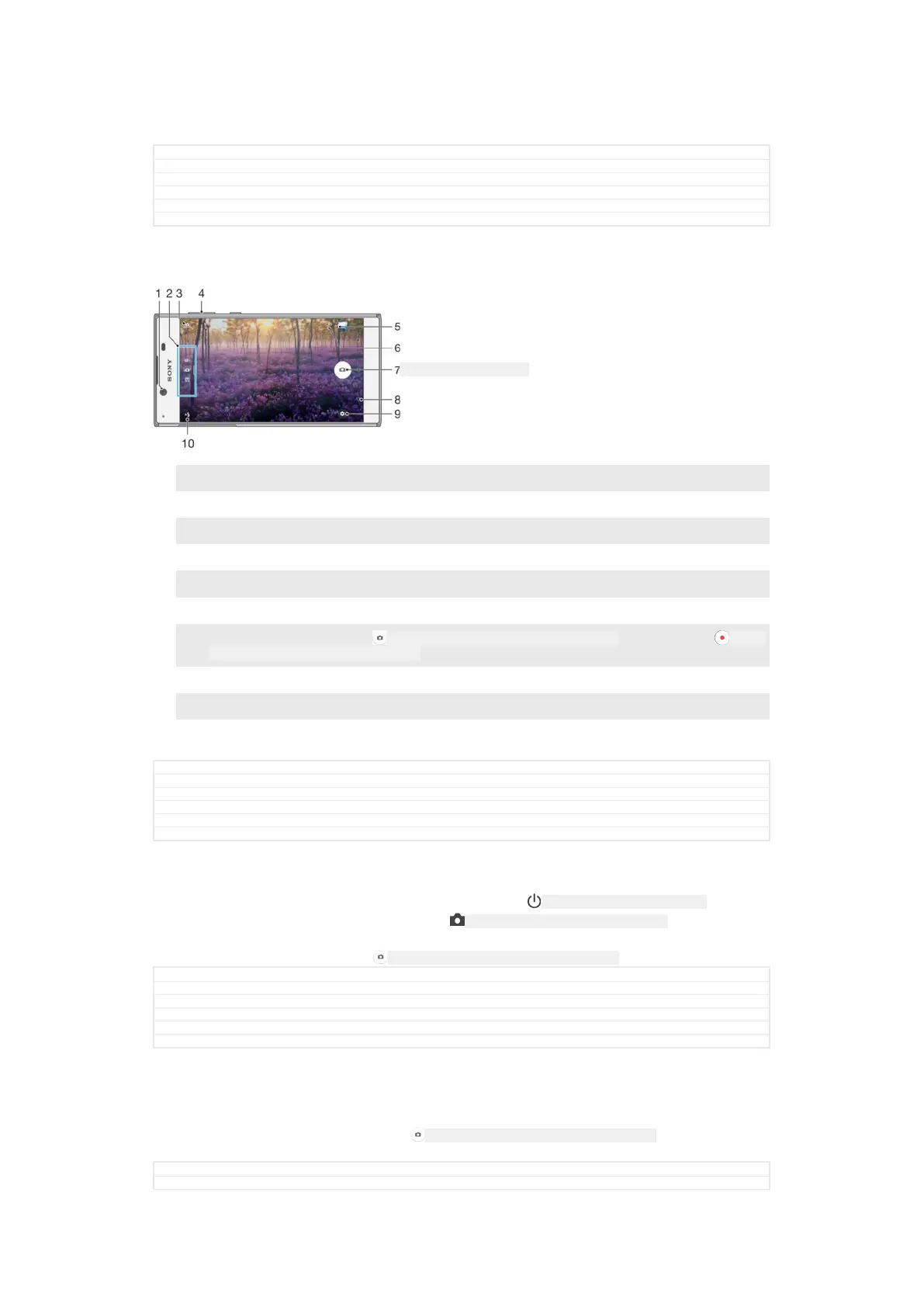
1 Front camera lens
2 Select capturing mode
3 Switch between the front and main camera
4 Zoom in or out
5 View photos and videos
6 Save location
7
Shutter button – Take photos ID: ICN-SONY-CAMERA-ONSCREEN-LOCK-BUTTON or record videos ID: ICN-
SONY-GINGERBREAD-CAM-START-RECORDING
8 Go back a step or exit the camera
9 Capturing mode settings
10 Flash settings
GUID GUID-6E27C077-E3B0-4F89-B463-8F1BC8016007
Title Taking photos and recording videos
Changes for Pine, no camera key
Version 26
Author AdelK
Status Draft
To take a photo from the lock screen
1
To activate the screen, briefly press the power key ID: ICN-SONY-KEY-AND-POWER-K90 .
2
To activate the camera, touch and hold ID: ICN-SONY-CAMERA-CAP-MODE-NORMAL , then
swipe it anywhere.
3
After the camera opens, tap ID: ICN-SONY-CAMERA-ONSCREEN-LOCK-BUTTON .
GUID
GUID-981E3E0B-ED63-40BC-9450-82D67F92A373
Title To take a photo from the lockscreen
Changes ed comments update
Version 10
Author AdelK
Status Released
To take a photo by tapping the on-screen camera button
1
Activate the camera.
2
Point the camera towards the subject.
3
Tap the on-screen camera button
ID: ICN-SONY-CAMERA-ONSCREEN-LOCK-BUTTON . The
photo is taken as soon as you release the camera button.
GUID
GUID-4622B323-F548-476E-8173-532072C9BCB0
Title To take a photo by tapping the on-screen button
148
This is an internet version of this publication. © Print only for private use.



 To Next Page