Status Released
To set an Out of Office auto-reply in an Exchange ActiveSync account
1
From your Home screen [preference_title_home_wallpaper] , tap ID: ICN-SONY-HOME-APPTRAY-
NORMAL , then find and tap Email [email] .
2
Tap ID: ICN-SONY-APP-CALENDAR-L , then tap Settings [settings_action] .
3
Select the EAS (Exchange ActiveSync) account for which you want to set an
Out of Office auto-reply.
4
Tap Out of office [eas_email_strings_oof_out_of_office_txt] .
5
Tap the slider to enable the function.
6
If needed, mark the Set time range [eas_email_strings_oof_set_time_range_txt] checkbox and
set the time range for the auto-reply.
7
Enter your Out of Office message in the body text field.
8
Tap OK [okay_action] to confirm.
GUID GUID-E47F5E3E-2813-4D8E-9286-7466F0362C32
Title To set an Out of Office auto-reply in an Exchange ActiveSync account
Changes N-update - Kitakami - new icon in step 2,
Version 4.1.2
Author AdamS
Status Released
Gmail™
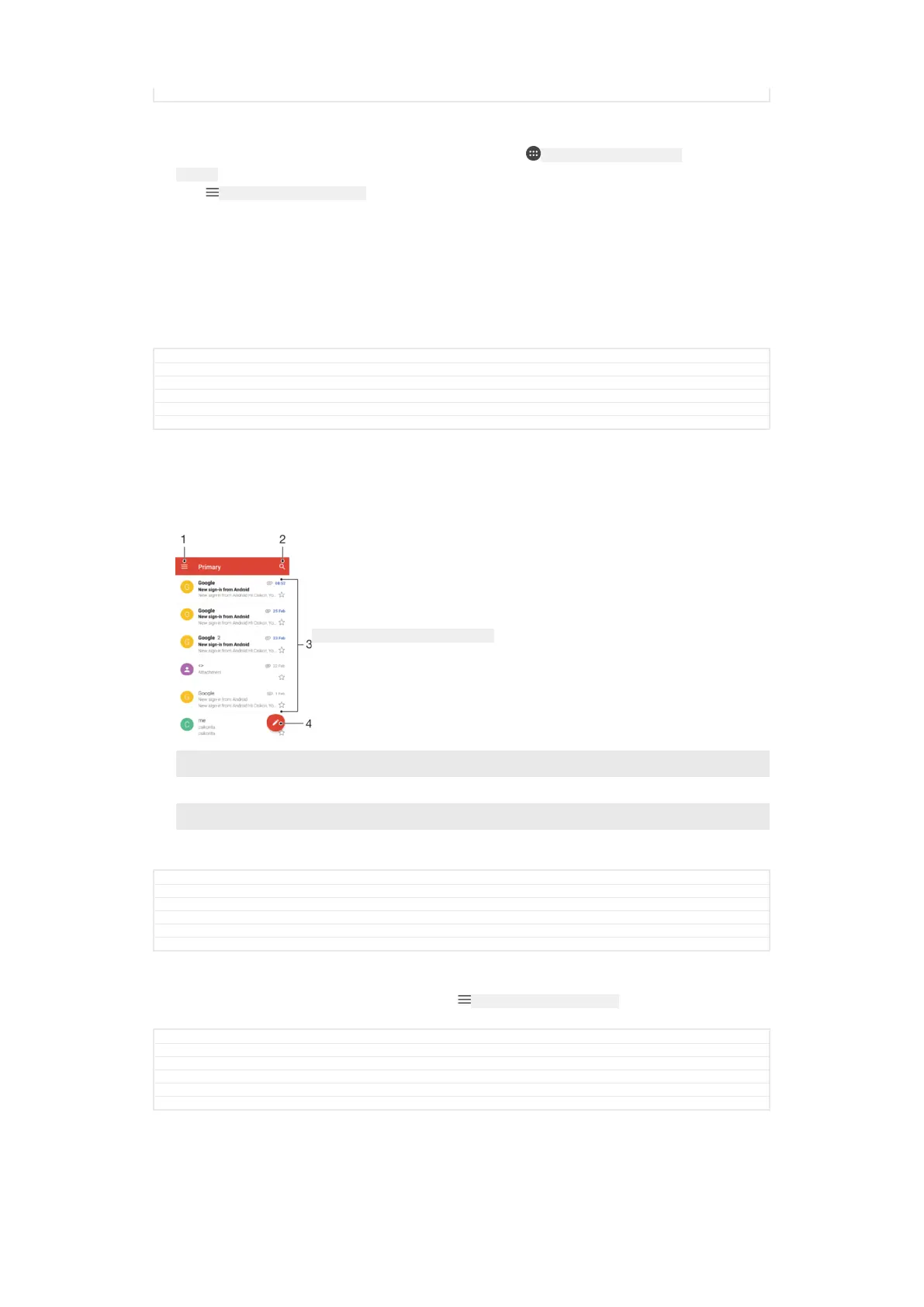
If you have a Google™ account, you can use the Gmail™ application to read and
write email messages.
ID: SCR-SONY-GMAIL-INBOX-OVERVIEW
1 View a list of all Gmail accounts and folders
2 Search for email messages
3 List of email messages
4 Write an email message
GUID GUID-98B0E4D0-1186-4FAD-A042-D43F37E36F85
Title Gmail(TM)
Changes For Leo L update; chane the order of items
Version 6
Author zzGan Lu
Status Released
To learn more about Gmail™
•
When the Gmail application is open, tap ID: ICN-SONY-APP-CALENDAR-L , then find and
tap Help & feedback [gmail_help_and_feedback] .
GUID
GUID-CF6998FF-6093-446A-B74F-AC70F5ED671A
Title To learn more about Gmail(TM)
Changes Kugo - label correction
Version 3.1.2
Author AdamS
Status Released
138
This is an internet version of this publication. © Print only for private use.



 To Next Page