ID: SCR-SONY-ALARM-OVERVIEW
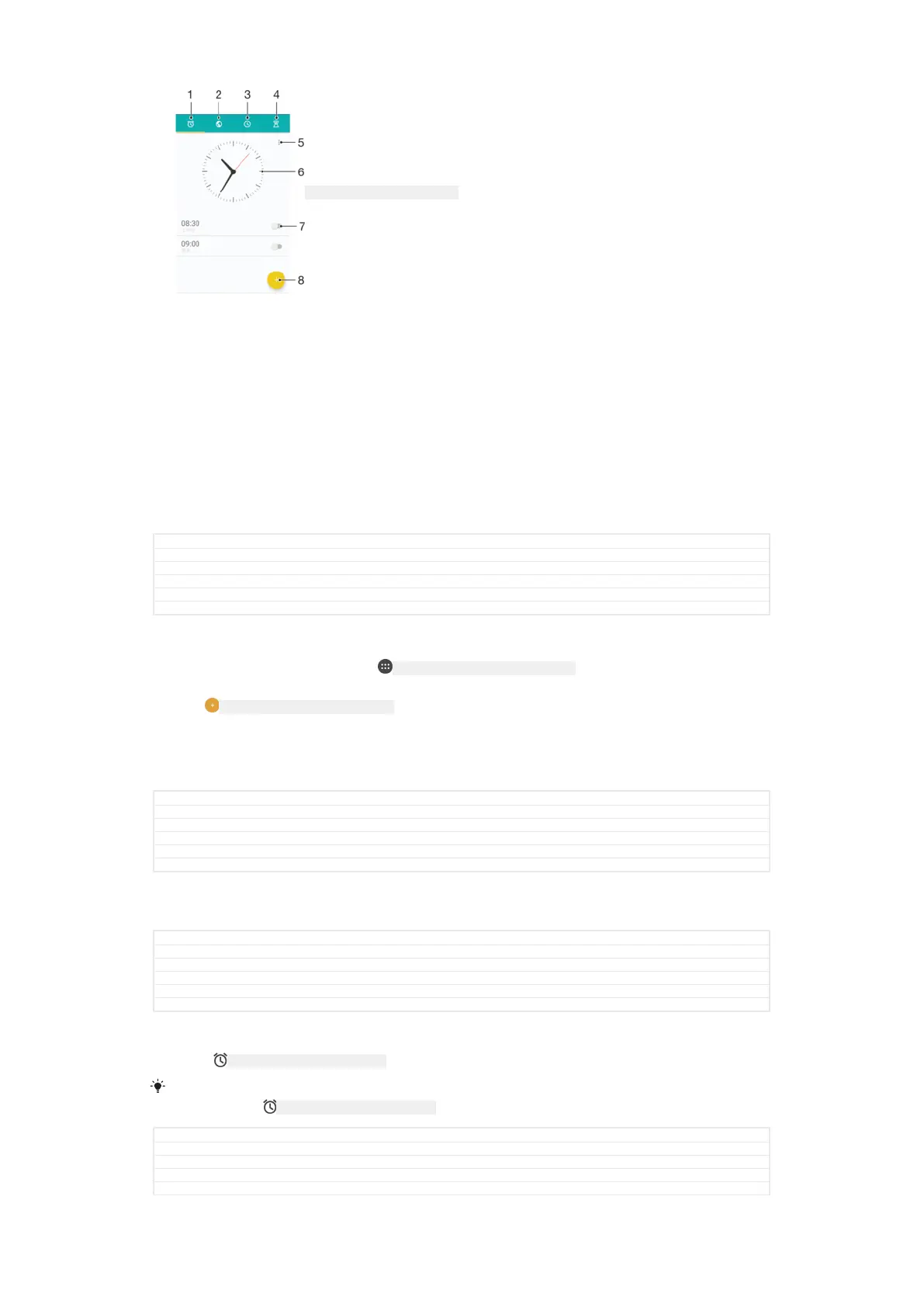
1 Access the alarms tab
2 Access the world clock tab
3 Access the stopwatch tab
4 Access the timer tab
5 View options for the current tab
6 Open date and time settings
7 Turn an alarm on or off
8 Add a new alarm
GUID GUID-66E56B1F-52AF-43A4-B1B4-6C33096B0427
Title Alarm clock
Changes Kagura changes made according to ed comments
Version 6.1.5
Author AlexandraT
Status Released
To set a new alarm
1
From your Home screen, tap ID: ICN-SONY-HOME-APPTRAY-NORMAL .
2
Find and tap Clock [alarm_clock] .
3
Tap
ID: ICN-SONY-CALENDAR-ALARM-ADD .
4
Tap Time [time] and select the desired value.
5
Tap OK [ok] .
6
If desired, edit other alarm settings.
7
Tap SAVE [menu_save] .
GUID GUID-BBD8A2E8-E168-4C12-B44D-78D517DCC718
Title To set a new alarm
Changes Keyaki - label corrected in step 7.
Version 14.1.3
Author AdamS
Status Released
To snooze an alarm when it sounds
•
Tap SNOOZE [alarm_snooze_caps] .
GUID
GUID-2B840C9B-5748-43FC-A2F5-B00D5F685BDC
Title To turn off or snooze an alarm when it sounds
Changes Keyaki - label corrected
Version 5.1.1
Author AdamS
Status Released
To turn off an alarm when it sounds
•
Drag ID: ICN-SONY-STAT-NOTIFY-ALARM to the right.
To turn off a snoozed alarm, you can drag down the status bar to open the
Notification panel
and then tap ID: ICN-SONY-STAT-NOTIFY-ALARM .
GUID GUID-E3BC96CC-903A-4362-AB16-5EC1E104562C
Title To turn off an alarm when it sounds
Changes Tuba - icon changed in the note
Version 5.1.2
Author AdamS
191
This is an internet version of this publication. © Print only for private use.



 To Next Page