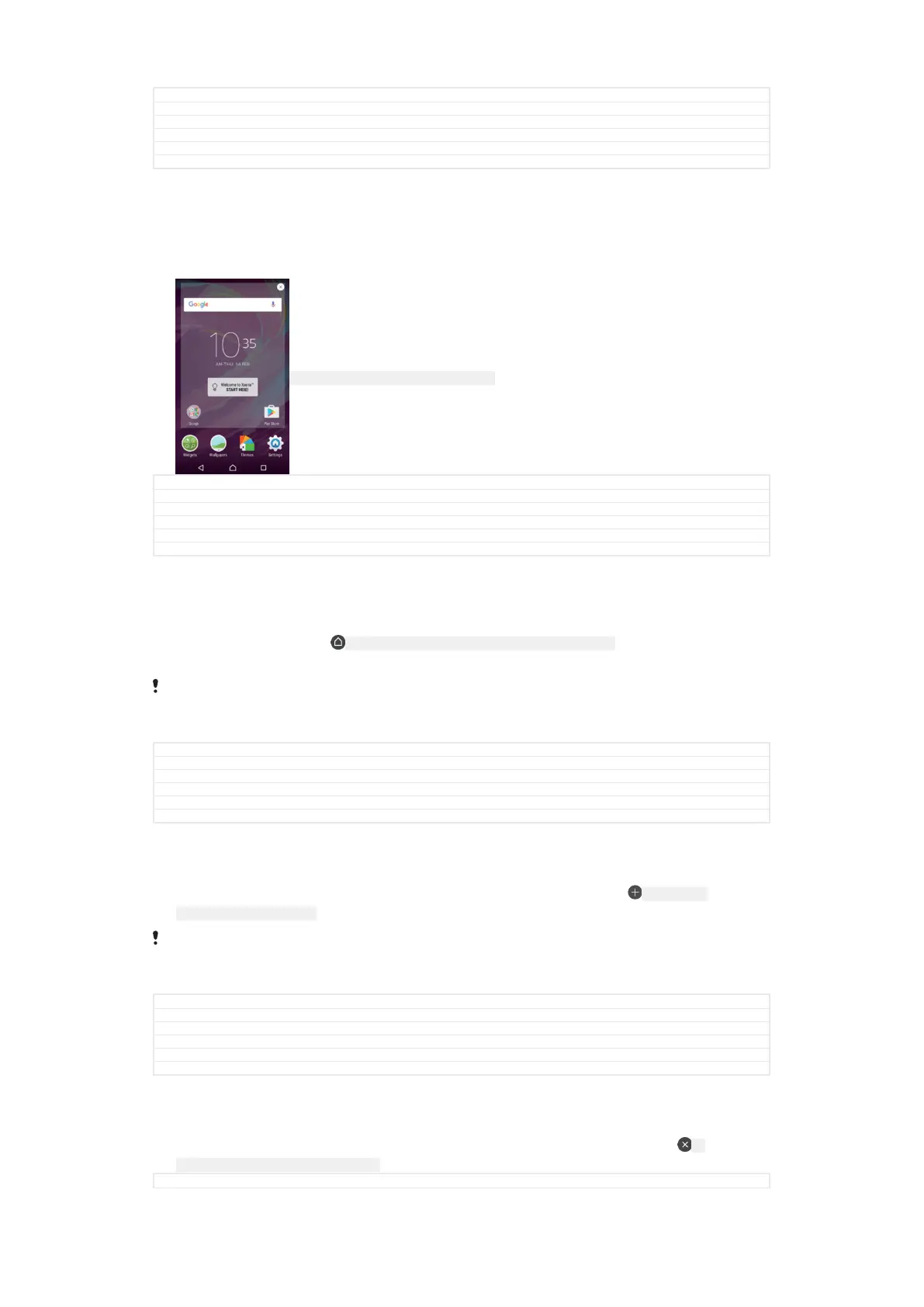
GUID GUID-A5C4ECEC-DED9-4FCB-B023-22DEA2CF2F2C
Title To browse the Home screen
Changes For nxtstp UG
Version 5
Author zzWangT
Status Released
Home screen panes
You can add new panes to your Home screen (up to a maximum of twenty panes)
and delete panes. You can also set the pane that you want to use as the main Home
screen pane.
ID: SCR-SONY-HOMESCREEN-CHANGE-PANE
GUID GUID-FC173B6A-92B3-401B-8E4C-873BA14F1B11
Title Home screen panes
Changes home pane number limit is 20 - valid for all projects onwards
Version 3
Author AdelK
Status Released
To set a pane as the main Home screen pane
1
Touch and hold any area on your Home screen until the device vibrates.
2
Flick left or right to browse to the pane that you want to set as your main Home
screen pane, then tap ID: ICN-SONY-AND-HOMESCREEN-SET-MAIN-HOMESCREEN in the top left
corner of the screen.
When Google Search & Now is enabled, the left-most pane is reserved for this service and the
main Home screen pane cannot be changed. For more information, see
Google Search & Now
on page 185.
GUID GUID-40544E7E-58CD-4F30-8E08-BCFB412676EB
Title To set a pane as the main Home screen pane
Changes N update / Editorial comments implemented for Google Now
Version 9
Author PalG
Status Released
To add a pane to your Home screen
1
Touch and hold any area on your Home screen until the device vibrates.
2
To browse the panes, flick all the way to the right or left, then tap ID: ICN-SONY-
AND-HOMESCREEN-ADD-PANE .
When Google Search & Now is enabled, the left-most pane is reserved for this service and
additional panes cannot be added to the left. For more information, see
Google Search & Now
on page 185.
GUID GUID-4E45CAB7-4294-4269-9495-60D6F8413FA3
Title To add a pane
Changes Google Now note update based on editorial comments
Version 6
Author PalG
Status Released
To delete a pane from your Home screen
1
Touch and hold any area on your Home screen until the device vibrates.
2
Flick left or right to browse to the pane that you want to delete, then tap ID:
ICN-SONY-AND-HOMESCREEN-DELETE-PANE on the top right corner of the pane.
GUID
GUID-65D63CFF-377E-4ACB-BDCD-456C3CAC3679
29
This is an internet version of this publication. © Print only for private use.



 To Next Page