Status Draft
To add a Wi-Fi network manually
1
From your Home screen [preference_title_home_wallpaper] , tap ID: ICN-SONY-HOME-APPTRAY-
NORMAL .
2
Find and tap Settings [settings_label_launcher] > Wi-Fi [udoc_no_trans_wifi_wlan] .
3
Scroll down and tap
ID: ICN-SONY-FINGERPRINT-ADD at the end of the listed items.
4
Enter the Network name (SSID) [wifi_ssid] information.
5
To select a security type, tap the Security [wifi_security] field.
6
If required, enter a password.
7
To edit advanced options such as proxy and IP settings, tap Advanced options
[wifi_show_advanced] and then edit the options as desired.
8
Tap SAVE [menu_save] .
Contact your Wi-Fi [udoc_no_trans_wifi_wlan_plain] network administrator to get the network SSID and
password.
GUID GUID-A7AE9A0F-77BC-46FA-8C4A-B90D8C3E4FAC
Title To add a Wi-Fi network manually
Changes Varref fix for Hinoki
Version 20
Author RenataB
Status Draft
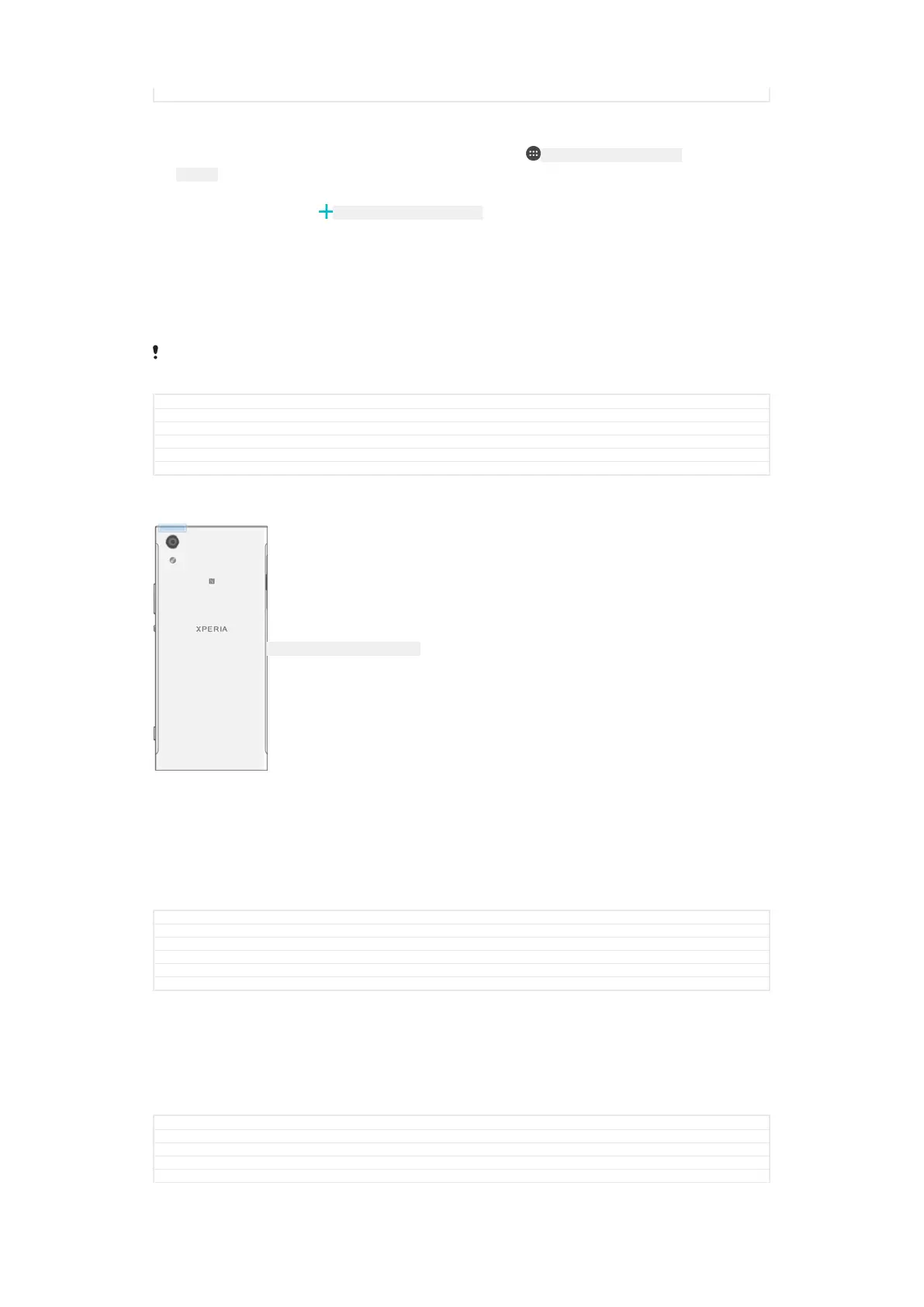
Increasing Wi-Fi signal strength
ID: ILL-SONY-17HI-WIFI-ANTENNA
There are a number of things you can do to improve Wi-Fi [udoc_no_trans_wifi_wlan_plain]
reception:
•
Move your device closer to the Wi-Fi [udoc_no_trans_wifi_wlan_plain] access point.
•
Move the Wi-Fi [udoc_no_trans_wifi_wlan_plain] access point away from any potential
obstructions or interference.
•
Don’t cover the Wi-Fi [udoc_no_trans_wifi_wlan_plain] antenna area of your device (the highlighted
area in the illustration).
GUID
GUID-22C3D561-4F08-47F6-9A4B-8E8FD3D318B7
Title Wi-Fi signal strength
Changes Wi-Fi label fix for N update
Version 6
Author RenataB
Status Released
Wi-Fi settings
When you are connected to a Wi-Fi [udoc_no_trans_wifi_wlan_plain] network or when there are Wi-
Fi [udoc_no_trans_wifi_wlan_plain] networks available in your vicinity, you can view the status of
these networks. You can also enable your device to notify you whenever an open Wi-
Fi [udoc_no_trans_wifi_wlan_plain] network is detected.
GUID
GUID-9C75877B-91A1-44F4-BABC-64A97D9A17E2
Title Wi-Fi settings
Changes Wi_fi label fix for N update
Version 4
Author RenataB
74
This is an internet version of this publication. © Print only for private use.



 To Next Page