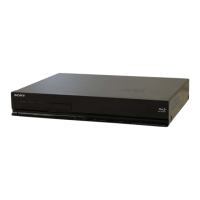
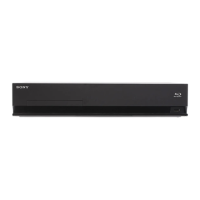
HBD-E2100/E3100/E3200/E4100/E6100
27
Diag
Category: Bluetooth Device Test
Diag
Category: Bluetooth Device Test
[1] Bluetooth Enable
[2] Bluetooth Disable
[3] Write Bluetooth device address to Registry
[4] Bluetooth Inquiry Test (not used)
Status : Bluetooth Enable Successful!
Status : Bluetooth Enable Fail!
HELP: [UP][DOWN][ENT][RET]
(Screen 1)
(Screen 2)
(Screen 3)
Diag
Category: Bluetooth Device Test
[1] Bluetooth Enable
[2] Bluetooth Disable
[3] Write Bluetooth device address to Registry
[4] Bluetooth Inquiry Test (not used)
Status : Bluetooth Disable Successful!
Status : Bluetooth Disable Fail!
HELP: [UP][DOWN][ENT][RET]
(Screen 4)
Diag
Category: Bluetooth Device Test
[1] Bluetooth Enable
[2] Bluetooth Disable
[3] Write Bluetooth device address to Registry
[4] Bluetooth Inquiry Test (not used)
Bluetooth device address : 00:01:36:23:FD:CF
Status : Write Successful!
Status : Write Fail!
HELP: [UP][DOWN][ENT][RET]
12. Log: Error Log (Output of each Log)
This screen displays the contents of each log.
Note: Do not refer to the displayed date.
Screen 1: Selects log
Operation:
[1]/[ ] Moves to the Error Log output screen
[RETURN] Returns to the top menu of the service mode
Screen 2: Displays the Error Log
Operation:
[
<
] Returns to the previous page
[
,
] Moves to the next page
[RETURN] Returns to the screen (Screen 1) that selects the log
type
[RED] Writes the log contents to an USB memory device
• Viewing the log display
Error Log:
[174] 2010/01/01 00:00:08 [ErrCode:0902A4053002]
[Index number] [Date] [Time] [Error code]
About copying log to USB memory device:
Press the [RED] button in each log display screen with the USB
memory device inserted into the unit.
Note: Please do not press the [RED] button immediately after USB mem-
ory is inserted.
Please do not pull out USB memory immediately after the [RED]
button was pressed.
Error Log:
When “getErrLogFile.trm fi le” exists in the USB memory de-
vice, errlog.log fi le is output.
Select Log
HELP : [DOWN][ENT][(NUM)]
Error Log
02]
[174] 2010/01/01 00:00:08 [ErrCode:0902A4053002]
[175] 2010/01/01 00:00:08 [ErrCode:0902A4053002]
[176] 2010/01/01 00:00:08 [ErrCode:0902A4053002]
[177] 2010/01/01 00:00:08 [ErrCode:0902A4053002]
[178] 2010/01/01 00:00:08 [ErrCode:0902A4053002]
[179] 2010/01/01 00:00:08 [ErrCode:0902A4053002]
[180] 2010/01/01 00:00:08 [ErrCode:0902A4053002]
[181] 2010/01/01 00:00:08 [ErrCode:0902A4053002]
[182] 2010/01/01 00:00:08 [ErrCode:0902A4053002]
[183] 2010/01/01 00:00:08 [ErrCode:0902A4053002]
[184] 2010/01/01 00:00:07 [ErrCode:0902A4053002]
[185] 2010/01/01 00:00:08 [ErrCode:0902A4053002]
[186] 2010/01/01 00:00:08 [ErrCode:0902A4053002]
<Page 1/20>
HELP : Press [RED] key to store log to Udisc.
[1] Error Log
(Screen 1)
(Screen 2)
Ver. 1.5



 To Next Page