HBD-E2100/E3100/E3200/E4100/E6100
34
Power Check Flow (2/2)
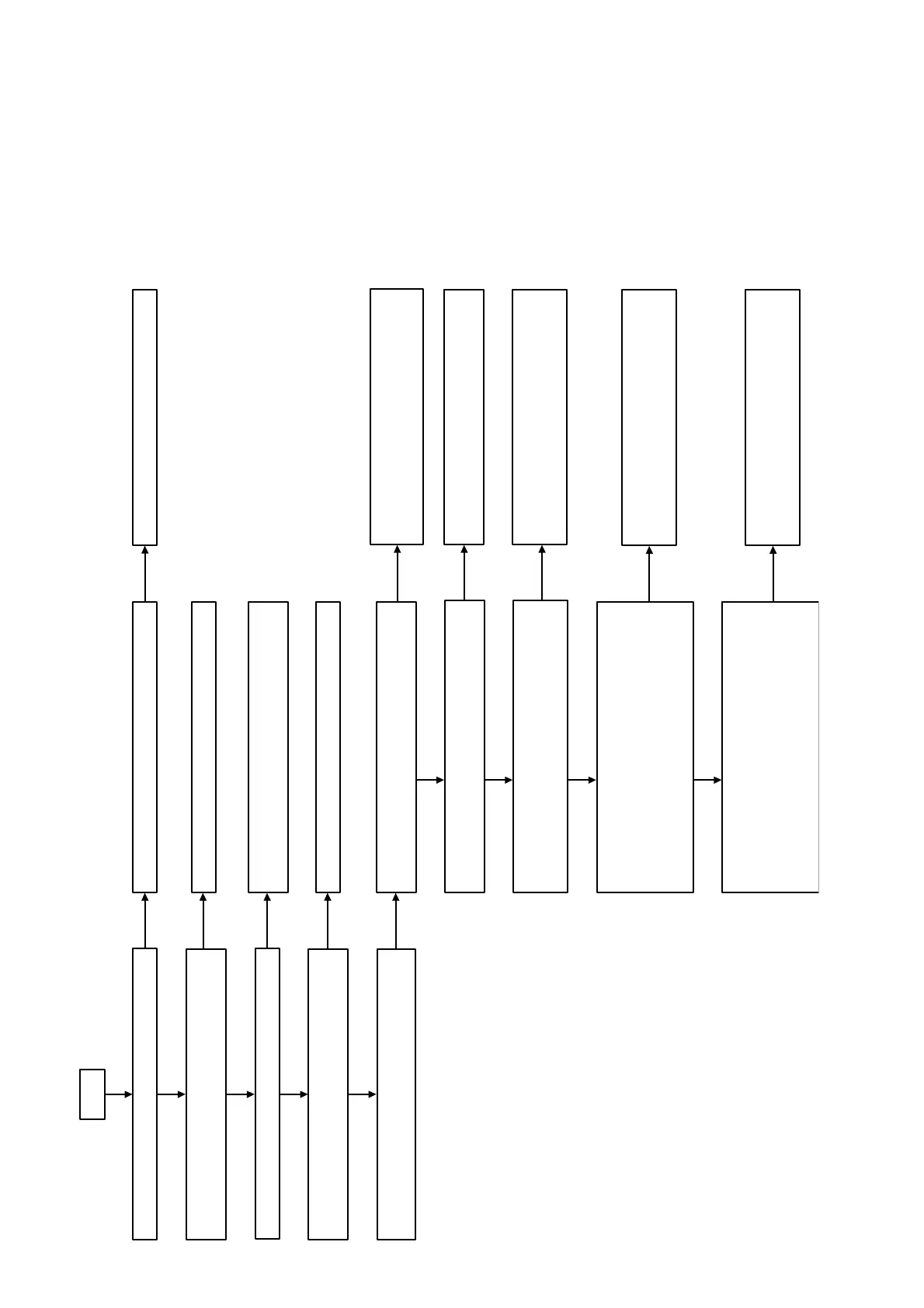
Check that a sound is outputted normally.
Check that [Audio Settings]-[Audio output] in the menu
screen is “Speaker”.
Check that the drive is operating normally.
Check that each power supply is supplied to the audio
block.
Check that a sound is normally outputted from each
speaker.
Refer to the “Power Check Flow (1/2)” on page 33.
Refer to the “2-1. Flow of drive section check” on page
7 on original service manual.
Check that a picture is outputted normally.
Check that each speaker is connected normally.
Front/Center/Surround/Subwoofer
Check that the PWM signal is outputted from the
following pins.
AMP board IC3001 pin 39, 40, 48, 49, 42, 43, 54, 55
Check that the signal is outputted from the following
pins.
AMP board IC3102
pin 10, 11 (SP FRONT R)
pin 16, 17 (SP FRONT L)
Pin 2, 3, 8, 9 (SP SUBWOOFER)
Optimize the speaker settings.
Check that the signal is outputted from the following
pins.
AMP board IC3302
pin 10, 11, 16, 17 (SP CENTER)
pin 2, 3 (SP SUR R)
Pin 8, 9 (SP SUR L)
No
No
No
No
No
No
No
No
No
Refer to the “HDMI Check Flow” on page 35.
Perform and check [Audio Settings] -
[Speaker Settings] - [Test Tone] in the menu
screen, or reinsert the speaker cables.
Exchange the IC3001.
Part No. 6-718-103-01
Description IC TAS5538DGGR
Exchange the IC3102.
Part No. 6-719-138-01
Description IC STA516BF13TR-A
No
Exchange the IC3302.
Part No. 6-719-138-01
Description IC STA516BF13TR-A
A
Yes
Yes
Yes
Yes
Yes
Yes
Check that the signal is input to AMP board IC3001.
Pin 22, 23, 24, 25, 27
No
Change FFC.
Insert to AMP CN3505
Yes
Yes
Ver. 1.5



 To Next Page