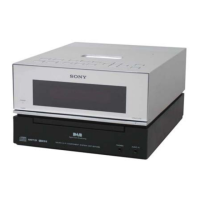
HCD-BX77DBi
13
CD SERVICE MODE
This mode can run the CD sled motor freely. Use this mode, for
instance, when cleaning the optical pick-up.
Procedure:
1. Press the [
?/1
] button to turn the power on.
2. Press the [FUNCTION] button to select “CD”.
3. Press three buttons of [
x
/CANCEL], [VOL –] and [
A
]
simultaneously, the message “SERVICE MO” is displayed on
the fl uorescent indicator tube.
4. Press the [
l
m
TUNE –] button to move the optical pick-
up to inside track and the message “SLED IN” is displayed on
the fl uorescent indicator tube, or press the [
M
L
TUNE
+] button to outside track and the message “SLED OUT” is
displayed on the fl uorescent indicator tube.
5. Press the [CD
u
] button, “LD ON” or “LD OFF” is displayed
on the fl uorescent indicator tube. Each time [CD
u
] button is
pressed, laser diode on/off is changed over.
6. To release this mode, press the [
?/1
] button.


 To Next Page