HCD-ECL77BT/ECL99BT
14
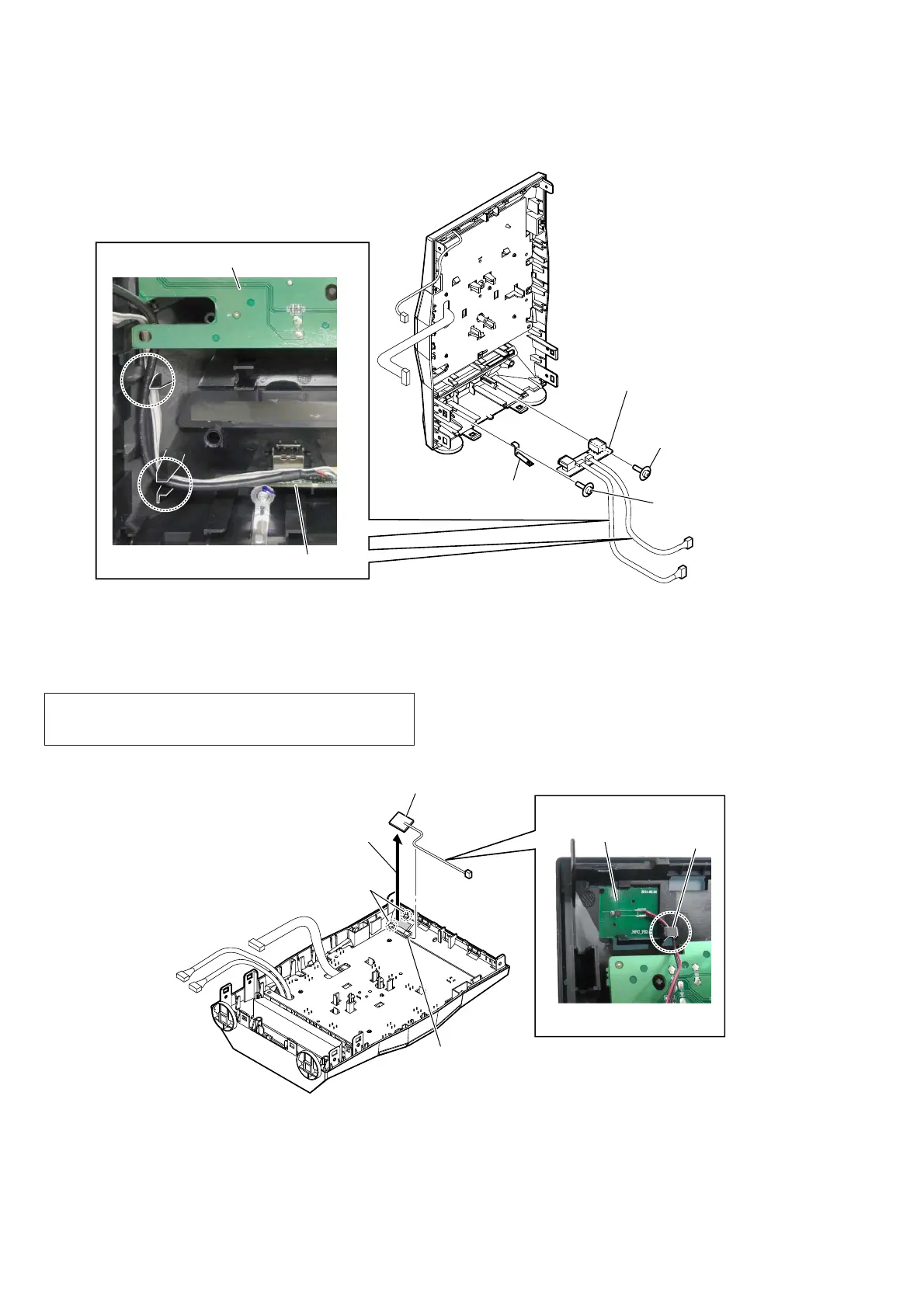
2-11. USB BOARD
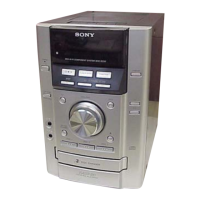
2-12. NFC MODULE
3 USB board
– Front panel block
rear view –
2 ground
plate
Wire setting
– rear view –
1 USB PWB screw
(2.6 u 8)
1 USB PWB screw
(2.6 u 8)
FRONT board
USB board
2 two claws
4 NFC module
NFC module
1 Remove the wire
from the hook.
– Front panel block rear bottom view –
Wire setting
hook
3 Peel the NFC module off
of the double-side tape.
Note 2:
When installing the NFC module,
completely remove the double-side
tape stuck to the front panel block
before installation.
– Rear view –
Note 1: When replacing the MAIN board or the NFC module, be sure
replace both at the same time. The MAIN board or the NFC
module cannot replace with single.


 To Next Page