EasyManua.ls Logo

Sony HCD-ECL77BT - Power Cord (AC1), Rear Panel Block

Sony HCD-ECL77BT
44 pages
Print Icon
To Next Page IconTo Next Page
To Previous Page IconTo Previous Page
Loading...
HCD-ECL77BT/ECL99BT
9
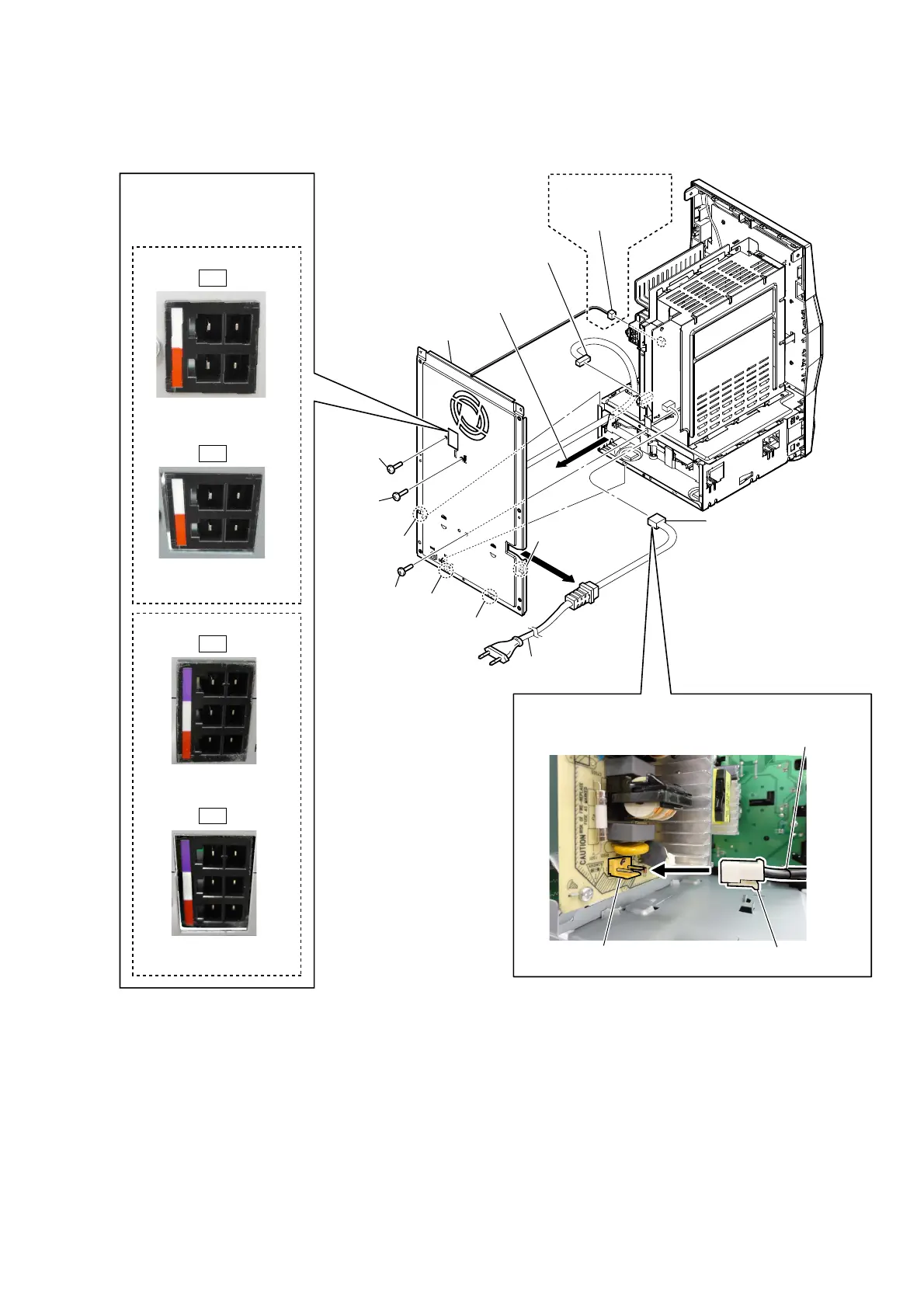
2-3. POWER CORD (AC1), REAR PANEL BLOCK
1 connector (XP16)
2 fan connector
(XP14)
5 claw
5 claw
7 rear panel block
6 Remove the rear panel block
in the direction of the arrow.
8 power cord connector
(CN501)
9 power cord
(AC1)
CN501
claw
power cord
– Rear view –
5 claw
5 claw
(ECL99BT)
(ECL99BT)
OK
NG
Note 2:
When installing the rear
panel block, check that
speaker terminals are
properly secured.
Speaker terminals are
fitted to the surface.
Speaker terminals has
been depressed.
4 screw
(3 u 6)
4 screw
(3 u 6)
4 screw
(3 u 6)
3
Power cord setting
– Rear view –
Note 1:
When installing the power cord,
check the direction of connector.
(ECL77BT)
OK
NG
Speaker terminals are
fitted to the surface.
Speaker terminals has
been depressed.

Related product manuals