EasyManua.ls Logo

Sony IT-A100 - Connecting the Phone

Sony IT-A100
58 pages
Print Icon
To Next Page IconTo Next Page
To Previous Page IconTo Previous Page
Loading...
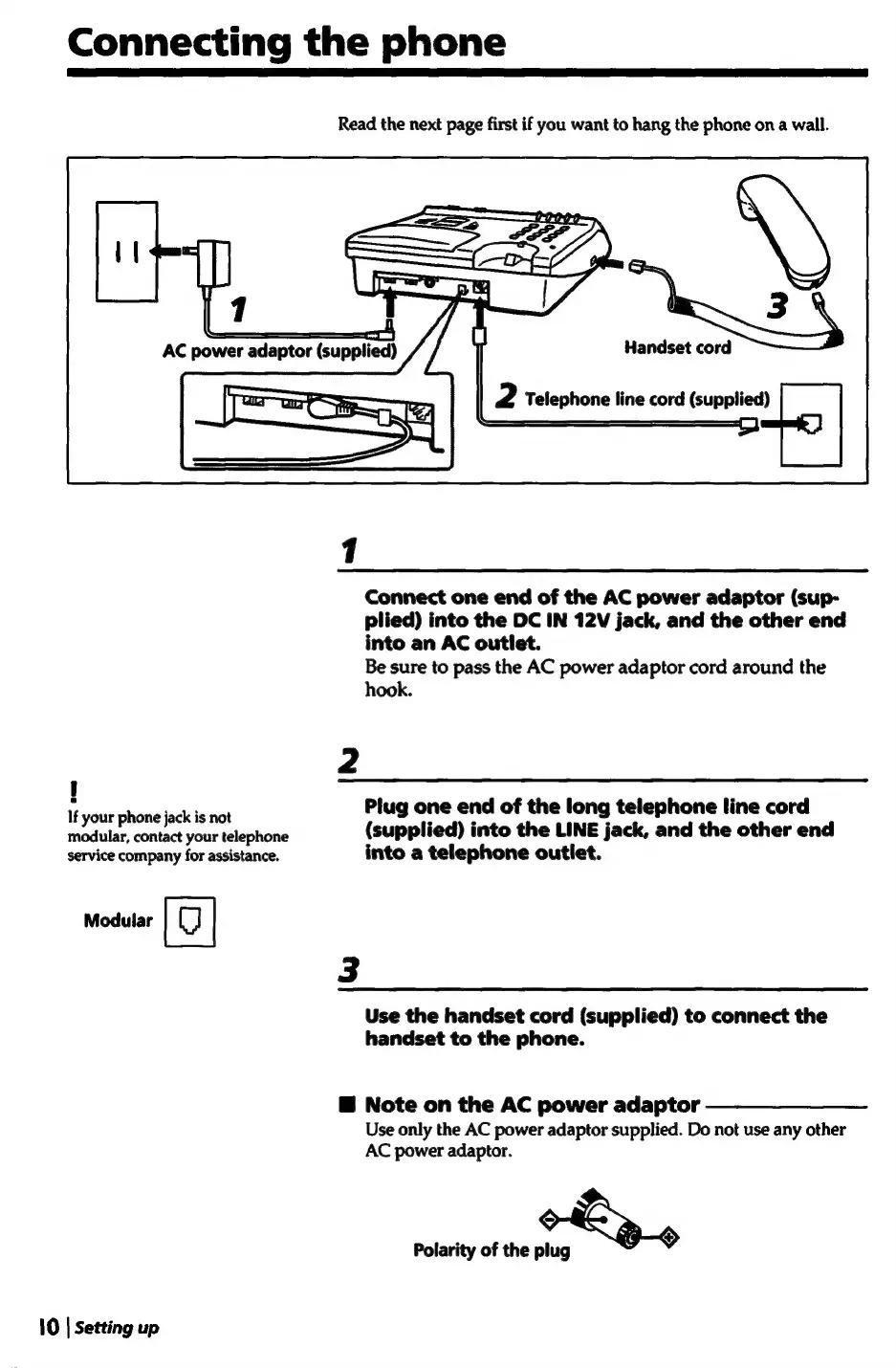
Connecting
the
phone
Read
the
next
page
first
if
you
want
to
hang
the
phone
ona
wall.
3
Handset
cord
Telephone
line
cord
(supplied)
Connect
one
end
of
the
AC
power
adaptor
(sup-
plied)
into
the
DC
IN
12V
jack,
and
the
other
end
into
an
AC
outlet.
Be
sure
to
pass
the
AC
power
adaptor
cord
around
the
hook.
If
your
phone
jack
is
Hot
Plug
one
end
of
the
long
telephone
line
cord
modular,
contact
your
telephone
(supplied)
into
the
LINE
jack,
and
the
other
end
service
company
for
assistance.
into
a
telephone
outlet.
moduar
|
|
3
Use
the
handset
cord
(supplied)
to
connect
the
handset
to
the
phone.
@
Note
on
the
AC
power
adaptor
Use
only
the
AC
power
adaptor
supplied.
Do
not
use
any
other
AC
power
adaptor.
Polarity
of
the
plug
a
$
10
|
Setting
up

Related product manuals