EasyManua.ls Logo

Sony IT-A100 - Setting the Day and Time

Sony IT-A100
58 pages
Print Icon
To Next Page IconTo Next Page
To Previous Page IconTo Previous Page
Loading...
=>
Preparation
The
pre-recorded
greetings
cannot
be
erased.
@
Checking
the
greeting
1
Press
ANSWER
ON/OFF.
2
Press
GREETING.
The
phone
replays
the
greeting.
If
no
greeting
has
been
recorded,
the
pre-recorded
greeting
is
heard
instead.
You
hear
a
confirmation
beep.
B
Recording
a
new
greeting
—@£§@
—_—
Follow
the
steps
on
the
previous
page.
The
old
greeting
will
be
erased
automatically.
@
To
use
the
pre-recorded
greetings
Follow
steps
1,
2,
and
3,
but
record
for
less
than
two
seconds.
You
will
hear
five
short
beeps
and
your
old
greeting
will
be
erased.
The
phone
will
then
answer
using
the
pre-recorded
greetings.
i
If
power
interruption
occurs
———_—_——_—_—_
The
greeting
will
not
be
affected
as
long
as
the
power
comes
back
on
within
one
hour.
Y=hadiele
Mm
dal-morcharclecem
alan
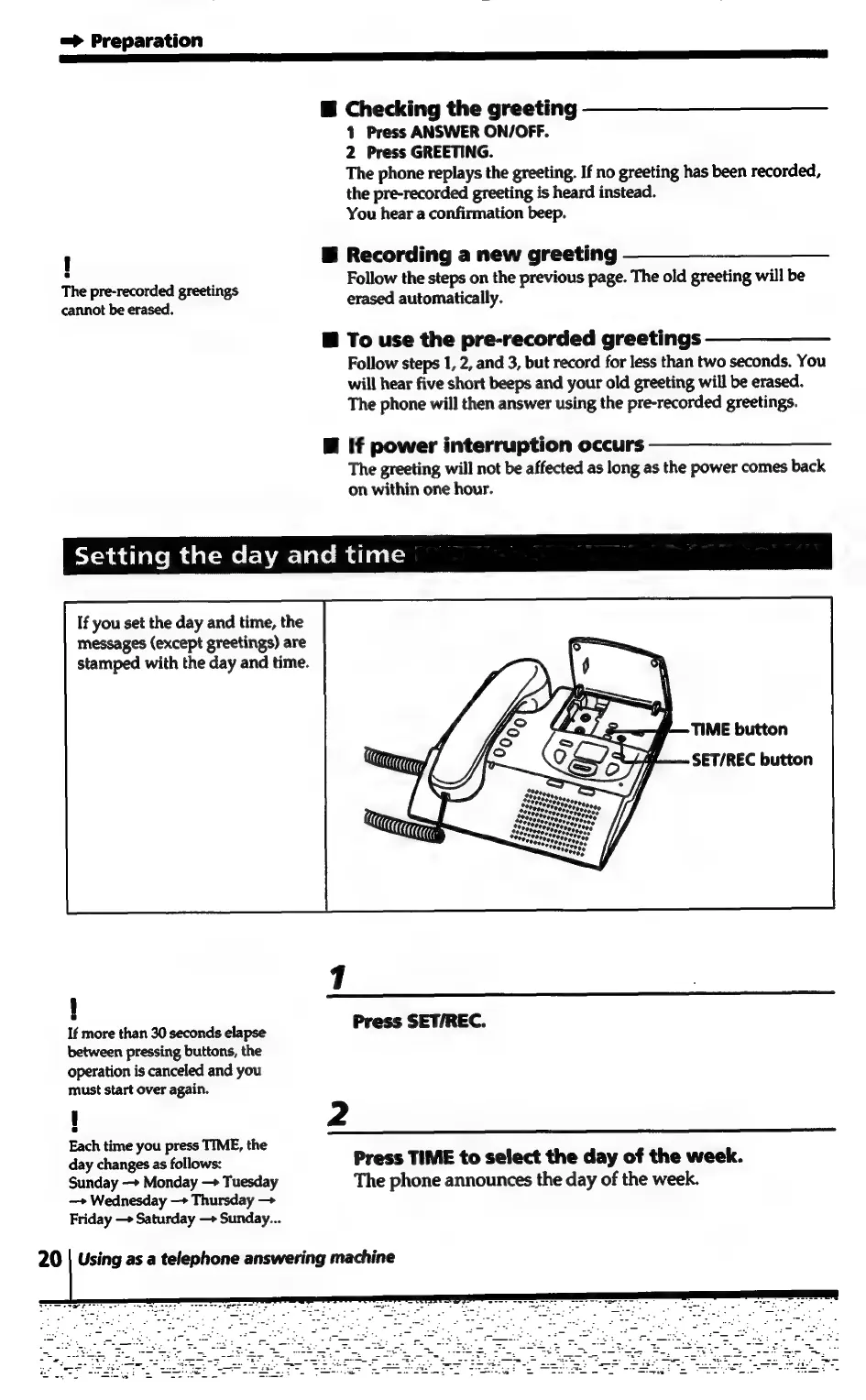
If
you
set
the
day
and
time,
the
messages
(except
greetings)
are
stamped
with
the
day
and
time.
If
more
than
30
seconds
elapse
between
pressing
buttons,
the
operation
is
canceled
and
you
must
start
over
again.
Each
time
you
press
TIME,
the
day
changes
as
follows:
Sunday
—>
Monday
—>
Tuesday
—»
Wednesday
—>
Thursday
Friday
—>
Saturday
—>
Sunday...
1
Press
SET/REC.
2
Press
TIME
to
select
the
day
of
the
week.
The
phone
announces
the
day
of
the
week.
20
|
Using
as
a
telephone
answering
machine

Related product manuals