EasyManua.ls Logo

Sony IT-A100 - Calling from a Remote Phone; Control Codes for Remote Operations

Sony IT-A100
58 pages
Print Icon
To Next Page IconTo Next Page
To Previous Page IconTo Previous Page
Loading...
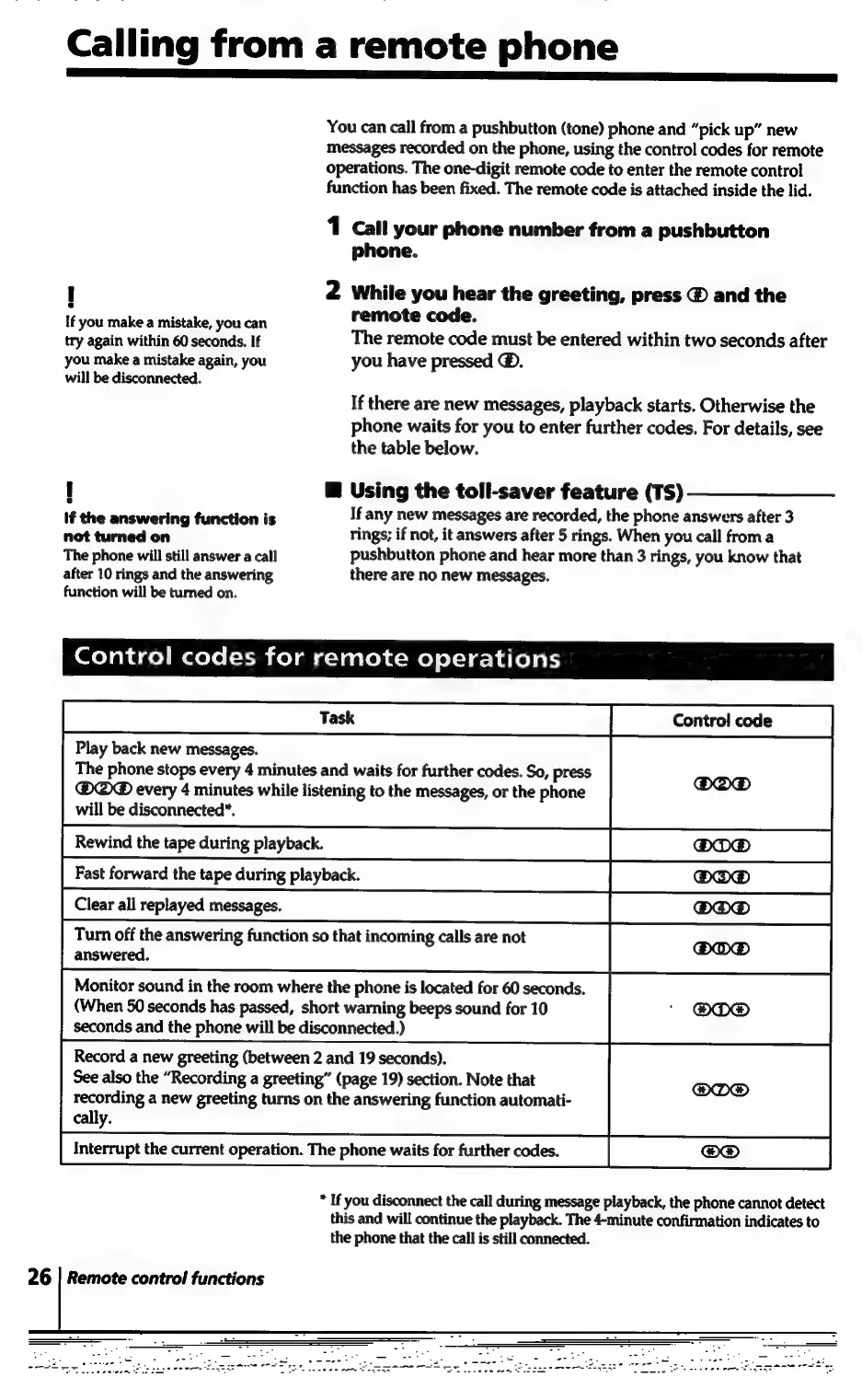
Calling
from
a
remote
phone
i
EN
You
can
call
from
a
pushbutton
(tone)
phone
and
“pick
up”
new
messages
recorded
on
the
phone,
using
the
control
codes
for
remote
operations.
The
one-digit
remote
code
to
enter
the
remote
control
function
has
been
fixed.
The
remote
code
is
attached
inside
the
lid.
1
Call
your
phone
number
from
a
pushbutton
phone.
!
2
While
you
hear
the
greeting,
press
@
and
the
i
remote
code.
If
you
make
a
mistake,
you
can
a
re
again
within
60
anion
If
The
remote
code
must
be
entered
within
two
seconds
after
you
make
a
mistake
again,
you
you
have
pressed
@.
will
be
disconnected.
If
there
are
new
messages,
playback
starts.
Otherwise
the
phone
waits
for
you
to
enter
further
codes.
For
details,
see
the
table
below.
!
@
Using
the
toll-saver
feature
(TS)
If
the
answering
function
is
If
any
new
messages
are
recorded,
the
phone
answers
after
3
not
turned
on
rings;
if
not,
it
answers
after
5
rings.
When
you
call
from
a
The
phone
will
still
answer
a
call
pushbutton
phone
and
hear
more
than
3
rings,
you
know
that
after
10
rings
and
the
answering
there
are
no
new
messages.
function
will
be
turned
on.
oleh
dco)
Maelo
(=t-Mh
ke)
mia
-yaaleyc=Mo)
ol:1a-h
ale)
aly
Play
back
new
messages.
The
phone
stops
every
4
minutes
and
waits
for
further
codes.
So,
press
@®@®
every
4
minutes
while
listening
to
the
messages,
or
the
phone
will
be
disconnected*.
Monitor
sound
in
the
room
where
the
phone
is
located
for
60
seconds.
(When
50
seconds
has
passed,
short
warning
beeps
sound
for
10
seconds
and
the
phone
will
be
disconnected.)
Record
a
new
greeting
(between
2
and
19
seconds).
See
also
the
“Recording
a
greeting”
(page
19)
section.
Note
that
recording
a
new
greeting
turns
on
the
answering
function
automati-
cally.
Interrupt
the
current
operation.
The
phone
waits
for
further
codes.
*
If
you
disconnect
the
call
during
message
playback,
the
phone
cannot
detect
this
and
will
continue
the
playback.
The
4-minute
confirmation
indicates
to
the
phone
that
the
call
is
still
connected.
26
|
Remote
control
functions

Related product manuals