EasyManua.ls Logo

Sony IT-A100 - Memory Dialing; Storing Memory Dialing Numbers

Sony IT-A100
58 pages
Print Icon
To Next Page IconTo Next Page
To Previous Page IconTo Previous Page
Loading...
Memory
dialing
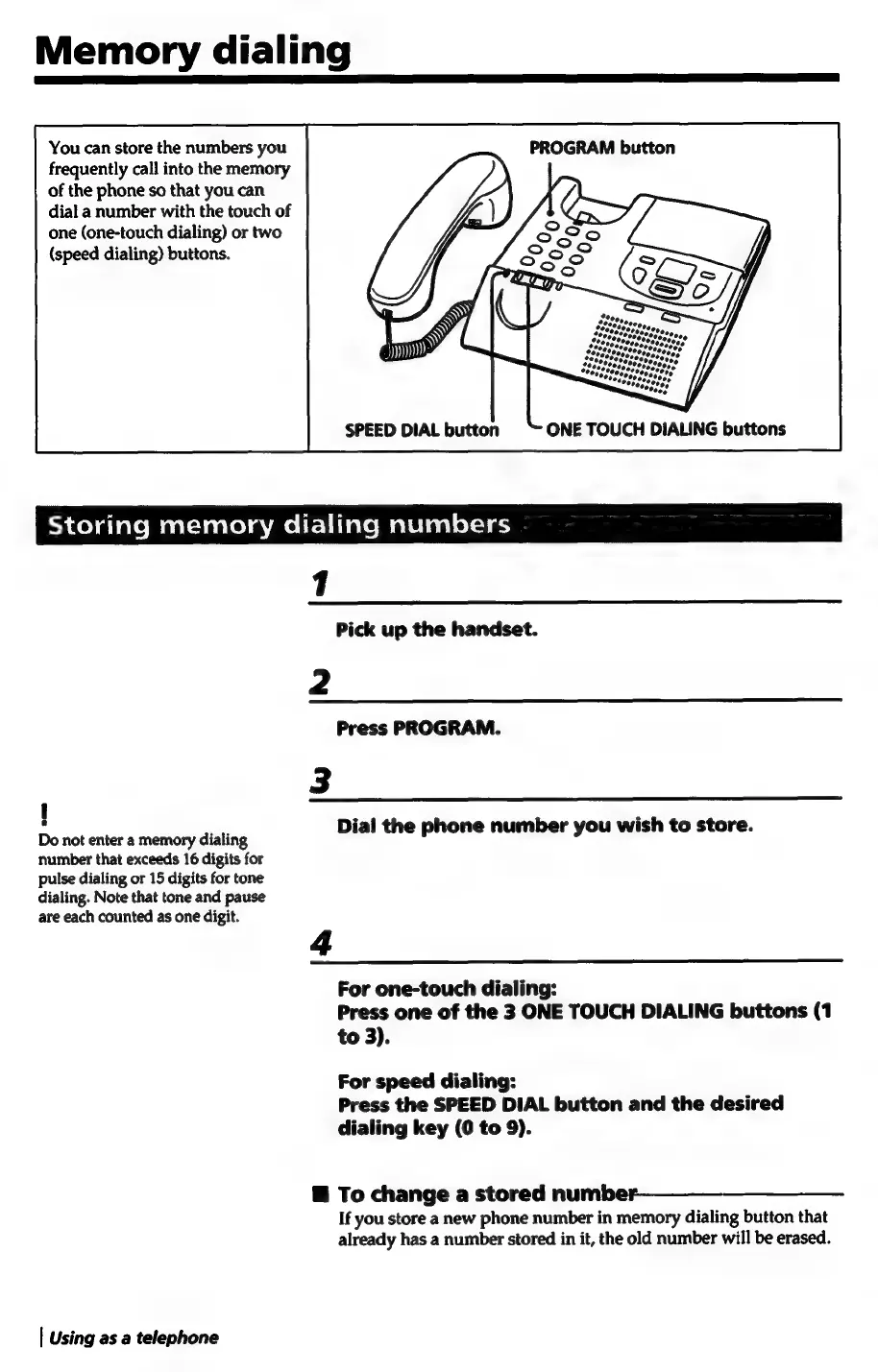
You
can
store
the
numbers
you
PROGRAM
button
frequently
call
into
the
memory
of
the
phone
so
that
you
can
dial
a
number
with
the
touch
of
one
(one-touch
dialing)
or
two
(speed
dialing)
buttons.
eh
colatalemaat-lenlolameltlilarcmalelealec-ie
1
Pick
up
the
handset.
Ny
Press
PROGRAM.
Ww
!
5
;
Dio
et
enor’
teenie
dialing
Dial
the
phone
number
you
wish
to
store.
number
that
exceeds
16
digits
for
pulse
dialing
or
15
digits
for
tone
dialing.
Note
that
tone
and
pause
are
each
counted
as
one
digit.
a
For
one-touch
dialing:
Press
one
of
the
3
ONE
TOUCH
DIALING
buttons
(1
to
3).
For
speed
dialing:
Press
the
SPEED
DIAL
button
and
the
desired
dialing
key
(0
to
9).
@
To
change
a
stored
number—_—_—____—__-
If
you
store
a
new
phone
number
in
memory
dialing
button
that
already
has
a
number
stored
in
it,
the
old
number
will
be
erased.
|
Using
as
a
telephone

Related product manuals