EasyManua.ls Logo

Sony IT-A100 - Recording a Memo Message

Sony IT-A100
58 pages
Print Icon
To Next Page IconTo Next Page
To Previous Page IconTo Previous Page
Loading...
Recording
a
memo
message
You
can
leave
memo
messages
to
remind
yourself
or
other
users
of
the
phone.
You
can
also
listen
to
memo
messages
from
a
remote
phone
when
you
are
away
(page
26).
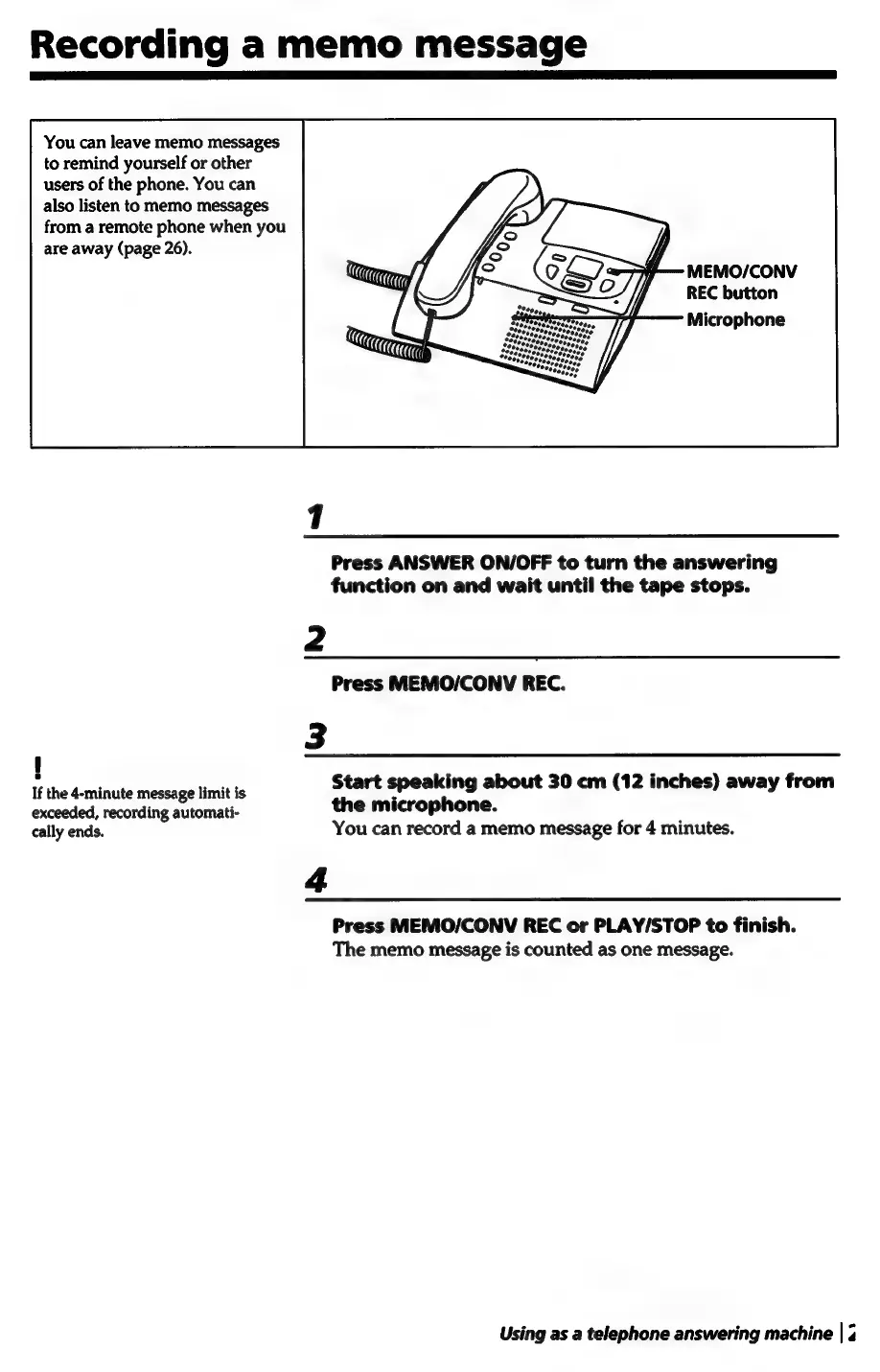
MEMO/CONV
REC
button
Microphone
1
Press
ANSWER
ON/OFF
to
turn
the
answering
function
on
and
wait
until
the
tape
stops.
2
Press
MEMO/CONV
REC.
!
:
If
the
4-minute
message
limit
is
Start
speaking
about
30
cm
(12
inches)
away
from
exceeded,
recording
automati-
the
microphone.
cally
ends.
You
can
record
a
memo
message
for
4
minutes.
4
Press
MEMO/CONV
REC
or
PLAY/STOP
to
finish.
The
memo
message
is
counted
as
one
message.
Using
as
a
telephone
answering
machine
|
3

Related product manuals