EasyManua.ls Logo

Sony IT-A100 - Hanging the Phone on a Wall

Sony IT-A100
58 pages
Print Icon
To Next Page IconTo Next Page
To Previous Page IconTo Previous Page
Loading...
aEcValeilalem
calm
olalelal=melam:
mri)
oe
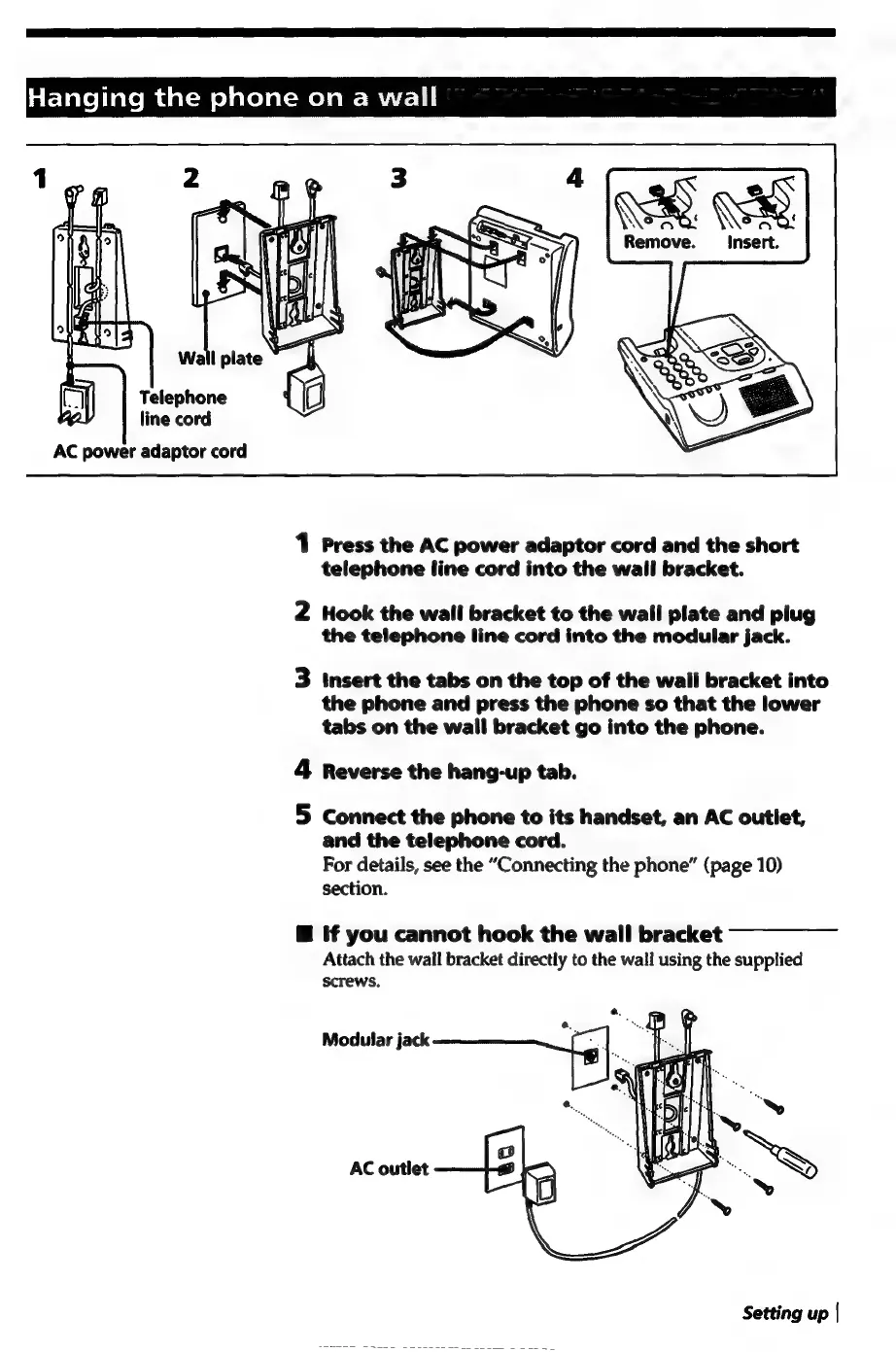
Remove.
_
Insert.
Telephone
line
cord
AC
power
adaptor
cord
1
Press
the
AC
power
adaptor
cord
and
the
short
telephone
line
cord
into
the
wall
bracket.
2
Hook
the
wall
bracket
to
the
wall
plate
and
plug
the
telephone
line
cord
into
the
modular
jack.
3
Insert
the
tabs
on
the
top
of
the
wall
bracket
into
the
phone
and
press
the
phone
so
that
the
lower
tabs
on
the
wall
bracket
go
into
the
phone.
4
Reverse
the
hang-up
tab.
5
Connect
the
phone
to
its
handset,
an
AC
outlet,
and
the
telephone
cord.
For
details,
see
the
“Connecting
the
phone”
(page
10)
section.
@
If
you
cannot
hook
the
wall
bracket
Attach
the
wall
bracket
directly
to
the
wall
using
the
supplied
screws.

Related product manuals