Using Basic Functions
PiP Function buttons
Yellow PiP button Description
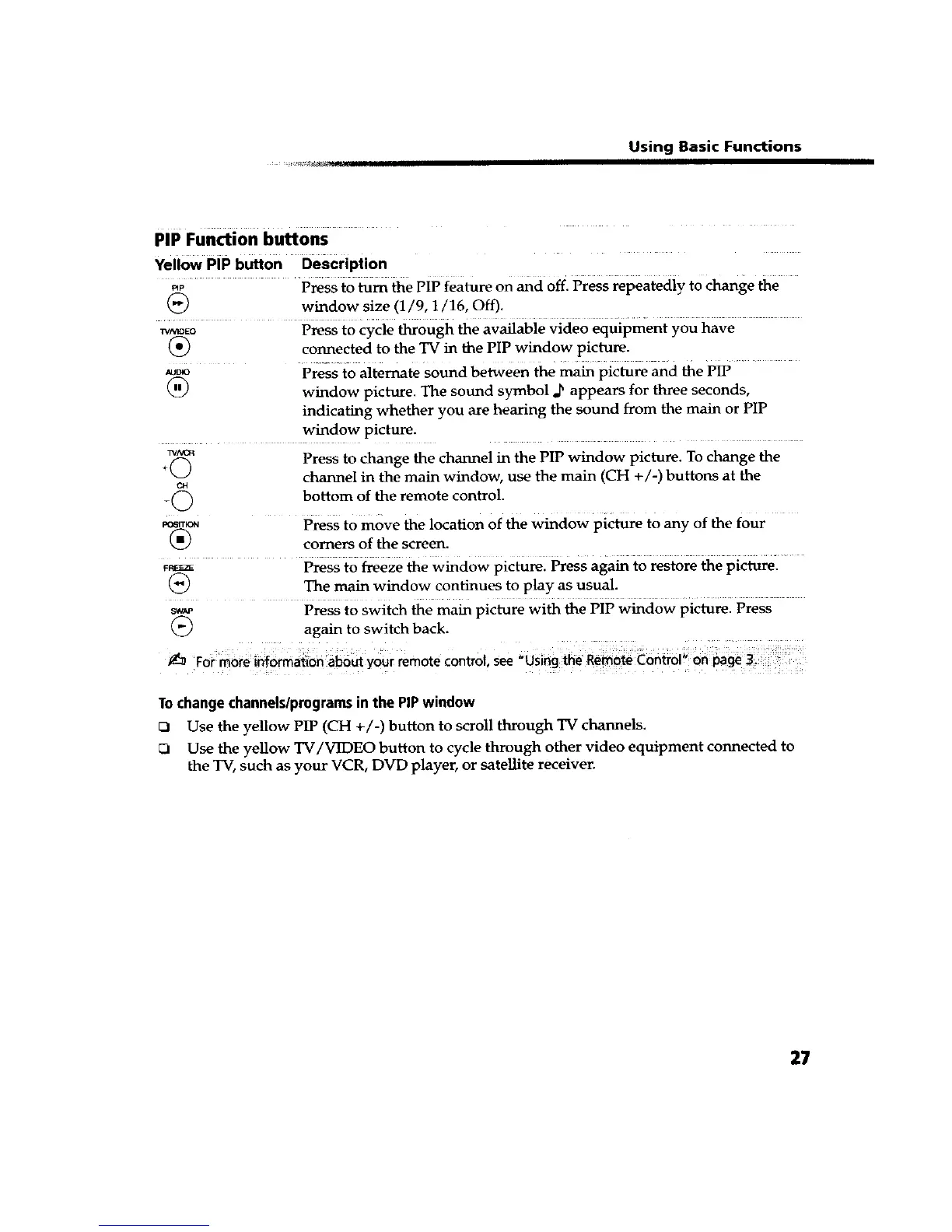
_P ..... P_ss to _m the PiP feature on _cl Off. Press repeatedly to change the
(_) window size (1/9, 1/16, Off).
w_aDEo Press to cycle through the available video equipment you have
(_) connected to the TV in the PIP window picture.
_o Press to alternate sound between the main picture and the PIP
(_) window picture. The sound symbol d_ appears for three seconds,
indicating whether you are hearing the sound from the main or PIP
window picture.
Press to change the channel in the PIP window picture. To change the
channel in the main window, use the main (CH +/-) buttons at the
bottom of the remote control.
P_q
-©
1_61TK_
®
P_SS tO move the location of the window picture to any of the four
comers of the screen.
F_ Press to freeze the window picture. Press again to restore the picture.
(_) The main window continues to play as usual.
sw_ Press to switch the main picture with the PIP window picture. Press
(_) again to switch back.
For more ih_6rmati0n about your remote control, see _using _he Rem6te _ontrol!;
Tochangechannels/programsinthe PiPwindow
UI Use the yellow PIP (CH +/-) button to scroll through TV channels.
_1 Use the yellow TV/VIDEO button to cyclethrough other video equipment connected to
the TV, such as your VCR, DVD player, or satellite receiver.
27









 To Next Page