MHC-V42D
20
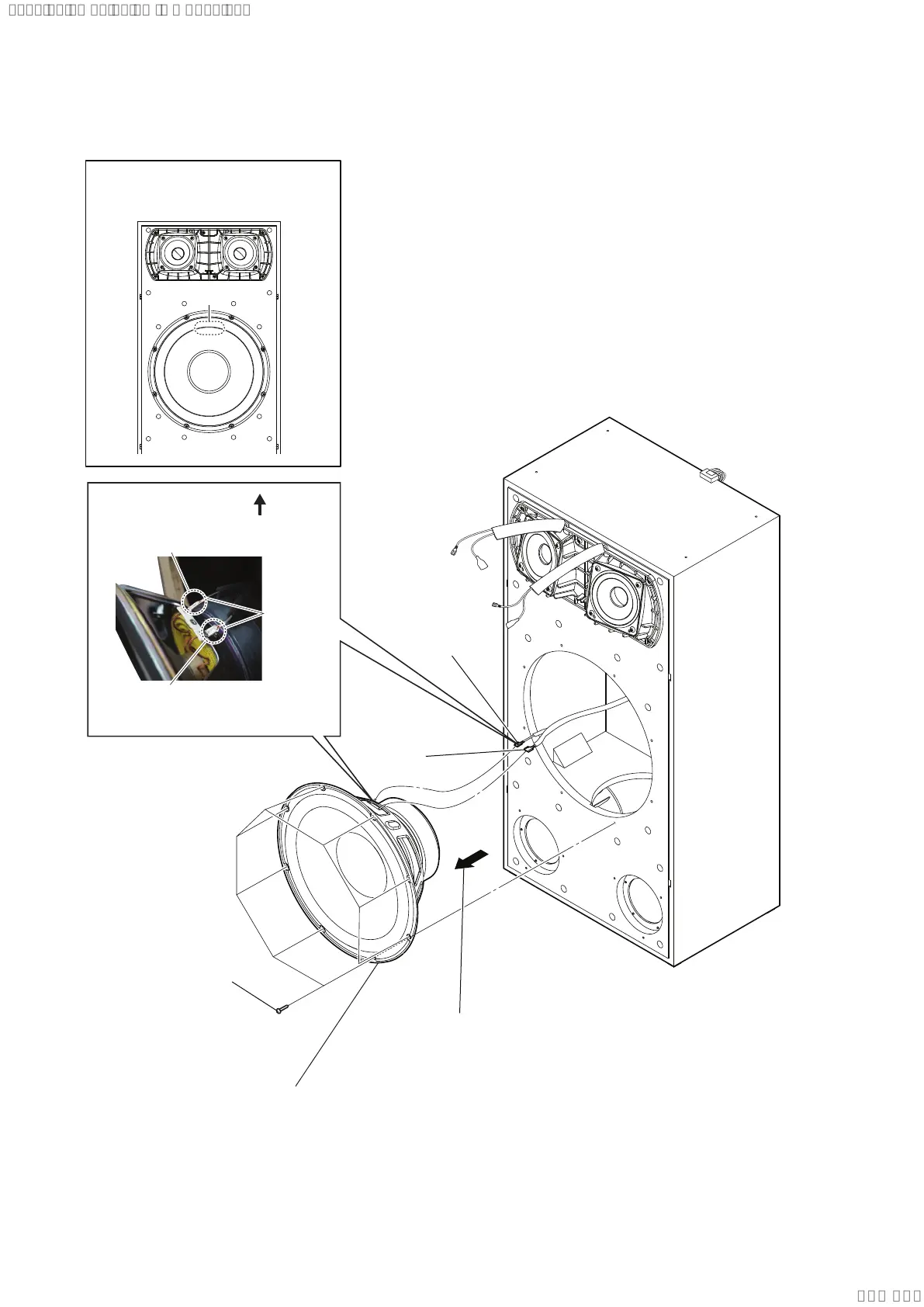
2-11. LOUDSPEAKER 25CM (WOOFER) (SP5)
3 terminal
(narrow side)
[grey/black]
3 terminal
(wide side)
[grey]
1 eight screws
(4 × 20), +BV TAPPING
4 loudspeaker 25cm (woofer) (SP5)
2 Remove the loudspeaker 25cm (woofer) (SP5)
in the direction of arrow.
terminal position
• Installation direction for the
loudspeaker 25cm (woofer) (SP5)
• Wire setting
top side
Push the protrusion, and remove
the terminal (wide side) [grey].
Push the protrusion, and remove
the terminal (narrow side) [grey/black].
protrusion
SYSSET
2019/03/0500:47:46(GMT+09:00)



 To Next Page
 Loading...












