1-19
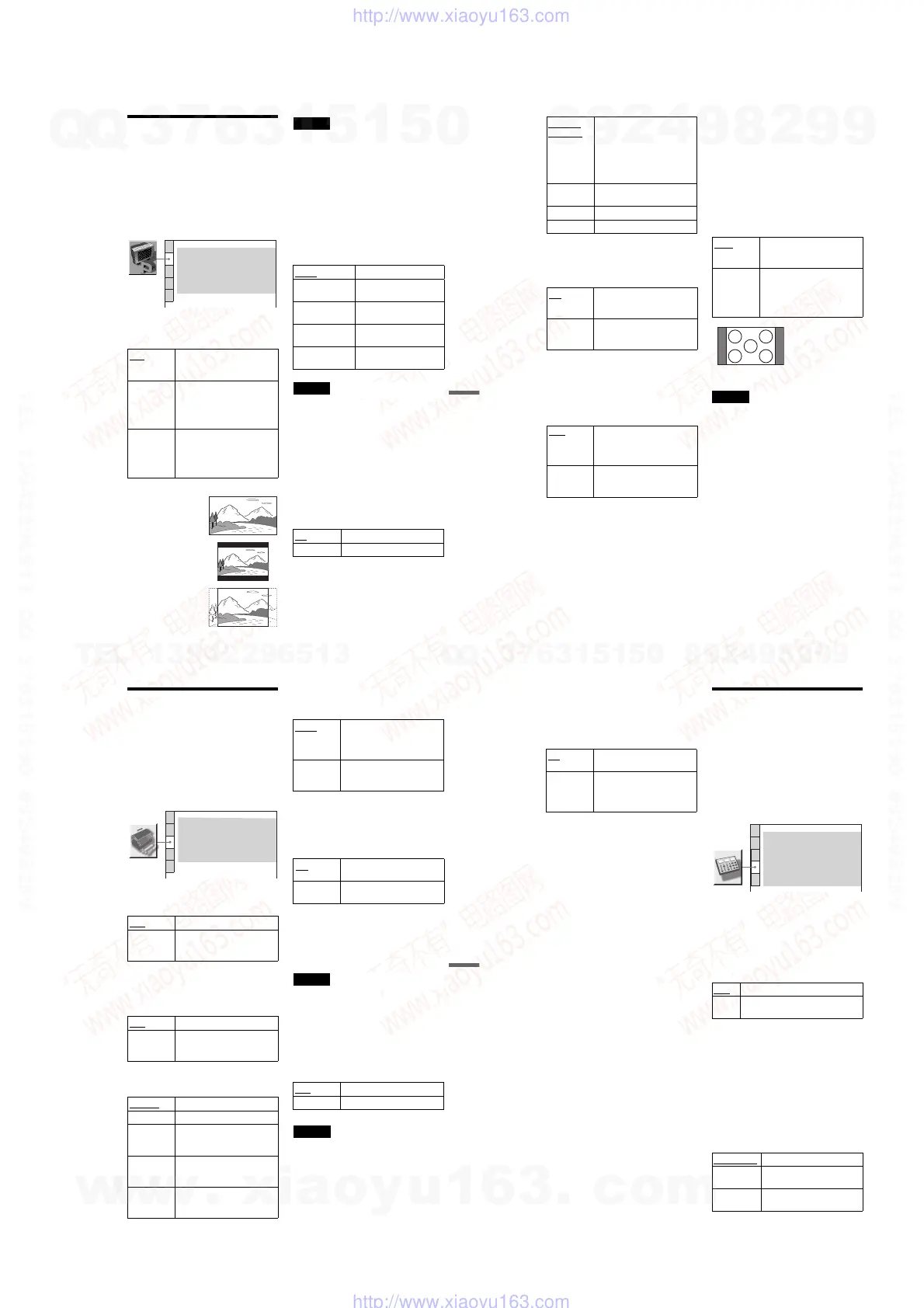
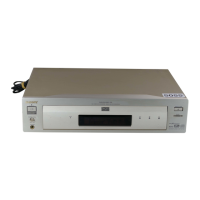
DVP-NS975V
79
Settings and Adjustments
Settings for the Display
(SCREEN SETUP)
Choose settings according to the TV to be
connected.
Select “SCREEN SETUP” in the Setup
Display. To use the display, see “Using the
Setup Display” (page 77).
The default settings are underlined.
◆ TV TYPE
Selects the aspect ratio of the connected TV
(4:3 standard or wide).
Note
Depending on the DVD, “4:3 LETTER BOX” may
be selected automatically instead of “4:3 PAN
SCAN” or vice versa.
◆ HDMI RESOLUTION
Selects the type of video signals output from
the HDMI OUT jack. When you select
AUTO (default), the player outputs video
signals of the highest resolution acceptable
for your TV. If the picture is not clear, natural
or to your satisfaction, try another option that
suits the disc and your TV/projector, etc. For
details, refer also to the instruction manual
supplied with the TV/projector, etc.
Note
Even when a setting other than “AUTO” is selected
and the connected TV cannot accept the resolution,
the player automatically adjusts the video signals
that are suitable for the TV.
◆ SCREEN SAVER
The screen saver image appears when you
leave the player in pause or stop mode for 15
minutes, or when you play a Super Audio CD,
CD, or DATA CD (MP3 audio) for more than
15 minutes. The screen saver will help
prevent your display device from becoming
damaged (ghosting). Press H to turn off the
screen saver.
◆ BACKGROUND
Selects the background color or picture on the
TV screen when the player is in stop mode or
while playing a Super Audio CD, CD, or
DATA CD (MP3 audio).
16:9 Select this when you connect a
wide-screen TV or a TV with a
wide mode function.
4:3
LETTER
BOX
Select this when you connect a
4:3 screen TV. Displays a wide
picture with bands on the upper
and lower portions of the
screen.
4:3
PAN SCAN
Select this when you connect a
4:3 screen TV. Automatically
displays the wide picture on the
entire screen and cuts off the
portions that do not fit.
SCREEN SETUP
HDMI RESOLUTION:
SCREEN SAVER:
BACKGROUND:
AUTO
TV TYPE: 16:9
ON
JACKET PICTURE
BLACK LEVEL:
ON
BLACK LEVEL (COMPONENT OUT):
OFF
4:3 OUTPUT:
FULL
16:9
4:3 LETTER BOX
4:3 PAN SCAN
AUTO Normally, select this.
1920u1080i Sends 1920u1080i video
signals.
1280u720p Sends 1280u720p video
signals.
720u480p Sends 720u480p video
signals.
720u480i Sends 720u480i video
signals.
ON
Turns on the screen saver.
OFF Turns off the screen saver.
,continued
80
◆ BLACK LEVEL
Selects the black level (setup level) for the
video signals output from the jacks other than
COMPONENT VIDEO OUT/HDMI OUT.
◆ BLACK LEVEL (COMPONENT OUT)
Selects the black level (setup level) for the
video signals output from the COMPONENT
VIDEO OUT jacks. You cannot select this
when the player outputs progressive signals
(page 22).
◆ 4:3 OUTPUT
This setting is effective only when you set
“TV TYPE” in “SCREEN SETUP” to
“16:9.”
Adjust to watch 4:3 aspect ratio progressive
signals. If you can change the aspect ratio on
your progressive format compatible TV,
change the setting on your TV, not the player.
Note that this setting is effective only for
HDMI connection, or progressive signals
output from the COMPONENT VIDEO OUT
jacks.
Note
This setting is not effective when you use the HDMI
OUT jack and set “HDMI RESOLUTION” to
“720 × 480i” (page 79).
JACKET
PICTURE
The jacket picture (still picture)
appears, but only when the
jacket picture is already
recorded on the disc (CD-
EXTRA, etc.). If the disc does
not contain a jacket picture, the
“GRAPHICS” picture appears.
GRAPHICS A preset picture stored in the
player appears.
BLUE The background color is blue.
BLACK The background color is black.
ON
Sets the black level of the
output signal to the standard
level.
OFF Lowers the standard black
level. Use this when the picture
becomes too white.
OFF
Sets the black level of the
output signal to the standard
level. Normally select this
position.
ON Raises the standard black level.
Use this setting when the
picture appears too dark.
FULL Select this when you can
change the aspect ratio on your
TV.
NORMAL Select this when you cannot
change the aspect ratio on your
TV. Shows a 16:9 aspect ratio
signal with black bands on left
and right sides of the image.
16:9 aspect ratio TV
81
Settings and Adjustments
Custom Settings (CUSTOM
SETUP)
Use this to set up playback related and other
settings.
Select “CUSTOM SETUP” in the Setup
Display. To use the display, see “Using the
Setup Display” (page 77).
The default settings are underlined.
◆ AUTO POWER OFF
Switches the Auto Power Off setting on or
off.
◆ AUTO PLAY
Switches the Auto Play setting on or off. This
function is useful when the player is
connected to a timer (not supplied).
◆ DISPLAY
Adjusts the lighting of the front panel display.
◆ PAUSE MODE (DVD VIDEO/DVD-RW
only)
Selects the picture in pause mode.
◆ PLAYBACK MEMORY
The player can store “CUSTOM PICTURE
MODE” and other settings of each disc for up
to 40 discs (Playback Memory).
Set this function “ON” or “OFF.”
The following settings are stored in memory.
– CUSTOM PICTURE MODE (page 59)*
– AV ALIGNEMENT (page 61)*
– SHARPNESS (page 60)*
* DVD VIDEO/VIDEO CD/Super VCD only
Note
The player can store the settings of up to 40 discs.
When you store the setting of disc number 41, the
first disc setting is cancelled.
◆ TRACK SELECTION (DVD VIDEO only)
Gives the sound track which contains the
highest number of channels priority when you
play a DVD VIDEO on which multiple audio
formats (PCM, DTS, or Dolby Digital
format) are recorded.
Notes
• When you set the item to “AUTO,” the language
may change. The “TRACK SELECTION” setting
has higher priority than the “AUDIO” settings in
“LANGUAGE SETUP” (page 78).
• If PCM, DTS, and Dolby Digital sound tracks
have the same number of channels, the player
selects PCM, DTS, and Dolby Digital sound
tracks in this order.
OFF Switches this function off.
ON The player enters standby mode
when left in stop mode for more
than 30 minutes.
OFF
Switches this function off.
ON Automatically starts playback
when the player is turned on by
a timer (not supplied).
BRIGHT
Makes the lighting bright.
DARK Makes the lighting dark.
AUTO
DARK
Makes the lighting dark if you
do not operate the player or
remote for a short while.
AUTO OFF Turns off the lighting if you do
not operate the player or remote
for a while.
OFF
(FL OFF)
Turns off the lighting. The FL
OFF indicator on the player
lights up.
CUSTOM SETUP
AUTO PLAY:
DISPLAY:
OFF
AUTO POWER OFF: OFF
BRIGHT
AUTO
PAUSE MODE:
ON
PLAYBACK MEMORY:
OFF
TRACK SELECTION:
ON
MULTI-DISC RESUME:
AUTO The picture, including subjects
that move dynamically, is
output with no jitter. Normally
select this position.
FRAME The picture, including subjects
that do not move dynamically,
is output in high resolution.
ON
Stores the settings in memory
when you eject the disc.
OFF Does not store the settings in
memory.
OFF
No priority given.
AUTO Priority given.
,continued
82
◆ MULTI-DISC RESUME (DVD VIDEO/
VIDEO CD only)
Switches the Multi-disc Resume setting on or
off. Resume playback can be stored in
memory for up to 40 different DVD VIDEOs/
VIDEO CDs (page 36).
Settings for the Sound
(AUDIO SETUP)
“AUDIO SETUP” allows you to set the sound
according to the playback and connection
conditions.
Select “AUDIO SETUP” in the Setup
Display. To use the display, see “Using the
Setup Display” (page 77).
The default settings are underlined.
◆ AUDIO ATT (attenuation)
If the playback sound is distorted, set this
item to “ON.” The player reduces the audio
output level.
This function affects the output of the
following jacks:
– LINE OUT L/R (AUDIO) 1/2 jacks
– 5.1CH OUTPUT jacks
◆ AUDIO DRC (Dynamic Range Control)
(DVD VIDEO/DVD-RW only)
Makes the sound clear when the volume is
turned down when playing a DVD that
conforms to “AUDIO DRC.”
This function affects the output from the
following jacks:
– LINE OUT L/R (AUDIO) 1/2 jacks
– 5.1CH OUTPUT jacks
– DIGITAL OUT (OPTICAL or COAXIAL)/
HDMI OUT jack only when “DOLBY
DIGITAL” is set to “D-PCM” (page 84).
ON Stores the resume setting in
memory for up to 40 discs.
OFF Does not store the resume
setting in memory. Playback
restarts at the resume point only
for the current disc in the player.
OFF Normally, select this position.
ON Select this when the playback sound
from the speakers is distorted.
STANDARD
Normally, select this position.
TV MODE Makes low sounds clear even if
you turn the volume down.
WIDE
RANGE
Gives you the feeling of being
at a live performance.
AUDIO SETUP
AUDIO ATT:
AUDIO DRC:
DIGITAL OUT:
OFF
STANDARD
AUDIO FILTER: SHARP
ON
DOWNMIX:
DOLBY SURROUND
DOLBY DIGITAL:
DTS:
D-PCM
PCM
D-PCM
48kHz/96kHz PCM:
48kHz/16bit
AUDIO(HDMI):
AUTO
w
w
w
.
x
i
a
o
y
u
1
6
3
.
c
o
m
Q
Q
3
7
6
3
1
5
1
5
0
9
9
2
8
9
4
2
9
8
T
E
L
1
3
9
4
2
2
9
6
5
1
3
9
9
2
8
9
4
2
9
8
0
5
1
5
1
3
6
7
3
Q
Q
TEL 13942296513 QQ 376315150 892498299
TEL 13942296513 QQ 376315150 892498299
http://www.xiaoyu163.com
http://www.xiaoyu163.com


 To Next Page