– 3 –
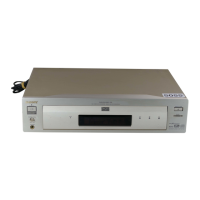
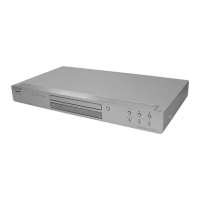
DVP-NS975V
TABLE OF CONTENTS
SERVICE NOTE
1. Disc Removal Procedure (at POWER OFF) .............. 5
2. PWB caution for B3834, IF-115 and PL-035 boards .. 5
1. GENERAL
Precautions.................................................................... 1-1
About this Manual .......................................................... 1-1
This Player Can Play the Following Discs................... 1-1
Notes about the Discs .................................................. 1-1
Index to Parts and Controls ......................................... 1-2
Guide to the Control Menu Display .............................. 1-3
Hookups ................................................................................ 1-3
Hooking Up the Player .................................................. 1-3
Step 1: Unpacking ......................................................... 1-3
Step 2: Inserting Batteries into the Remote ................. 1-3
Step 3: Connecting the Video/HDMI Cords ................. 1-4
Step 4: Connecting the Audio Cords ............................ 1-5
Step 5: Connecting the Power Cord ............................. 1-6
Step 6: Quick Setup ...................................................... 1-6
Playing Discs ......................................................................... 1-7
Playing Discs ................................................................. 1-7
Resuming Playback from the Point Where You
Stopped the Disc (Multi-disc Resume) .................. 1-8
Using the DVD's Menu .................................................. 1-8
Selecting “ORIGINAL” or “PLAY LIST” on a
DVD-RW ................................................................... 1-8
Selecting a Playback Area for a Super Audio CD ....... 1-9
Playing VIDEO CDs With PBC Functions
(PBC Playback) ........................................................ 1-9
Various Play Mode Functions (Program Play,
Shuffle Play, Repeat Play, A-B Repeat Play ........... 1-9
Searching for a Scene .......................................................... 1-10
Searching for a Particular Point on a Disc (Search,
Scan, Slow-motion Play, Freeze Frame) ............... 1-10
Searching for a Title/Chapter/Track/Scene, etc.
(Search mode) ......................................................... 1-11
Searching by Scene (PICTURE NAVIGATION) ......... 1-11
Viewing Information About the Disc ..................................... 1-11
Checking the Playing Time and Remaining Time ........ 1-11
Sound Adjustments ............................................................... 1-12
Changing the Sound ...................................................... 1-12
Surround Mode Settings ............................................... 1-12
Enjoying Movies .................................................................... 1-13
Changing the Angles ..................................................... 1-13
Displaying the Subtitles................................................. 1-13
Adjusting the Playback Picture
(CUSTOM PICTURE MODE) ................................. 1-14
Sharpening the Pictures (SHARPNESS)..................... 1-14
Adjusting the Delay Between the Picture and Sound
(AV ALIGNMENT) .................................................... 1-14
Enjoying MP3 Audio and JPEG Images .............................. 1-14
About MP3 Audio Tracks and JPEG Image Files ....... 1-14
Playing MP3 Audio Tracks or JPEG Image Files........ 1-15
Enjoying JPEG Images as a Slide Show ..................... 1-15
Using Various Additional Functions...................................... 1-16
Locking Discs (CUSTOM PARENTAL CONTROL,
PARENTAL CONTROL) .......................................... 1-16
Controlling Your TV or AV Amplifier (Receiver)
With the Supplied Remote ....................................... 1-17
Settings and Adjustments..................................................... 1-18
Using the Setup Display ............................................... 1-18
Setting the Display or Sound Track Language
(LANGUAGE SETUP) ............................................. 1-18
Settings for the Display (SCREEN SETUP) ................ 1-19
Custom Settings (CUSTOM SETUP) .......................... 1-19
Settings for the Sound (AUDIO SETUP) ..................... 1-19
Settings for the Speakers (SPEAKER SETUP) .......... 1-20
Additional Information ............................................................ 1-21
Troubleshooting ............................................................. 1-21
Self-diagnosis Function (When letters/
numbers appear in the display ................................ 1-22
Glossary ........................................................................ 1-22
Specifications................................................................. 1-22
2. DISASSEMBLY
2-1. Upper Case ................................................................... 2-1
2-2. Front Panel Assembly................................................... 2-1
2-3. Loading Assembly ......................................................... 2-2
2-4. Optical Device (KHM-310AAA) .................................... 2-3
2-5. DC Motor and MS-203 Board ....................................... 2-4
2-6. AV-086, IF-115 and PL-035 Boards ............................. 2-4
2-7. MB-118 Board................................................................ 2-5
2-8. Switching Regulator ...................................................... 2-5
2-9. Interval Views................................................................. 2-6
2-10. Circuit Boards Location................................................. 2-7
3. BLOCK DIAGRAMS
3-1. Overall Block Diagram .................................................. 3-1
3-2. Power (1) Block Diagram .............................................. 3-3
3-3. Power (2) Block Diagram .............................................. 3-5
3-4. Power (3) Block Diagram .............................................. 3-7
3-5. System Control/Signal Processor Block Diagram ...... 3-9
3-6. Proge Block Diagram .................................................... 3-11
3-7. HDMI Block Diagram .................................................... 3-13
3-8. RF/Servo Block Diagram .............................................. 3-15
3-9. Audio (1) Block Diagram ............................................... 3-17
3-10. Audio (2) Block Diagram ............................................... 3-19
3-11. Video Block Diagram..................................................... 3-21
3-12. Interface Control Block Diagram .................................. 3-23
3-13. Power Block Diagram.................................................... 3-25
4. PRINTED WIRING BOARDS AND
SCHEMATIC DIAGRAMS
4-1. Frame Schematic Diagram ........................................... 4-1
4-2. Printed Wiring Boards and Schematic Diagrams ........ 4-3
Waveform ...................................................................... 4-4
• MB-118 Printed Wiring Board .................................. 4-5
• MB-118 (System) Schematic Diagram .................. 4-7
• MB-118 (Servo) Schematic Diagram...................... 4-9
• MB-118 (8ch DAC) Schematic Diagram ................ 4-11
• MB-118 (PS-Trough) Schematic Diagram ............. 4-13
• MB-118 (Progre) Schematic Diagram .................... 4-15
• MB-118 (HDMI) Schematic Diagram ...................... 4-17
• IF-115 Printed Wiring Board .................................... 4-19
• IF-115 (Interface) Schematic Diagram .................. 4-21
• PL-035 Printed Wiring Board ................................... 4-23
• PL-035 (Power Switch) Schematic Diagram .......... 4-25
• AV-086 Printed Wiring Board ................................... 4-27
• AV-086 (Video) Schematic Diagram........................ 4-29
• AV-086 (Audio 1/2) Schematic Diagram ................. 4-31
• AV-086 (Audio 2/2) Schematic Diagram ................. 4-33
• Power Block (SRV1579WW)
Printed Wiring Board ........................................... 4-35
• Power Block (SRV1579WW)
Schematic Diagram ............................................ 4-37
5. IC PIN FUNCTION DESCRIPTION
5-1. System Control-Video Pin Function
(MB-118 BOARD IC103) .............................................. 5-1
w
w
w
.
x
i
a
o
y
u
1
6
3
.
c
o
m
Q
Q
3
7
6
3
1
5
1
5
0
9
9
2
8
9
4
2
9
8
T
E
L
1
3
9
4
2
2
9
6
5
1
3
9
9
2
8
9
4
2
9
8
0
5
1
5
1
3
6
7
3
Q
Q
TEL 13942296513 QQ 376315150 892498299
TEL 13942296513 QQ 376315150 892498299
http://www.xiaoyu163.com
http://www.xiaoyu163.com


 To Next Page