EasyManua.ls Logo

Sony SLV-340 - Page 13

Sony SLV-340
41 pages
Print Icon
To Next Page IconTo Next Page
To Previous Page IconTo Previous Page
Loading...
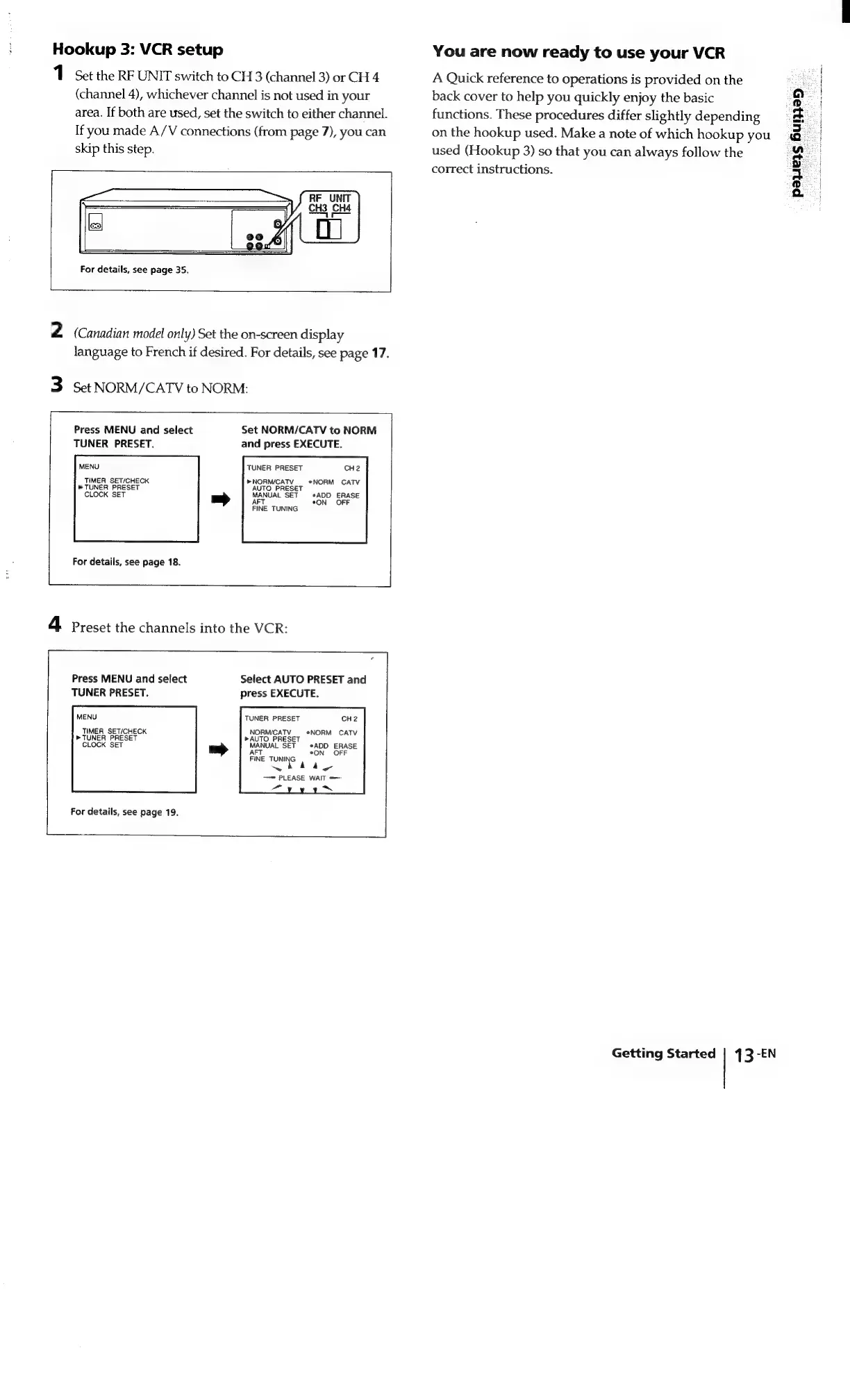
Hookup
3:
VCR
setup
1
Set
the
RF
UNIT
switch
to
CH
3
(channel
3)
or
CH
4
(channel
4),
whichever
channel
is
not
used
in
your
area.
If
both
are
used,
set
the
switch
to
either
channel.
If
you
made
A/V
connections
(from
page
7),
you
can
skip
this
step.
For
details,
see
page
35.
2
(Canadian
model
only)
Set
the
on-screen
display
language
to
French
if
desired.
For
details,
see
page
17.
3
Set
NORM/CATV
to
NORM:
Set
NORM/CATV
to
NORM
and
press
EXECUTE.
Press
MENU
and
select
TUNER
PRESET.
MENU
TIMER
SET/CHECK
®
TUNER
PRESET
TUNER
PRESET
CH2
»NORM/CATV
AUTO
PRESET
*NORM
CATV
MANUAL
SET
*ADD
ERASE
*ON OFF
FINE
TUNING
CLOCK
SET
For
details,
see
page
18.
4
Preset
the
channels
into
the
VCR:
Sefect
AUTO
PRESET
and
press
EXECUTE.
Press
MENU
and
select
TUNER
PRESET.
MENU
TUNER
PRESET
CH2
TIMER
SET/CHECK
NORM/CATV
*NORM
CATV
»
TUNER
PRESET
»AUTO
PRESET
CLOCK
SET
MANUAL
SET
ADD
ERASE
*ON
OFF
FINE
TUNING
han
ar
4y
——
PLEASE
WAIT
=
a
~N
For
details,
see
page
19.
|
You
are
now
ready
to
use
your
VCR
A
Quick
reference
to
operations
is
provided
on
the
back
cover
to
help
you
quickly
enjoy
the
basic
functions.
These
procedures
differ
slightly
depending
on
the
hookup
used.
Make
a
note
of
which
hookup
you
used
(Hookup
3)
so
that
you
can
always
follow
the
correct
instructions.
Getting
Started
|
43
-EN
payers
Buen

Related product manuals