EasyManua.ls Logo

Sony SLV-340 - Adjusting the Picture; Adjusting the Tracking

Sony SLV-340
41 pages
Print Icon
To Next Page IconTo Next Page
To Previous Page IconTo Previous Page
Loading...
Adjusting
the
picture
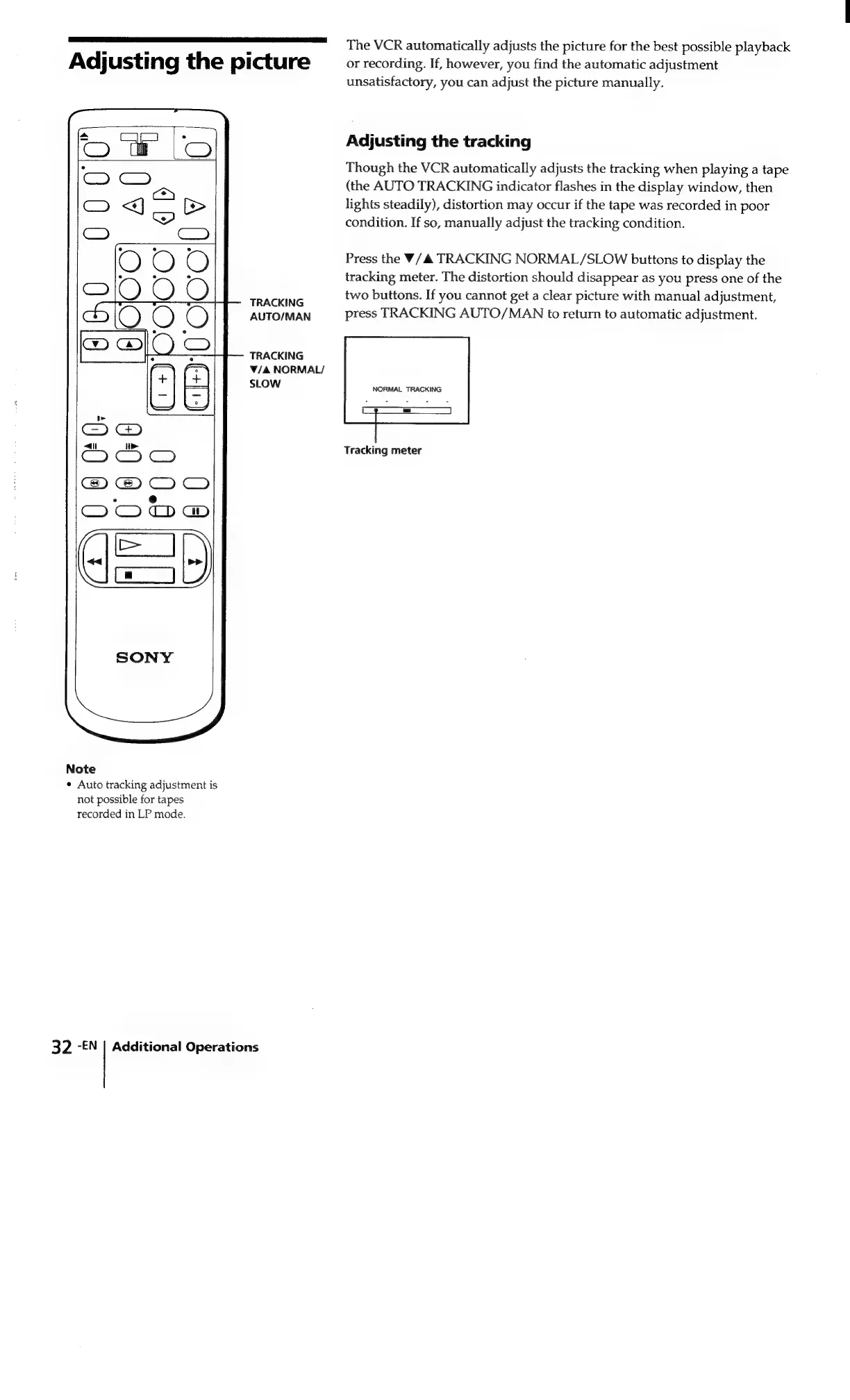
TRACKING
AUTO/MAN
TRACKING
V/4
NORMAL/
SLOW
Note
¢
Auto
tracking
adjustment
is
not
possible
for
tapes
recorded
in
LP
mode.
32
-EN
|
Additional
Operations
The
VCR
automatically
adjusts
the
picture
for
the
best
possible
playback
or
recording.
If,
however,
you
find
the
automatic
adjustment
unsatisfactory,
you
can
adjust
the
picture
manually.
Adjusting
the
tracking
Though
the
VCR
automatically
adjusts
the
tracking
when
playing
a
tape
(the
AUTO
TRACKING
indicator
flashes
in
the
display
window,
then
lights
steadily),
distortion
may
occur
if
the
tape
was
recorded
in
poor
condition.
If
so,
manually
adjust
the
tracking
condition.
Press
the
V/A
TRACKING
NORMAL/SLOW
buttons
to
display
the
tracking
meter.
The
distortion
should
disappear
as
you
press
one
of
the
two
buttons.
If
you
cannot
get
a
clear
picture
with
manual
adjustment,
press
TRACKING
AUTO/MAN
to
return
to
automatic
adjustment.
NORMAL
TRACKING
Tracking
meter

Related product manuals