EasyManua.ls Logo

Sony SLV-340 - Inserting the Batteries; Step 2: Setting up the Remote Commander; Using the Remote Commander

Sony SLV-340
41 pages
Print Icon
To Next Page IconTo Next Page
To Previous Page IconTo Previous Page
Loading...
eines
Foe
ae,
ne
OOO
Step
2:
Setting
up
the
remote
commander
Notes
With
normal
use,
the
batteries
should
last
for
approximately
three
to
six
months.
If
you
do
not
use
the
remote
commander
for
an
extended
period
of
time,
remove
the
batteries
to
avoid
possible
damage
from
battery
leakage.
Do
not
use
a
new
battery
with
an
old
one.
Do
not
use
different
types
of
batteries.
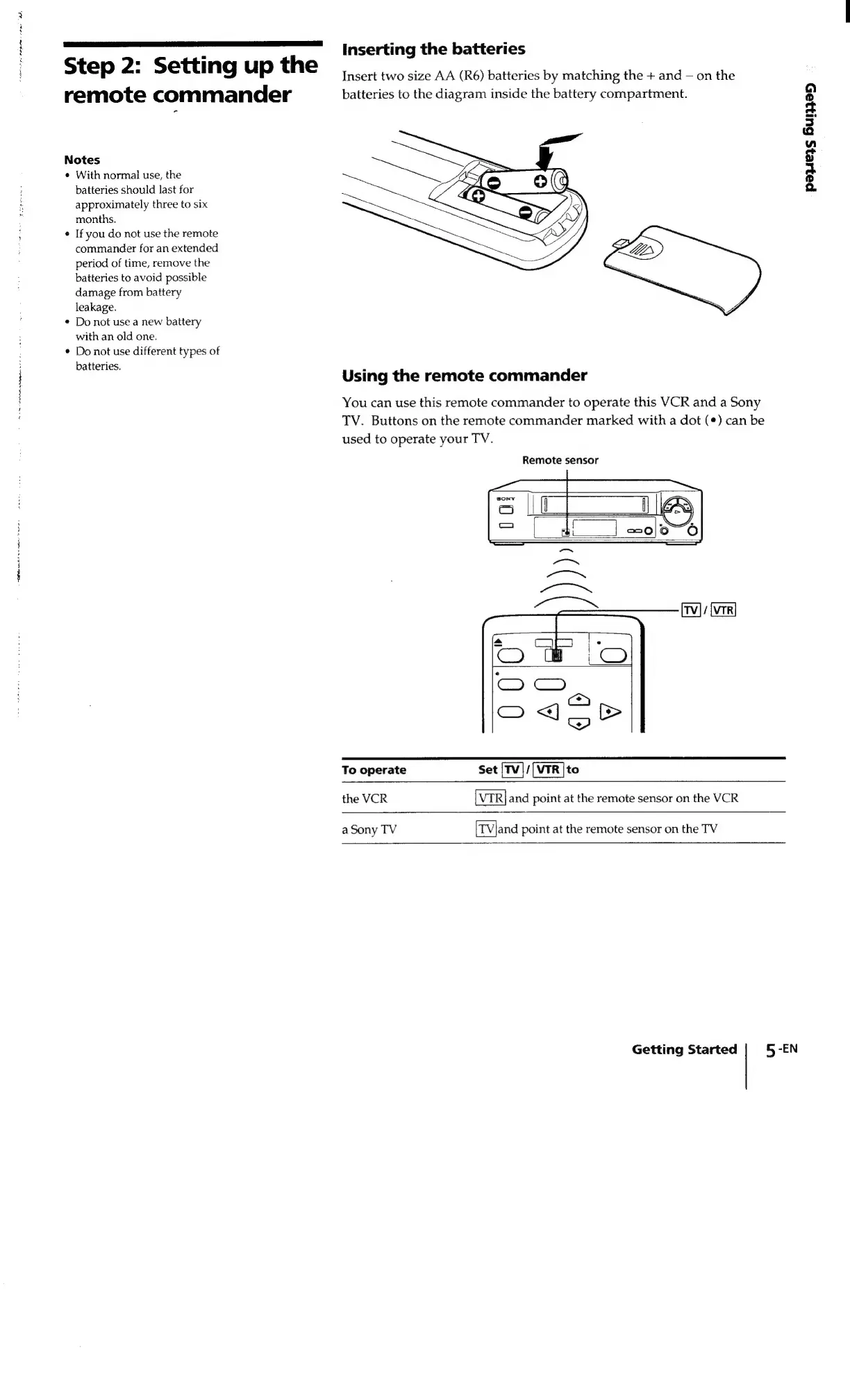
Inserting
the
batteries
Insert
two
size
AA
(R6)
batteries
by
matching
the
+
and
on
the
batteries
to
the
diagram
inside
the
battery
compartment.
peers
6ui795
Using
the
remote
commander
You
can use
this
remote
commander
to
operate
this
VCR
and
a
Sony
TV.
Buttons
on
the
remote
commander
marked
with
a
dot
(*)
can
be
used
to
operate
your
TV.
Remote
sensor
To
operate
Set
/[NTR
|to
the
VCR
and
point
at
the
remote
sensor
on
the
VCR
a
Sony
TV
[TVland
point
at
the
remote
sensor
on
the
TV
Getting
Started
5
-EN

Related product manuals