EasyManua.ls Logo

Sony SLV-340 - Recording TV Programs Using the Timer

Sony SLV-340
41 pages
Print Icon
To Next Page IconTo Next Page
To Previous Page IconTo Previous Page
Loading...
pew
onan
ee
Recording
TV
programs
using
the
timer
(continued)
Daily/weekly
recording
the
current
date
'
SUN-SAT
(Sunday
to
Saturday)
MON-SAT
(Monday
to
Saturday)
MON-FRI
(Monday
to
Friday)
'
EVERY
SAT
(Every
Saturday)
EVERY
MON
(Every
Monday)
EVERY
SUN
(Every
Sunday)
Y
1
month
later
(cycles
backward)
28
-EN
|
Basic
Operations
To
use
the
VCR
while
recording
You
can
do
the
following
tasks
during
timer
recording.
To
Press
Reset
the
counter
to
“OHOOMO00S”
COUNTER
RESET
Display
tape
information
on
the
TV
DISPLAY
screen
Check
the
timer
settings
MENU
and
select
TIMER
SET/CHECK
Watch
another
TV
program
TV/VTR
(See
“Watching
a
TV
program
while
recording
another”
on
page
25.)
Using
the
VCR
before
timer
recording
begins
Press
POWER
to
turn
on
the
VCR.
The
TIMER
indicator
on
the
VCR
goes
off
and
the
VCR
is
ready
for
use.
After
using
the
VCR,
press
POWER
again
to
turn
on
the
TIMER
indicator
on
the
VCR.
When
using
a
cable
box,
leave
it
on.
Remember
to
turn
off
the
VCR
before
the
time
you’ve
set
the
VCR
to
start
recording,
or
the
timer
setting
will
be
cancelled.
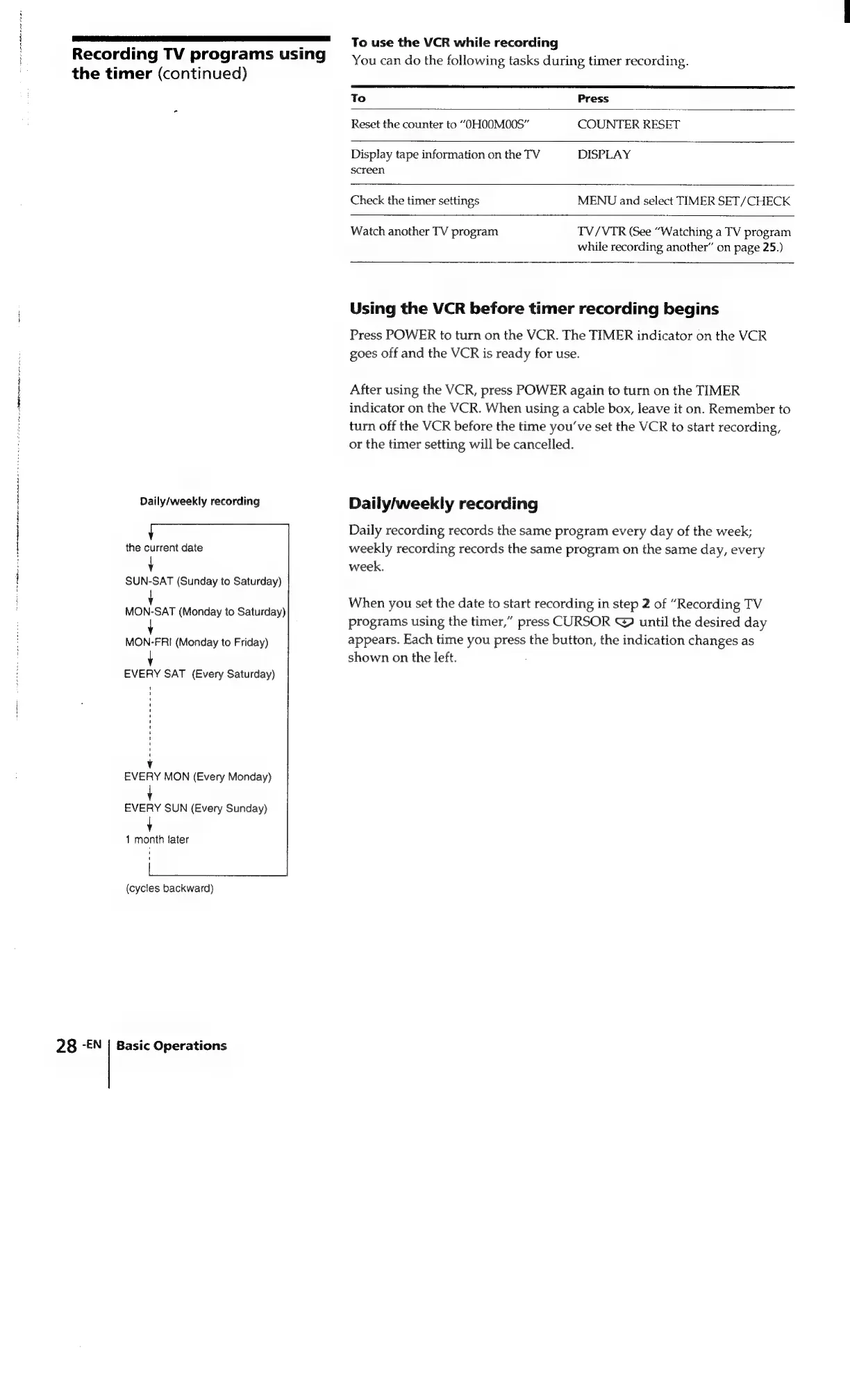
Daily/weekly
recording
Daily
recording
records
the
same
program
every
day
of
the
week;
weekly
recording
records
the
same
program
on
the
same
day,
every
week.
When
you
set
the
date
to
start
recording
in
step
2
of
“Recording
TV
programs
using
the
timer,”
press
CURSOR
@
until
the
desired
day
appears.
Each
time
you
press
the
button,
the
indication
changes
as
shown
on
the
left.

Related product manuals