EasyManua.ls Logo

Sony SLV-340 - Page 27

Sony SLV-340
41 pages
Print Icon
To Next Page IconTo Next Page
To Previous Page IconTo Previous Page
Loading...
etids
Ae
ATED
Tips
*
To
set
the
channel,
you
can
also
use
the
CH+/-
or
number
buttons.
¢
To
record
a
video
source
from
the
LINE
IN
jacks,
press
INPUT
SELECT
or
keep
pressing
CURSOR
(@/B)
to
display
“LINE”
in
the
“CH”
field.
Tip
*
To
set
the
recording
tape
speed,
you
can
also
use
TAPE
SPEED.
Tip
¢
To
change
or
correct
a
setting
before
confirming
it,
press
CURSOR
<J
to
flash
the
item
you
want
to
change
and
reset
it.
Notes
¢
If
the
power
is
interrupted
for
more
than
three
hours
while
standing
by
for
recording,
timer
settings
are
cleared.
Reset
the
settings
from
beginning.
*
Ifthe
tape
indicator
and
the
TIMER
indicator
in
the
VCR's
display
window
flash
when
the
VCR
turns
off,
check
for
one
of
the
following
causes:
~
no
cassette
has
been
inserted,
the
tape
is
at
its
end,
or
the
safety
tab
on
the
cassette
has
been
removed.
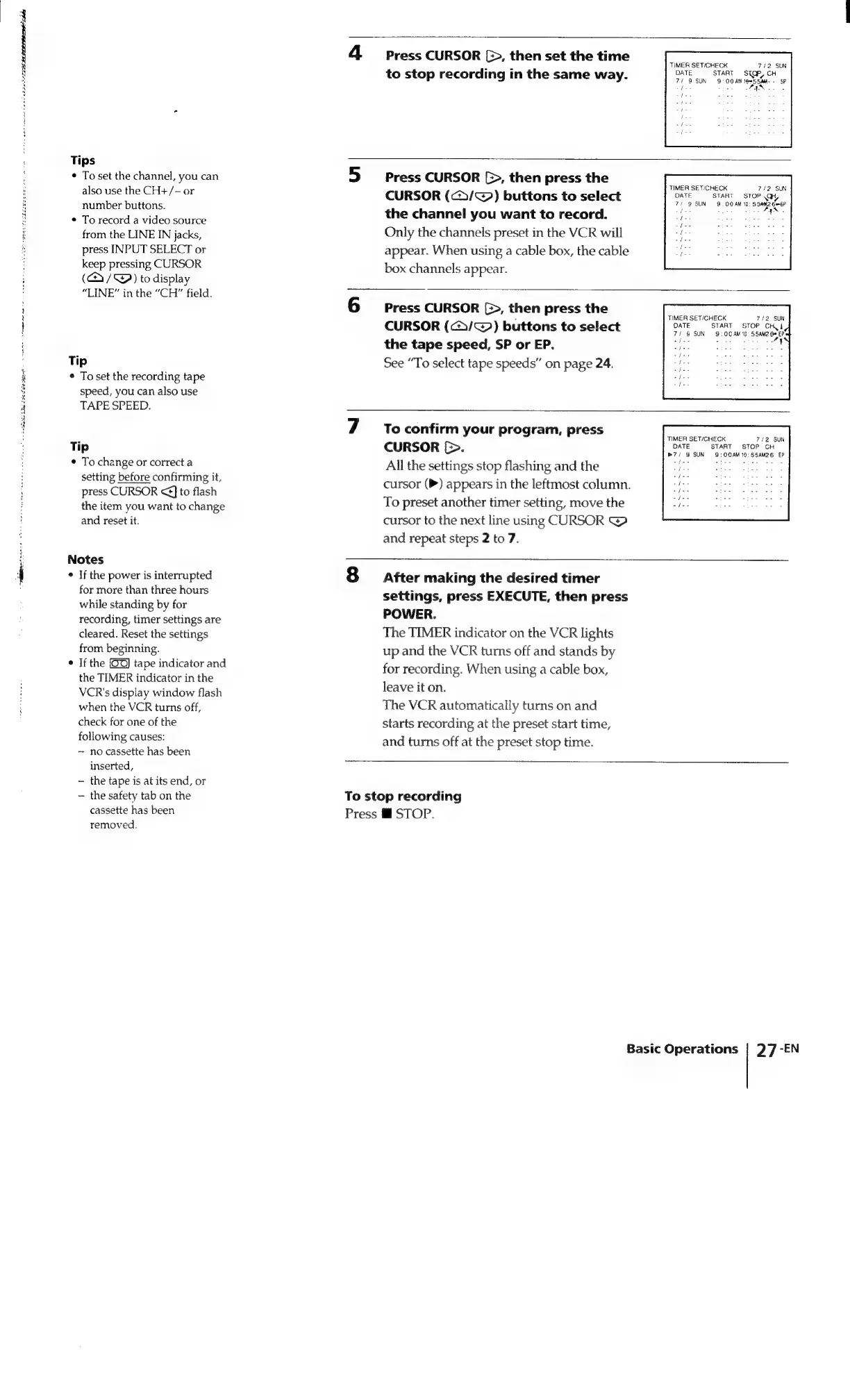
Press
CURSOR
(>,
then
set
the
time
to
stop
recording
in
the
same
way.
TIMER
SET/CHECK
7/2
SUN
DATE
START
STGP,
CH
7/
9
SUN
9:
OO
AM
15
SaMd-
-
SP
ase
tin.
AAS
te
oe
ae
aioe
es
oe
eee
Press
CURSOR
[>,
then
press
the
CURSOR
(</~@)
buttons
to
select
the
channel
you
want
to
record.
Only
the
channels
preset
in
the
VCR
will
appear.
When
using
a
cable
box,
the
cable
box
channels
appear.
TIMER
SET/CHECK
7/2
SUN
DATE
START
STOP
.GH
71
9
SUN
9:
OO
AM
10:
SSAM2
Ge
5P
aah
std
Bees
bye
GN
a
Piet
i
apos
tes
i
Press
CURSOR
[>,
then
press
the
CURSOR
(@/~@)
buttons
to
select
the
tape
speed,
SP
or
EP.
See
“To
select
tape
speeds”
on
page
24.
TIMER
SET/CHECK
712
SUN
DATE
START
STOP
CHK
i
71
9
SUN
9:00AM
10°
5SAM2
60
EP
nde
=
eeaw
ret
she
To
confirm
your
program,
press
CURSOR
[>.
All
the
settings
stop
flashing
and
the
cursor
(P)
appears
in
the
leftmost
column.
To
preset
another
timer
setting,
move
the
cursor
to
the
next
line
using
CURSOR
@
and
repeat
steps
2
to
7.
TIMER
SET/CHECK
7/2
SUN
DATE
START
STOP
CH
»7/
9
SUN
9:00AM
10:
55AM26
EP
Spies
Lesthy
hater
atte
eps:
After
making
the
desired
timer
settings,
press
EXECUTE,
then
press
POWER.
The
TIMER
indicator
on
the
VCR
lights
up
and
the
VCR
tums
off
and
stands
by
for
recording.
When
using
a
cable
box,
leave
it
on.
The
VCR
automatically
turns
on
and
starts
recording
at
the
preset
start
time,
and
turns
off
at
the
preset
stop
time.
To
stop
recording
Press
@
STOP.
Basic
Operations
|
27
-EN

Related product manuals