EasyManua.ls Logo

Sony SLV-340 - Page 37

Sony SLV-340
41 pages
Print Icon
To Next Page IconTo Next Page
To Previous Page IconTo Previous Page
Loading...
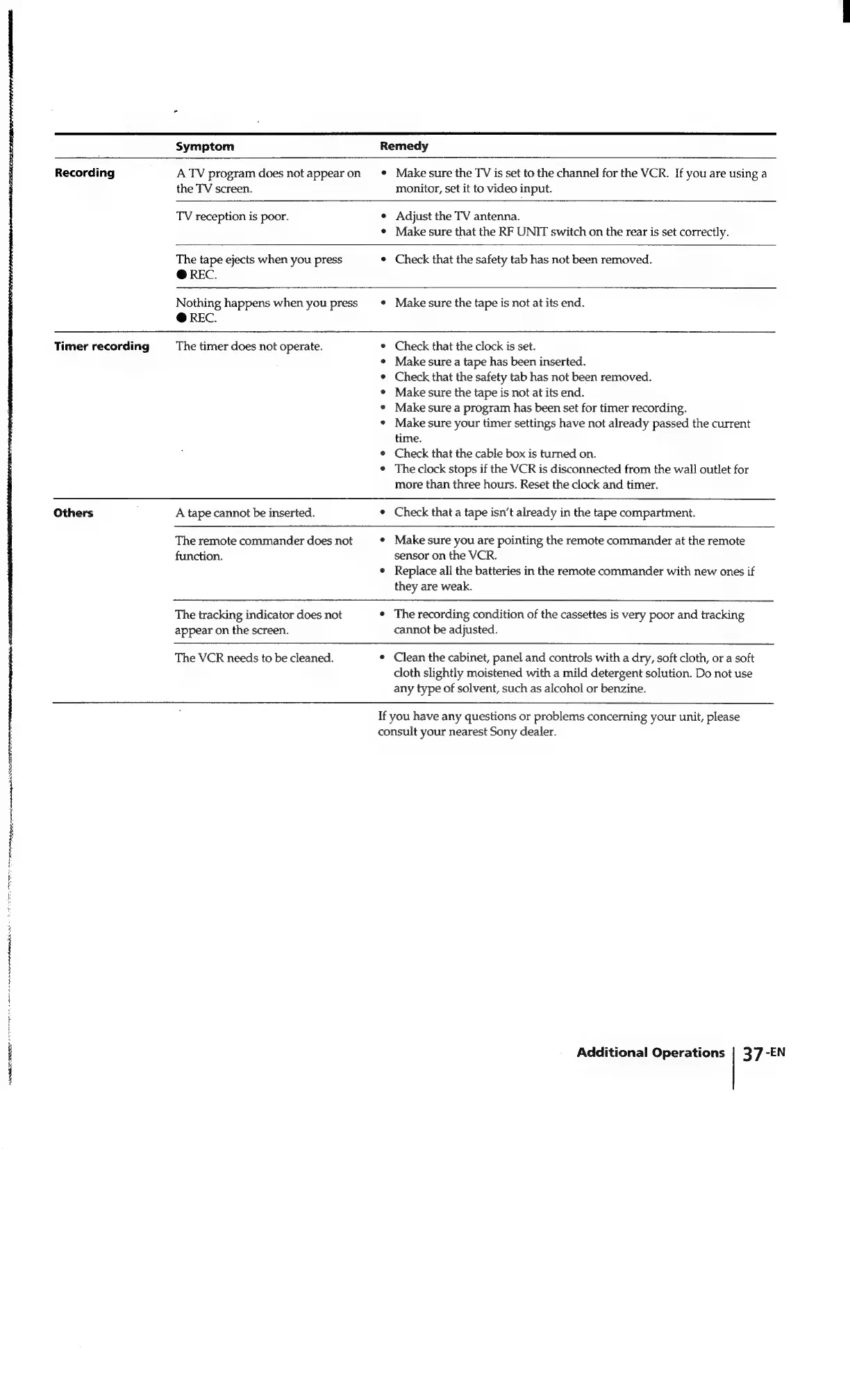
Symptom
Recording
Timer
recording
Others
|
ATRL
©
ees
A
TV
program
does
not
appear
on
the
TV
screen.
Remedy
¢
Make
sure
the
TV
is
set
to
the
channel
for
the
VCR.
If
you
are
using
a
monitor,
set
it
to
video
input.
TV
reception
is
poor.
The
tape
ejects
when
you
press
@
REC.
¢
Adjust
the
TV
antenna.
¢
Make
sure
that
the
RF
UNIT
switch
on
the
rear
is
set
correctly.
¢
Check
that
the
safety
tab
has
not
been
removed.
Nothing
happens
when
you
press
@
REC.
¢
Make
sure
the
tape
is
not
at
its
end.
The
timer
does
not
operate.
A
tape
cannot
be
inserted.
e
Check
that
the
clock
is
set.
¢
Make
sure
a
tape
has
been
inserted.
¢
Check
that
the
safety
tab
has
not
been
removed.
¢
Make
sure
the
tape
is
not
at
its
end.
¢
Make
sure
a
program
has
been
set
for
timer
recording.
¢
Make
sure
your
timer
settings
have
not
already
passed
the
current
time.
¢
Check
that
the
cable
box
is
turned
on.
¢
The
clock
stops
if
the
VCR
is
disconnected
from
the
wall
outlet
for
more
than
three
hours.
Reset
the
clock
and
timer.
¢
Check
that
a
tape
isn’t
already
in
the
tape
compartment.
The
remote
commander
does
not
function.
¢
Make
sure
you
are
pointing
the
remote
commander
at
the
remote
sensor
on
the
VCR.
¢
Replace
all
the
batteries
in
the
remote
commander
with
new
ones
if
they
are
weak.
The
tracking
indicator
does
not
appear
on
the
screen.
The
VCR
needs
to
be
cleaned.
¢
The
recording
condition
of
the
cassettes
is
very
poor
and
tracking
cannot
be
adjusted.
¢
Clean
the
cabinet,
panel
and
controls
with
a
dry,
soft
cloth,
or
a
soft
cloth
slightly
moistened
with
a
mild
detergent
solution.
Do
not
use
any
type
of
solvent,
such
as
alcohol
or
benzine.
If
you
have
any
questions
or
problems
concerning
your
unit,
please
consult
your
nearest
Sony
dealer.
Additional
Operations
|
37
-EN

Related product manuals