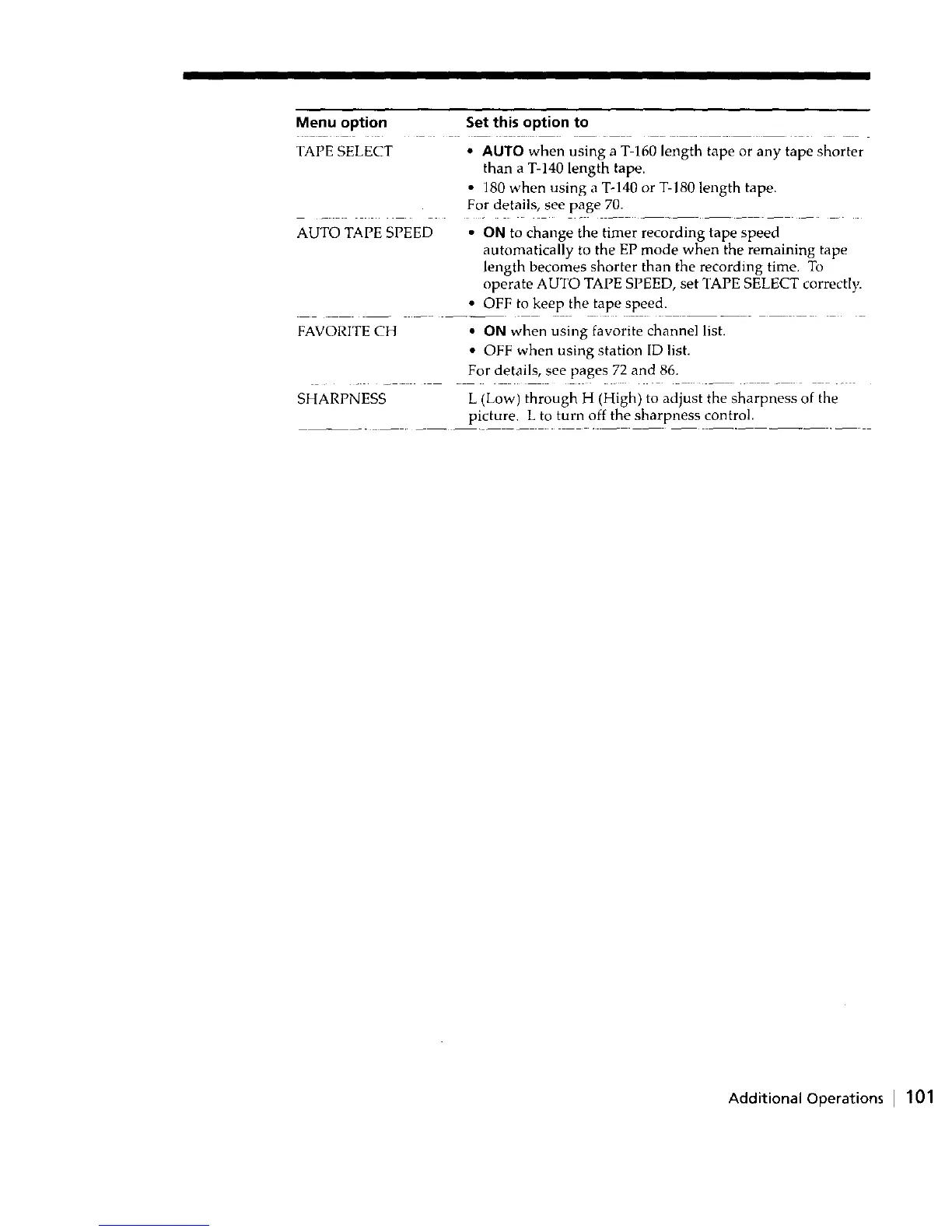
Menu option Set this option to
TAPE SELECT • AUTO when using a T-160 length tape or any tape shorter
than a T-140 length tape.
• 180 when using a T-140 or T-180 length tape.
For details, see page 70.
AUTO TAPE SPEED • ON to change the timer recording tape speed
automatically to the EP mode when the remaining tape
length becomes shorter than the recording time. To
operate AUTO TAPE SPEED, set TAPE SELECT correctly.
• OFF to keep the tape speed.
FAVORITE CH • ON when using favorite channel list.
• OFF when using station ID list.
For details, see pages 72 and 86.
SHARPNESS L (Low) through H (High) to adjust the sharpness of the
picture. L to turn off the sharpness control.
Additional Operations I 101



 To Next Page