Step 3: Hookups (continued)
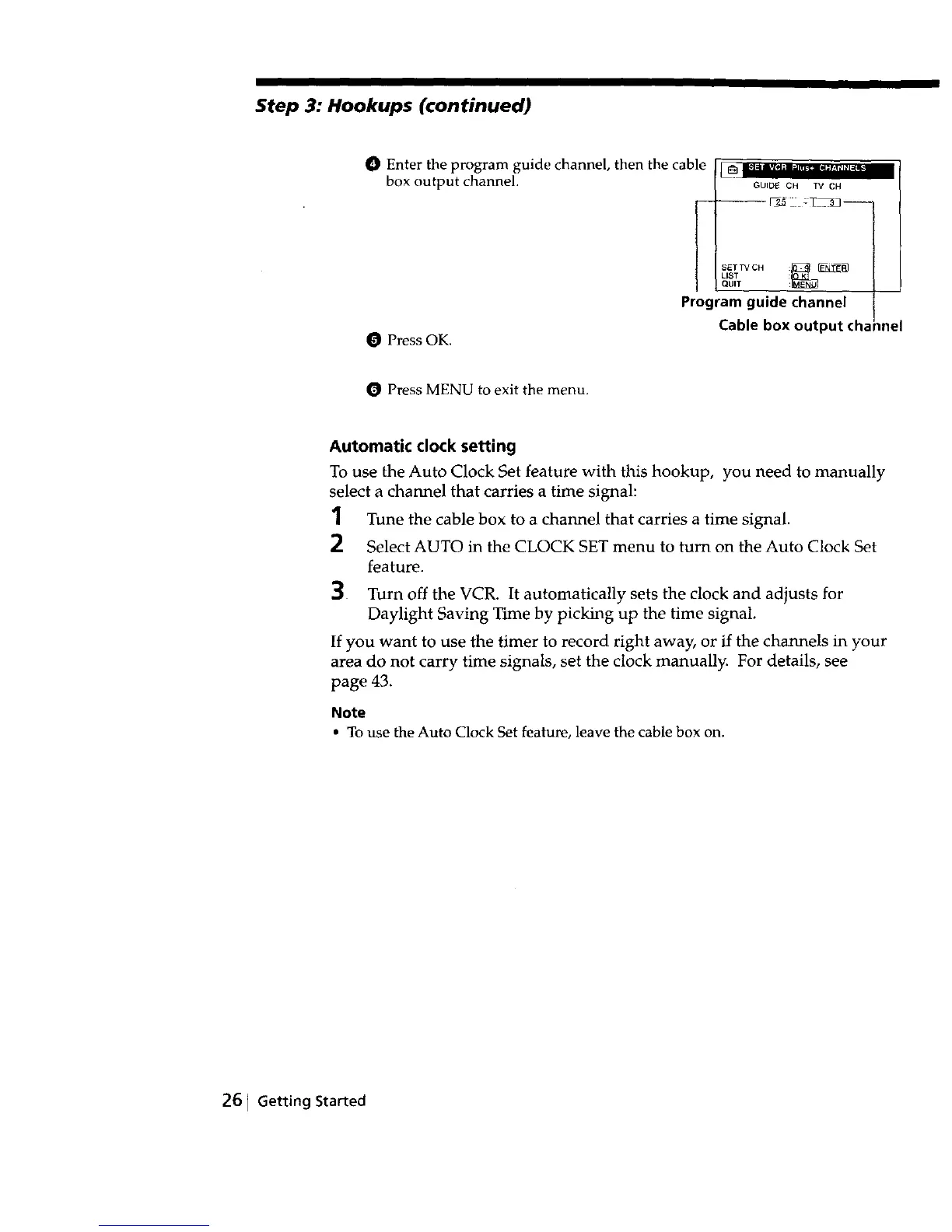
O Enter the program guide channel, then the cable
box output channel.
GUIDE CH TV CH
-- J_-_ : l- _3j--
LISTSETTV CHQUIT :_ F_NII_
Program guide channel
O Press OK.
Cable box output cha
inel
Press MENU to exit the menu.
Automatic clock setting
To use the Auto Clock Set feature with this hookup, you need to manually
select a channel that carries a time signal:
1 Tune the cable box to a channel that carries a time signal.
2 Select AUTO in the CLOCK SET menu to turn on the Auto Clock Set
feature.
3 Turn off the VCR. It automatically sets the clock and adjusts for
Daylight Saving Time by picking up the time signal.
If you want to use the timer to record right away, or if the channels in your
area do not carry time signals, set the clock manually. For details, see
page 43.
Note
• To use the Auto Clock Set feature, leave the cable box on.
261 Getting Started



 To Next Page