Step 3: Hookups (continued)
1
2
3
VCR setup
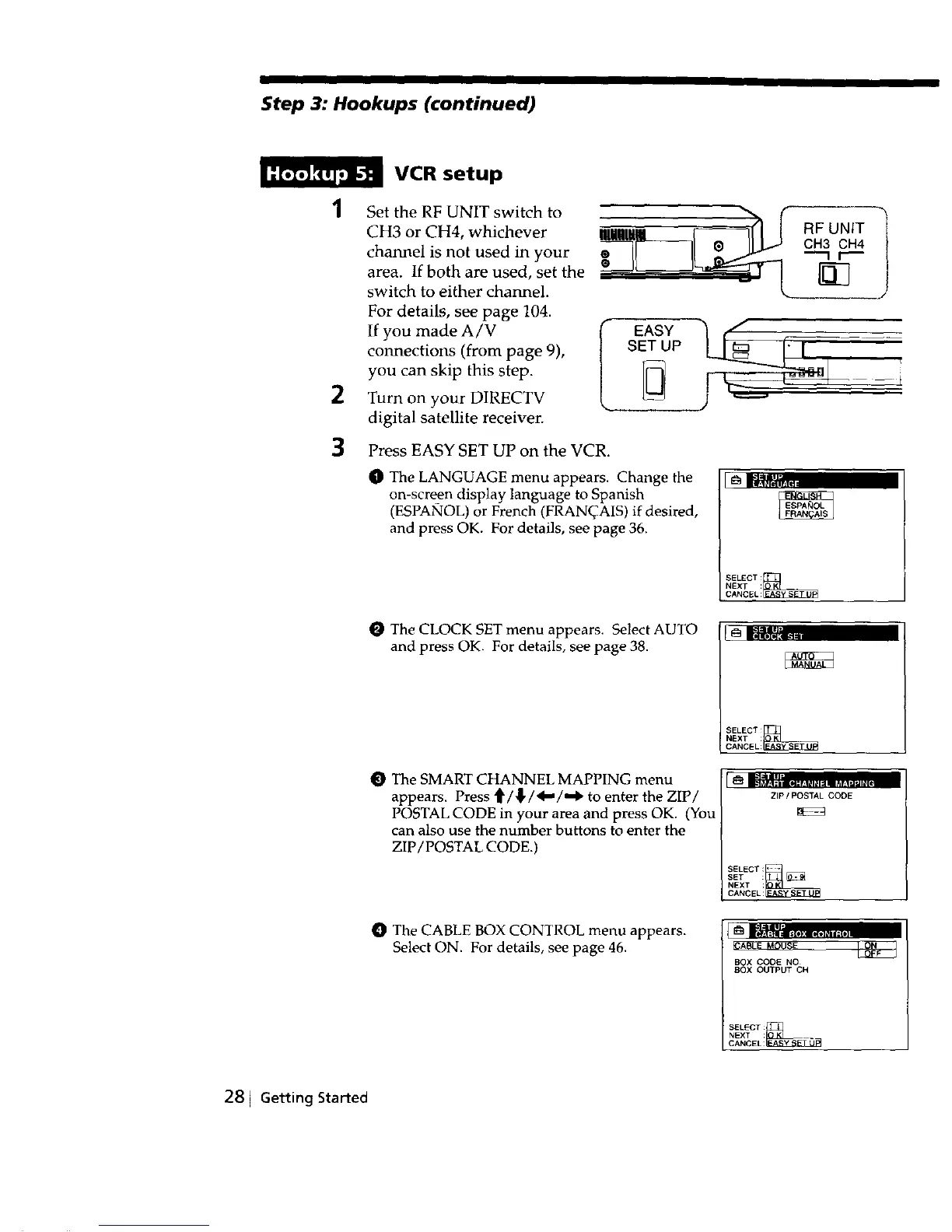
Set the RF UNIT switch to N, (_(_|
CH3 or CH4, whichever
RF UNIT
channel is not used in your " ii I] _ II L.J GH3 GH4
area. If both are used, set the __,_::_r), i j_l _..._______ -'_ r---
switch to either channel.
For details, see page 104.
If you made A/V I EA_¥I
connections (from page 9), SET UP
you can skip this step. !
Turn on your DIRECTV
digital satellite receiver.
Press EASY SET UP on the VCR.
O The LANGUAGE menu appears. Change the
on-screen display language to Spanish
(ESPANOL) or French (FRAN(_AIS) if desired,
and press OK. For details, see page 36.
SELECT:_
NEXT :
CANCEL:
O The CLOCK SET menu appears. Select AUTO
and press OK. For details, see page 38.
SELECT
CANCEL:_
NEXT :
O The SMART CHANNEL MAPPING menu
appears. Press _/_/4,,,,/,,,1_ to enter the ZIP/
POSTAL CODE in your area and press OK. (You
can also use the number buttons to enter the
ZIP/POSTAL CODE.)
ZIP / POSTAL CODE
O The CABLE BOX CONTROL menu appears.
Select ON. For details, see page 46.
BOX CODE NO
BOX OUTPUT CH
SELECT_FjL _
NEXT :
CANCEL:
281 Getting Started



 To Next Page