Setting up the VCR Plus+ GOLD system
How the VCR Plus+ GOLD system works
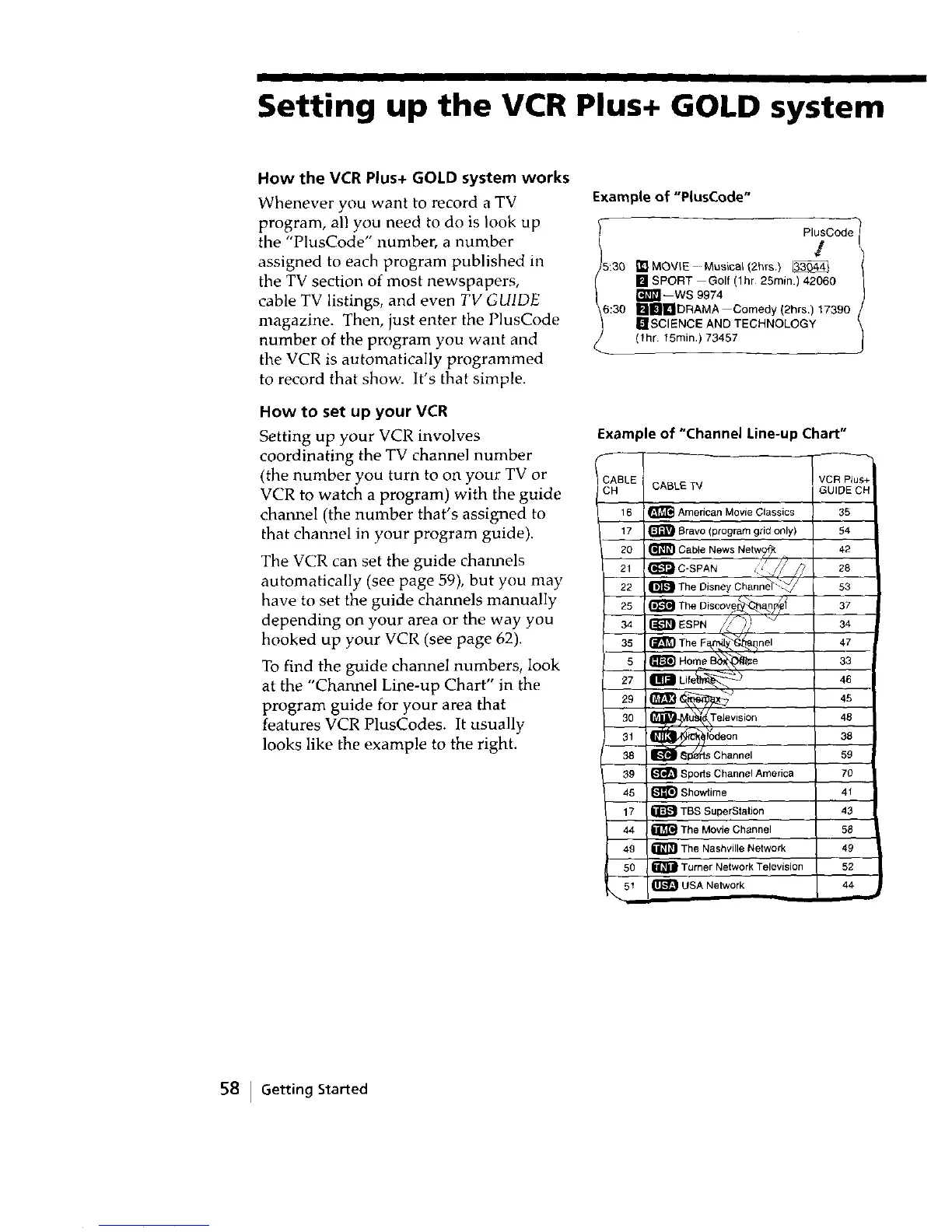
Whenever you want to record a TV
program, all you need to do is look up
the "PlusCode" number, a number
assigned to each program published m
the TV section of most newspapers,
cable TV listings, and even TV GUIDE
magazine. Then, just enter the PlusCode
number of the program you want and
the VCR is automatically programmed
to record that show. It's that simple.
How to set up your VCR
Setting up your VCR involves
coordinating the TV channel number
(the number you turn to on your TV or
VCR to watch a program) with the guide
channel (the number that's assigned to
that channel in your program guide).
The VCR can set the guide channels
automatically (see page 59), but you may
have to set the guide channels manually
depending on your area or the way you
hooked up your VCR (see page 62).
To find the guide channel numbers, look
at the "Channel Line-up Chart" in the
program guide for your area that
features VCR PlusCodes. It usually
looks like the example to the right.
Example of "P(usCode"
PlusCode
/
15:30 I_lMOV_E-Musica_/2hrs. } _
[] SPORT Goll(lhr 25rain.) 42060
--WS 9974
6:30 I_InI_!IDRAMA Comedy (2hrs.) 17390
IL!SCIENCE AND TECHNOLOGY
(fhr. 15min.) 73457
Example of "Channel Line-up Chart"
CABLE W
16 _ American Movie Classics 35
17 _ Bravo (program grid only) 54
20 _ Cable News Netw?_: 42
21 (_-IC-SPAN _!!/,?/? 28
22 _[_ The Disney Channa _// 53
\ /
The Discover_ n _'_
25 _ _lar_ 37
34 _ ESPN //F-), _/ 34
35 _ The Fa_y'_nel 47
5 I_ Home B_e 33
• _ _--.__
27 _ Llfe_tfl_ _. 46
30 ision 48
31 _,odeon 38
38 _" _s Channel 59
39 _ Sports Channel America 70
45 _ Showtime 41
17 _ TBS SuperStation 43
44 _ The Movie Channel 58
49 _ The Nashville Network 49
50 _ Turner Network Television 52
51 _ USA Network 44
\
58 I Getting Started



 To Next Page