Locating a
channel by
Station ID
You can select the TV program from
station ID.
Before you start...
• Set FAVORITE CH to OFF in the
ADVANCED OPTIONS menu
(page 101).
"CZ) CZ3"CZ3
"CZ3 CZ3 C33 (Z3
•Q _) ®
•® -®-®
_®_
"®'_
CD_
-- ENTER
-- CH +1-
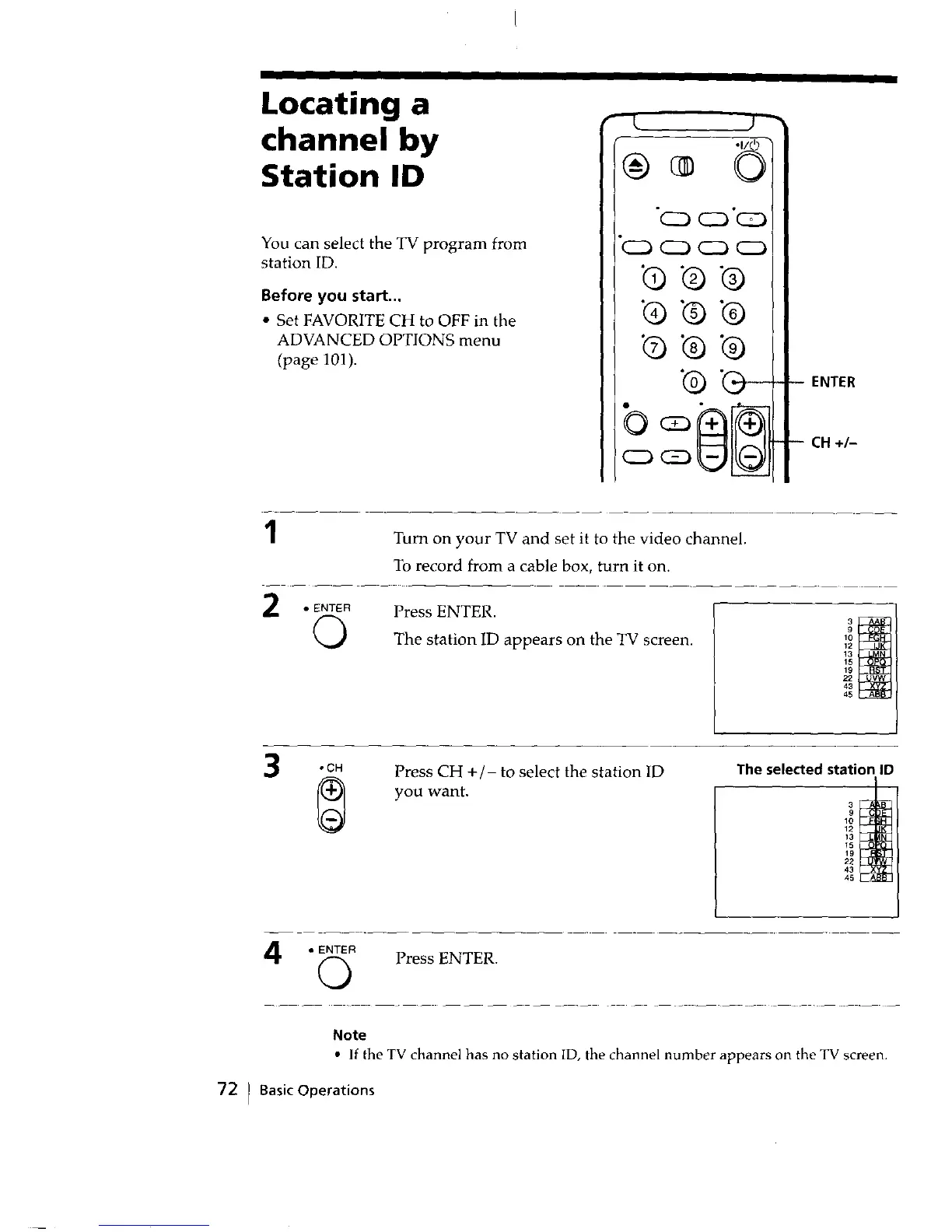
Turn on your TV and set it to the video channel.
To record from a cable box, turn it on.
2
• ENTER
0
Press ENTER.
The station ID appears on the TV screen.
12
13
15
19
22
43
45
3
,CH
Press CH +/- to select the station ID
you want.
The selected station ID
10
12
13
15
19
22
43
45
4
• ENTER
0
Press ENTER.
Note
• If the TV channel has no station ID, the channel number appears on the TV screen.
72 I BasicOperations



 To Next Page