Recording TV
programs using
the VCR Plus+
GOLD system
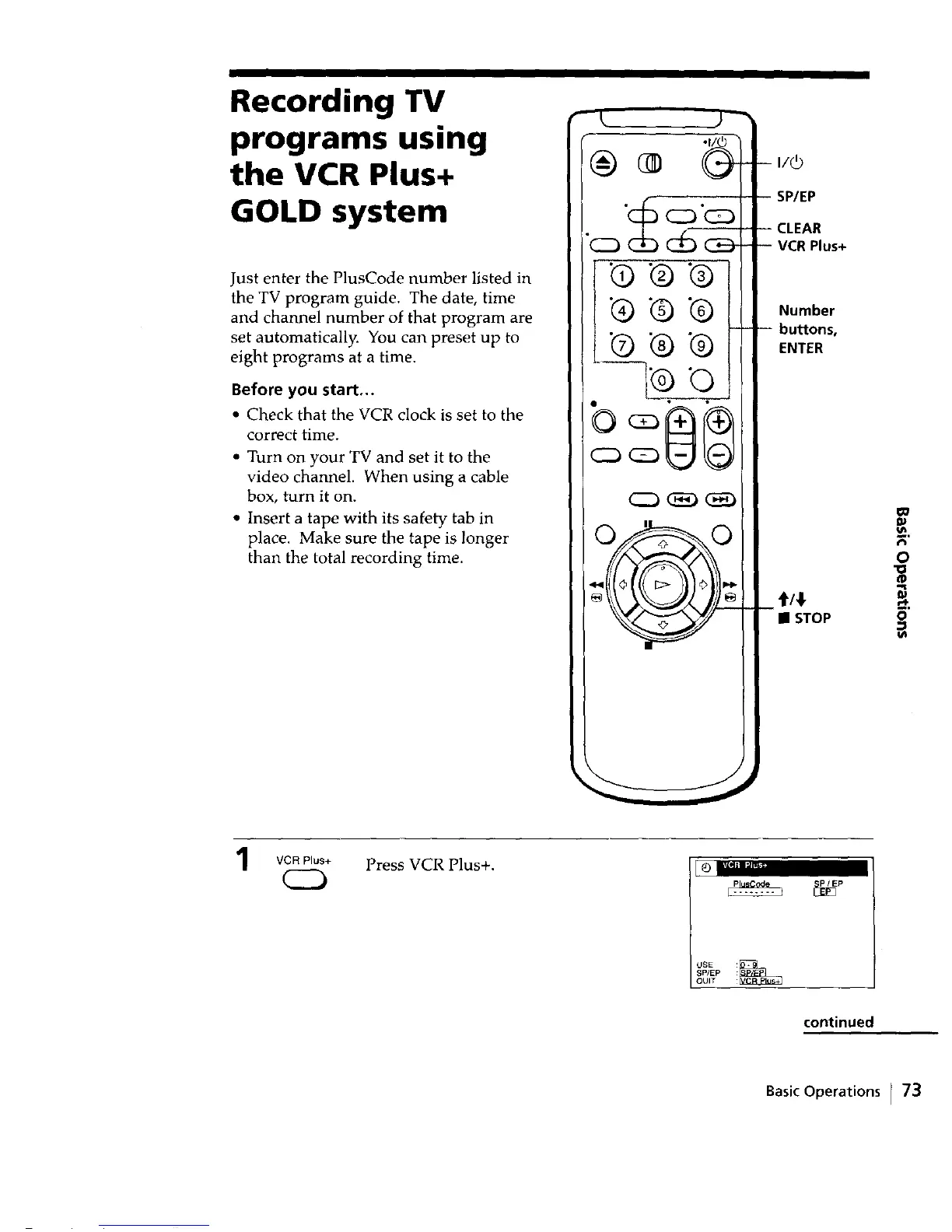
Just enter the PlusCode number listed in
the TV program guide. The date, time
and channel number of that program are
set automatically. You can preset up to
eight programs at a time.
Before you start...
• Check that the VCR clock is set to the
correct time.
• Turn on your TV and set it to the
video channel. When using a cable
box, turn it on.
• Insert a tape with its safety tab in
place. Make sure the tape is longer
than the total recording time.
•® .® .®
® t_ ®
C23_
C22__ _
I
i
-- 1/6
!
SP/EP
-- CLEAR
-- VCR Plus+
Number
-- bu_ons,
ENTER
t/!
• STOP
GO
o
1
VCR Plus+
CD
Press VCR Plus+.
mvlMIm'_u"
usei_
SP/EP
QUIT
continued
Basic Operations r 73



 To Next Page