Recording TV programs using the dial timer (continued)
3
4
5
6
7
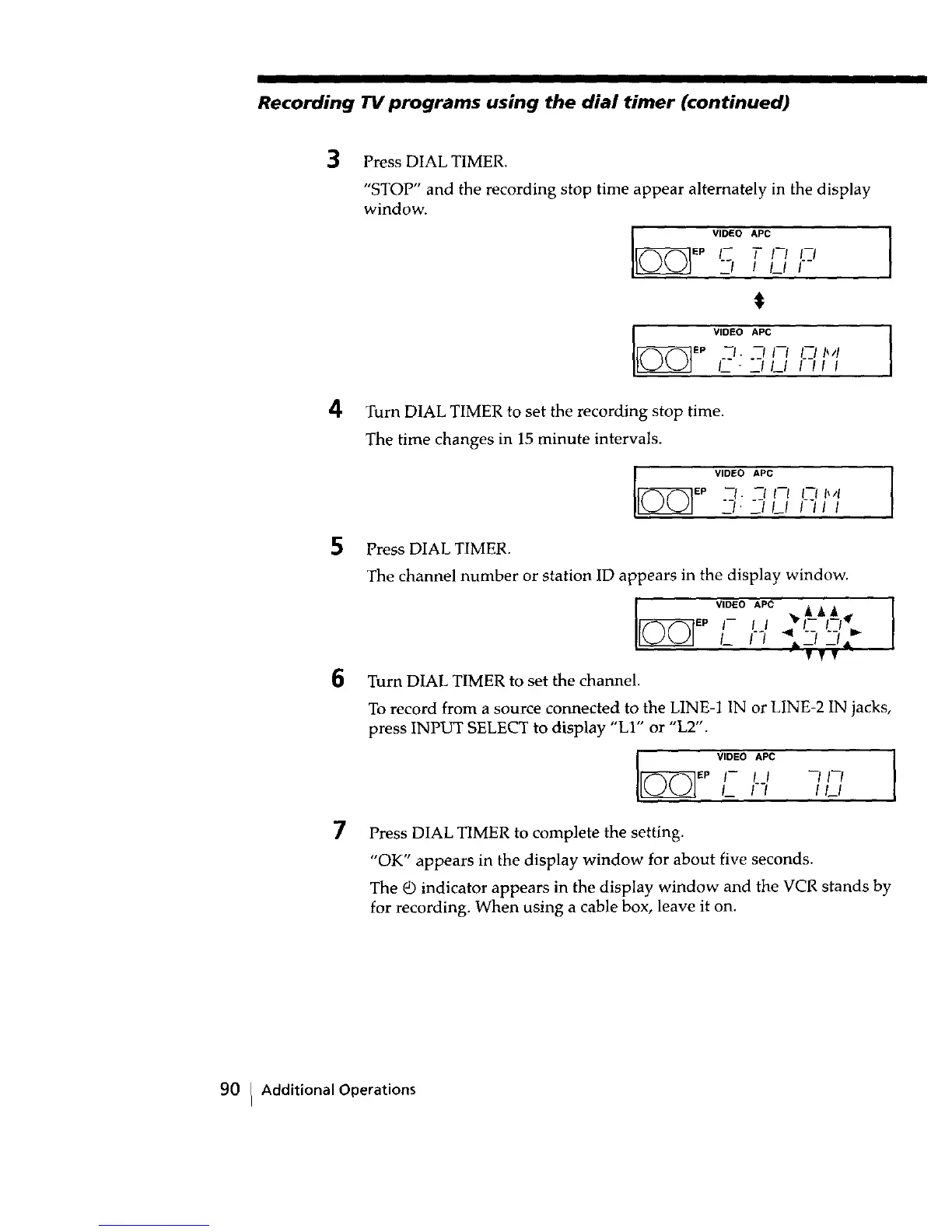
Press DIAL TIMER.
"STOP" and the recording stop time appear alternately in the display
window.
VIDEO APC
EP l-- T I--/ I--/
2_/ / /_1 /--
$
VIDEO APC m
/-_-- _11_1 I--/I I
Turn DIAL TIMER to set the recording stop time.
The time changes in 15 minute intervals.
VIDEO APC
[_EP .__l" --1 I--I I--I II4
-I' --I I__1 I--I I I
Press DIAL TIMER.
The channel number or station ID appears in the display window.
EP
Turn DIAL TIMER to set the channel.
VIDEO APC •A A _
I- I I .,,q I.-_ I.-_/_
I_ I'-/ _ _.Iv_ _
To record from a source connected to the LINE-! 1N or LINE-2 IN jacks,
press INPUT SELECT to display "LI" or "L2".
VIDEO APC I
I_ I I_1
Press DIAL TIMER to complete the setting.
"OK" appears in the display window for about five seconds.
The _ indicator appears in the display window and the VCR stands by
for recording. When using a cable box, leave it on.
90 I Additional Operations



 To Next Page