Step 4 : Selecting a language
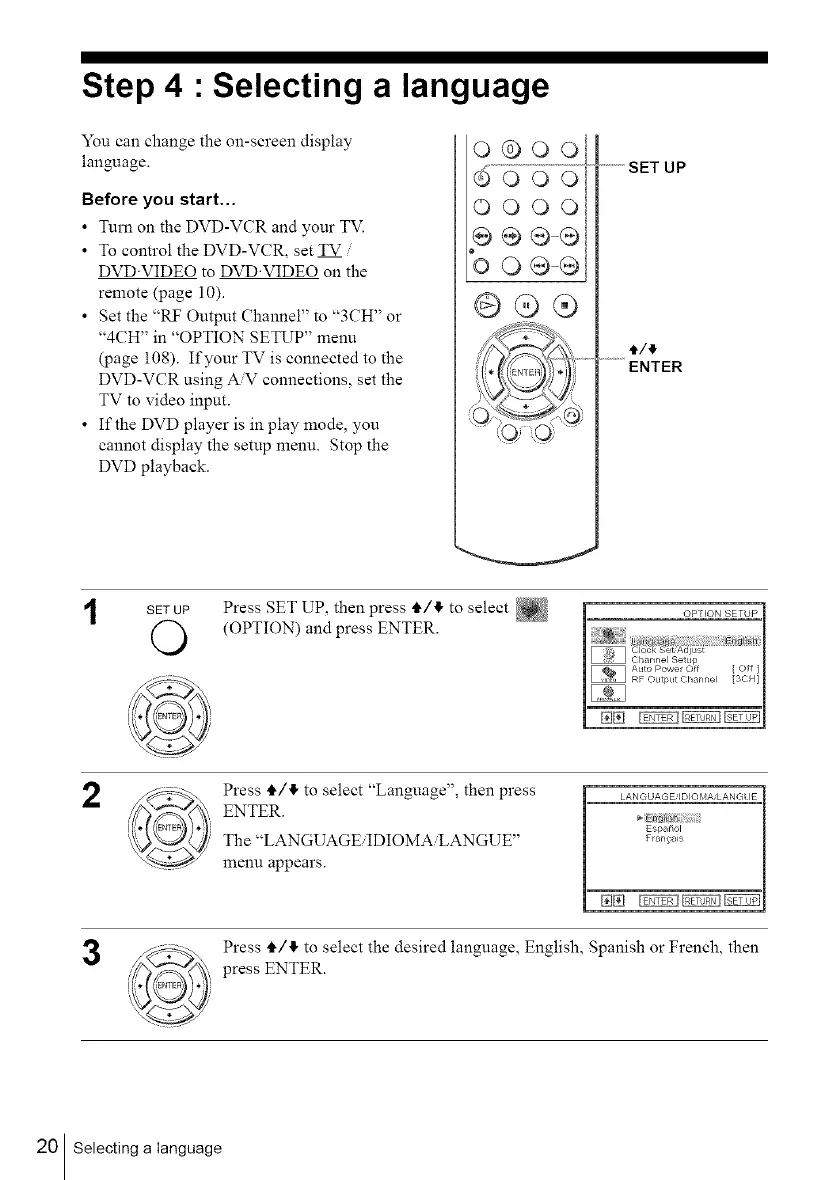
You can change the on-screen display
language.
Before you start...
• Turn on the DVD-VCR and your TV.
• To control the DVD-VCR, set TV
DVD'VIDEO to DVD'VIDEO on the
remote (page 10).
• Set the "RF Output Channel" to "3CH" or
"4CH" in "OPTION SETUP" menu
(page 108). If your TV is connected to the
DVD-VCR using A'V connections, set the
TV to video input.
• If the DVD player is in play mode, you
cannot display the setup menu. Stop the
DVD playback.
o®oo
_ooo
OOOO
9e®®
oOQ@
@@®
_"'"" SET UP
ENTER
SET UP
O
Press SET UP, then press tl,/4 to select
(OPTION) and press ENTER.
2
3
Press ,i./!1, to select "Language", then press
ENTER.
The "LANGUAGEiIDIOMAiLANGUE"
menu appears.
LAN GUAG E/IDIO MA/LAN G_ IE
EspaSol
Frangais
Press i,/4 to select the desired language, English, Spanish or French, then
press ENTER.
20 Selecting a language



 To Next Page