VCR Additional Operations
Quick Timer Recording i_
After you have started recording, you can
have the VCR stop recording automatically
after a specified duration.
÷ ÷
}6®÷<
@@@ ....
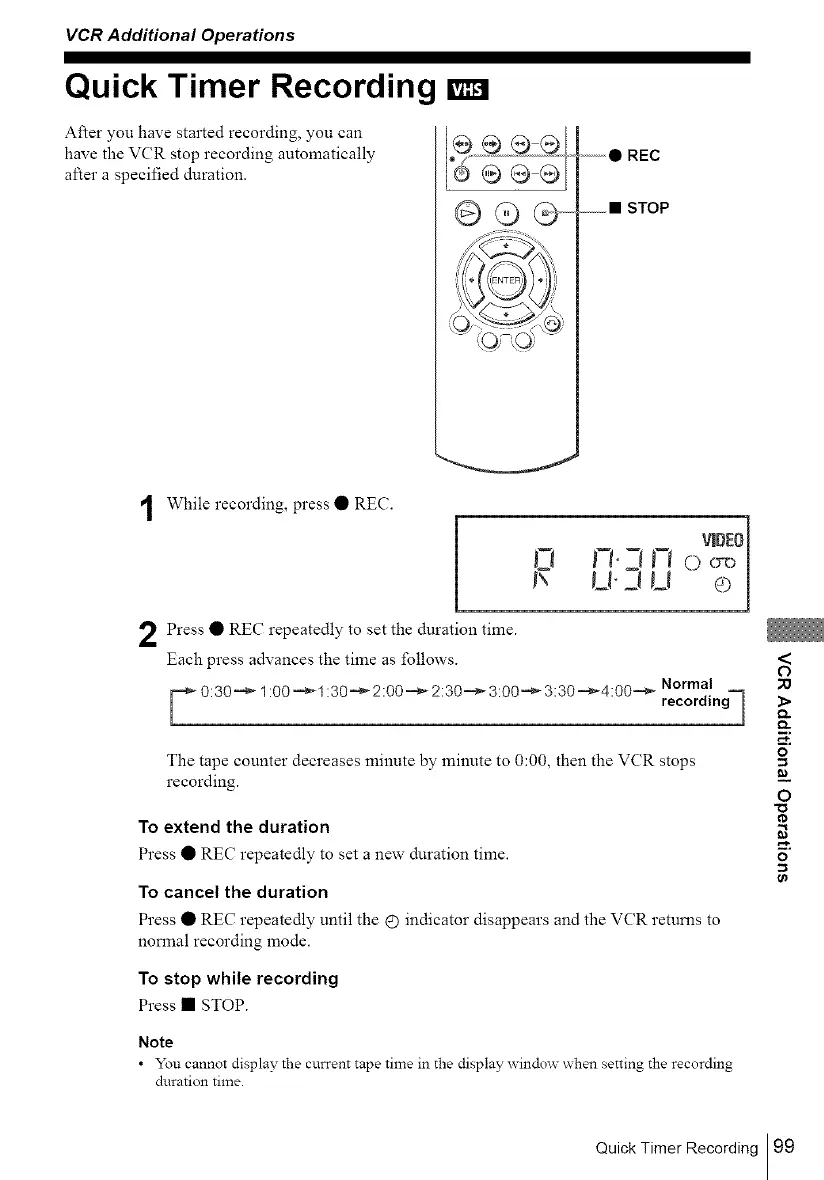
While recording, press • REC.
Press • REC repeatedly to set the duration time.
Each press advances the time as follows.
y 0:30_,_ 1:00 _,_ 1:30__ 2:00 =_ 2:30.=_ 3:00__ 3:30.=_4:00.= _ Normal
recordingq
The tape counter decreases minute by minute to 0:00, then the VCR stops
recording.
To extend the duration
Press • REC repeatedly to set a new duration time.
To cancel the duration
Press • REC repeatedly until the £) indicator disappears and the VCR returns to
normal recording mode.
To stop while recording
Press • STOP.
Note
• You cannot display the current tape time in the display window xxhen setting the recording
duration time.
<
O
;0
l>
m,
o
=
=_
O
o
Quick Timer Recording 99



 To Next Page