Playing an MP3 audio track
You can play back DATA CDs (CD-ROMs,
CD-Rs'CD-RWs) recorded in MP3 (MPEG 1
Audio Layer 3) format.
000_
q)®(b
(b®®_
©®®
O(bO0
o o @,,,£_,
OOOO
3÷®®
o@@@
.... REPEAT
_-----------E>PLAY
_ • STOP
t/_/./.
ENTER
d%RETURN
_TOP MENU
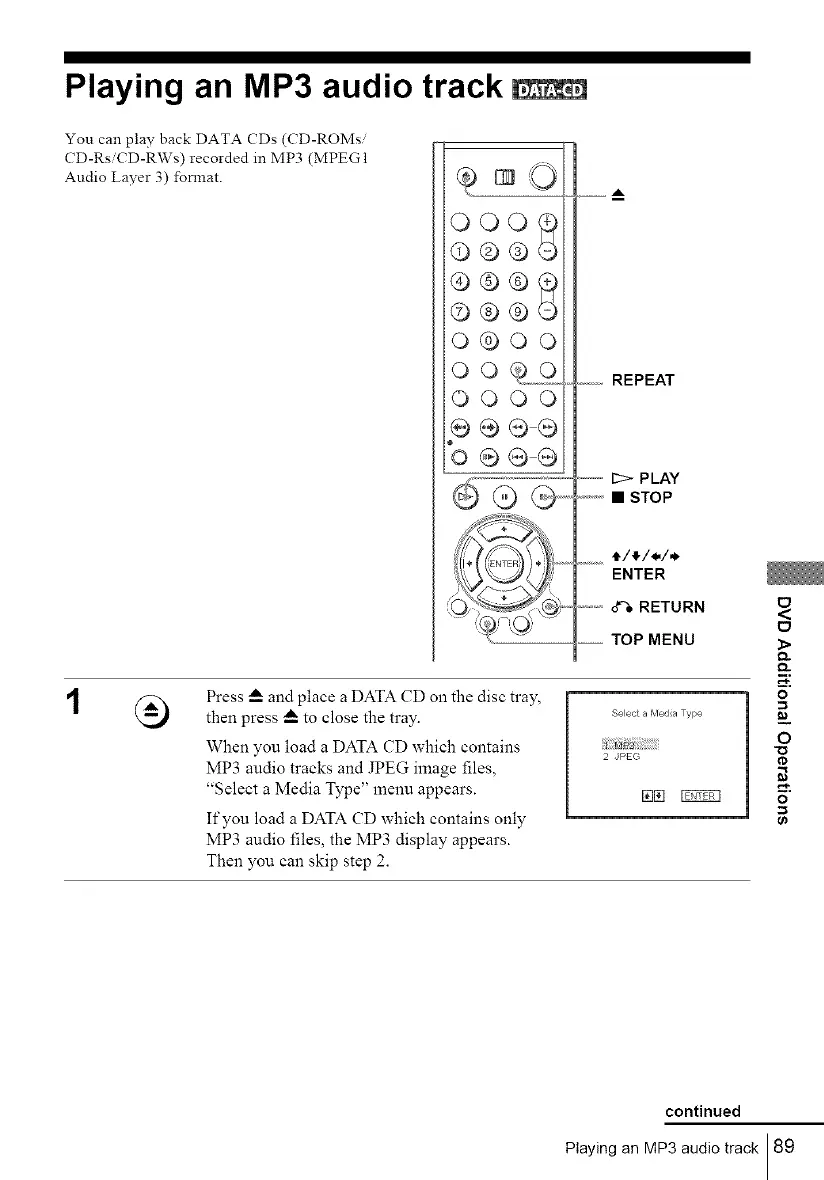
Press _--and place a DATA CD on the disc tray,
then press _--to close the tray.
When you load a DATA CD which contains
MP3 audio tracks and JPEG image files,
"Select a Media Type" menu appears.
If you load a DATA CD which contains only
MP3 audio files, the MP3 display appears.
Then you can skip step 2.
Select a Meda Type
2 JPEG
E_
<
E_
}>
Q.
m,
o
=
=_
O
a
o
0_
continued
Playing an MP3 audio track 89



 To Next Page