Screen Setup
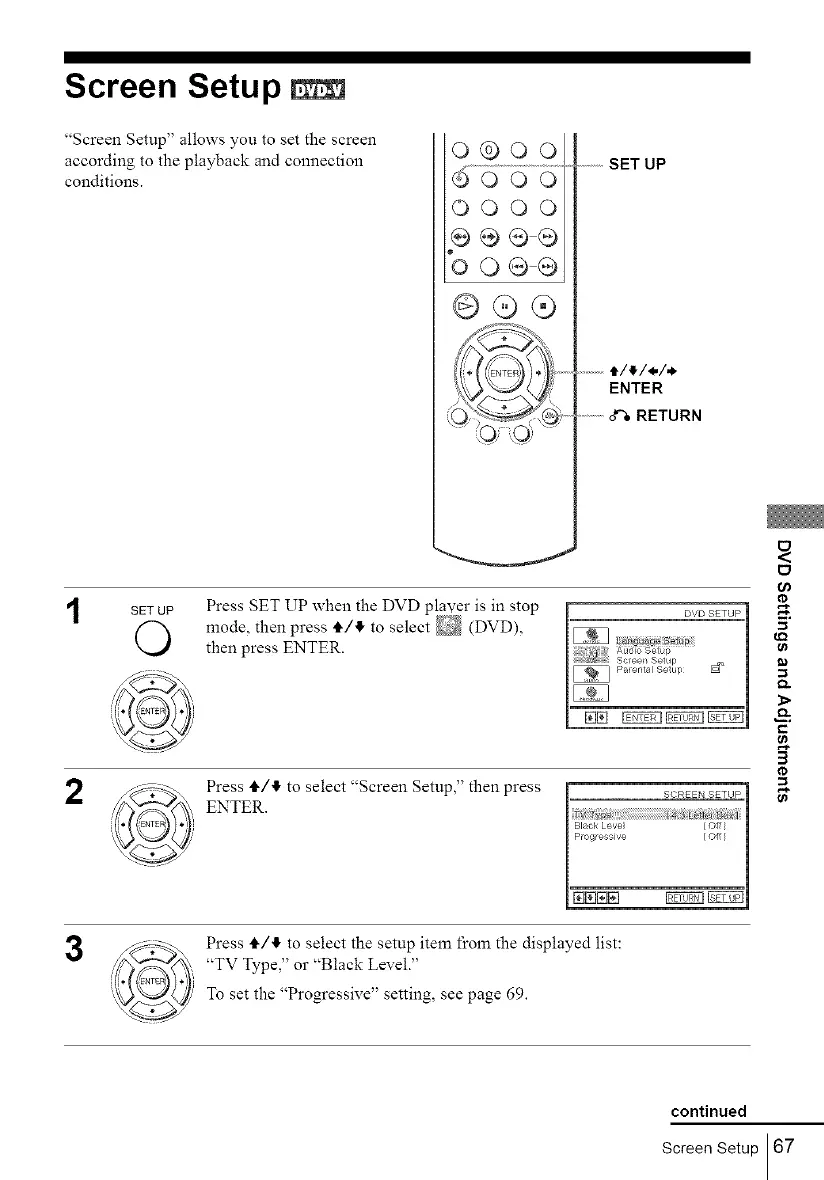
"Screen Setup" allows you to set the screen
according to the playback and connection
conditions.
0®00
0000
oo@@
@@(9
...........SET UP
.......t/_/_/.
ENTER
............o'_RETURN
2
SETUP Press SET UP when the DVD player is in stop
mode, then press II./,II,to select _ (DVD),
then press ENTER.
Press t_/tf, to select "Screen Setup," then press
ENTER.
ID
e_
c
3
¢0
B
3
Press II./II,to select the setup item from the displayed list:
"TV Type," or "Black Level."
To set the "Progressive" setting, see page 69.
continued
Screen Setup 67



 To Next Page