Guide to the on-screen display
You can check disc information during
playback.
The displayed contents differ according to
the type of disc being played.
OOO0
OOOO
@-_@@
"oo®®
@@®
........ Number buttons
........t/_/./.
ENTER
....... ?-'*RETURN
---DISPLAY
W
o
O
o
0_
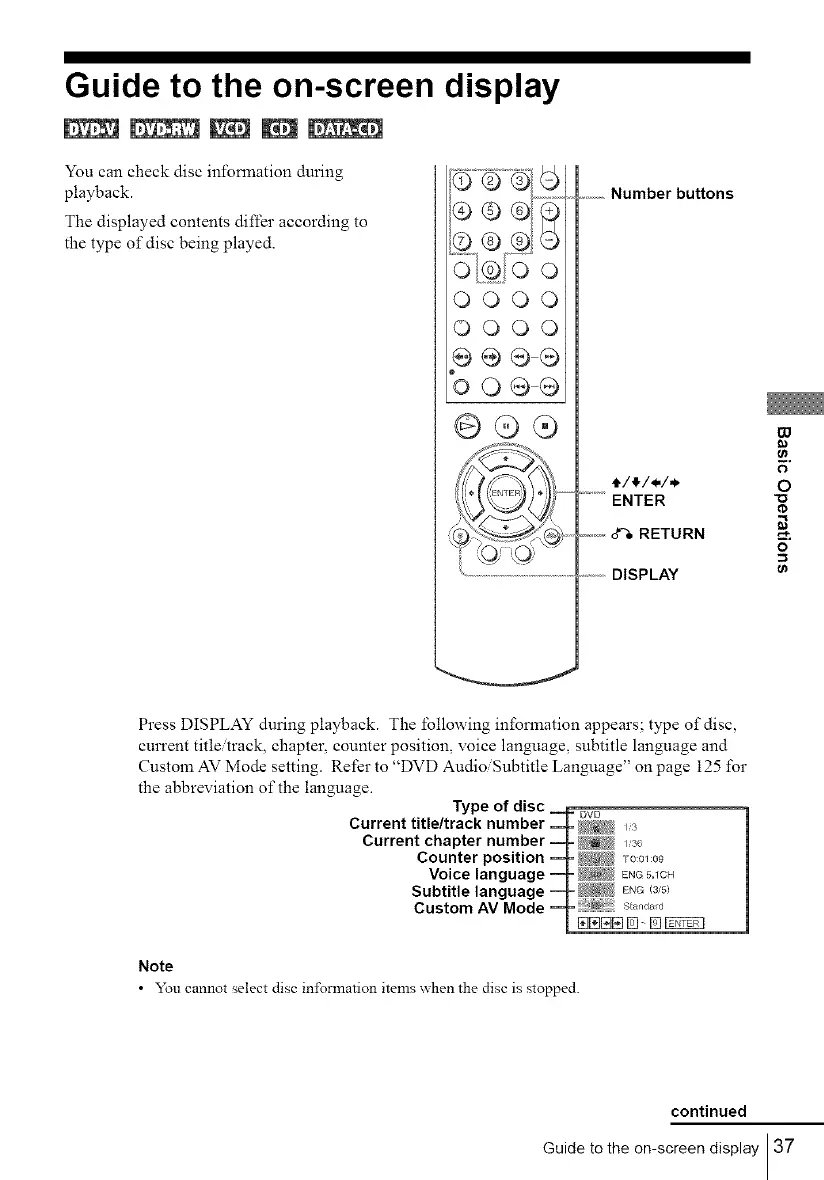
Press DISPLAY during playback. The lbllowing information appears; type of disc,
current title/track, chapter, counter position, voice language, subtitle language and
Custom AV Mode setting. Refer to "DVD Audio/Subtitle Language" on page 125 for
the abbreviation of the language.
Note
• You cannot select disc in±\_rmation items _hen the disc is stopped.
continued
Guide to the on-screen display 37



 To Next Page