Virtual surround setting
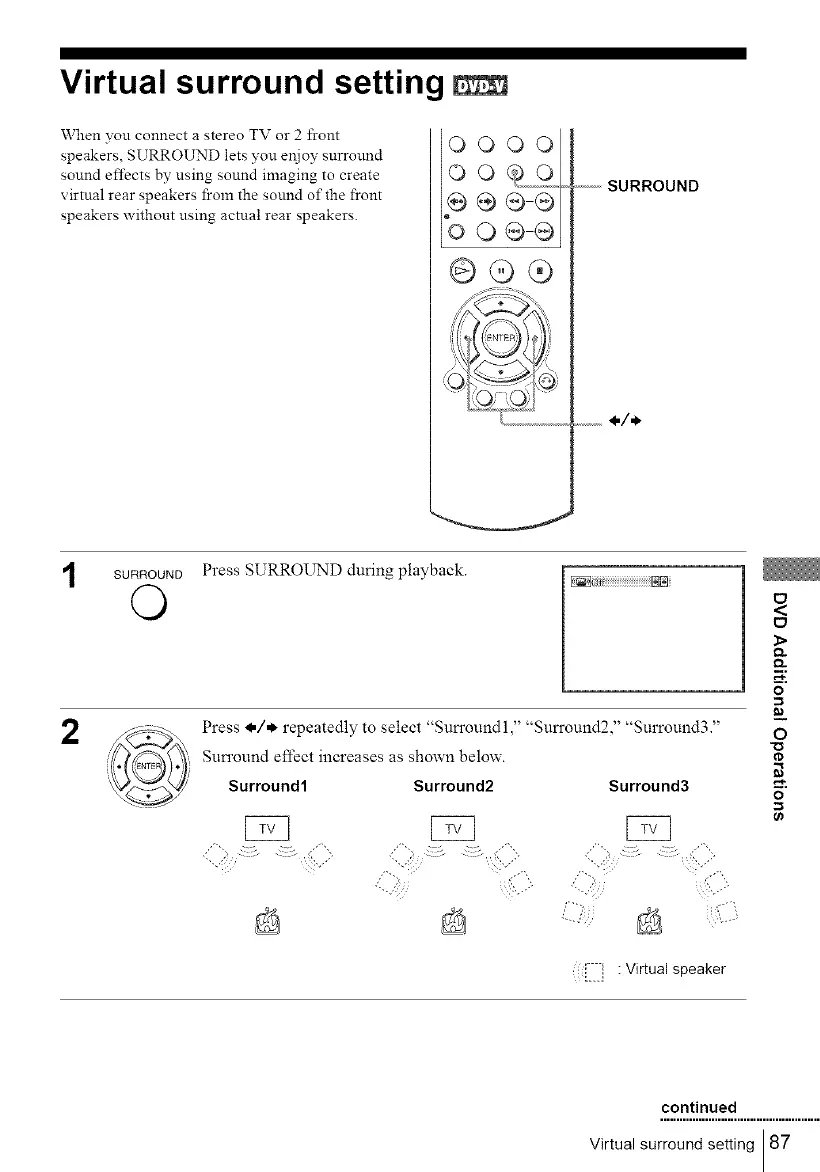
When you connect a stereo TV or 2 front
speakers, SURROUND lets you enjoy surround
sound effects by using sound imaging to create
virtual rear speakers from the sound of the front
speakers without using actual rear speakers.
OOOOl
ooQo
e ÷ d_5i
bo®®
GO®
o-----SURROUND
.............1=/=),
SURROUND
©
2
Press SURROUND during playback.
Press @/* repeatedly to select 'Sun'oundl, Surround2, Smround3.
Sun'ound effect increases as shown below.
Surround1 Surround2 Surround3
i?L..5
<
E_
O.
o
_3
=_
O
rD
O
: [::1 : Virtual speaker
continued
Virtual surround setting 87



 To Next Page