Recording TV programs m
Before you start ...
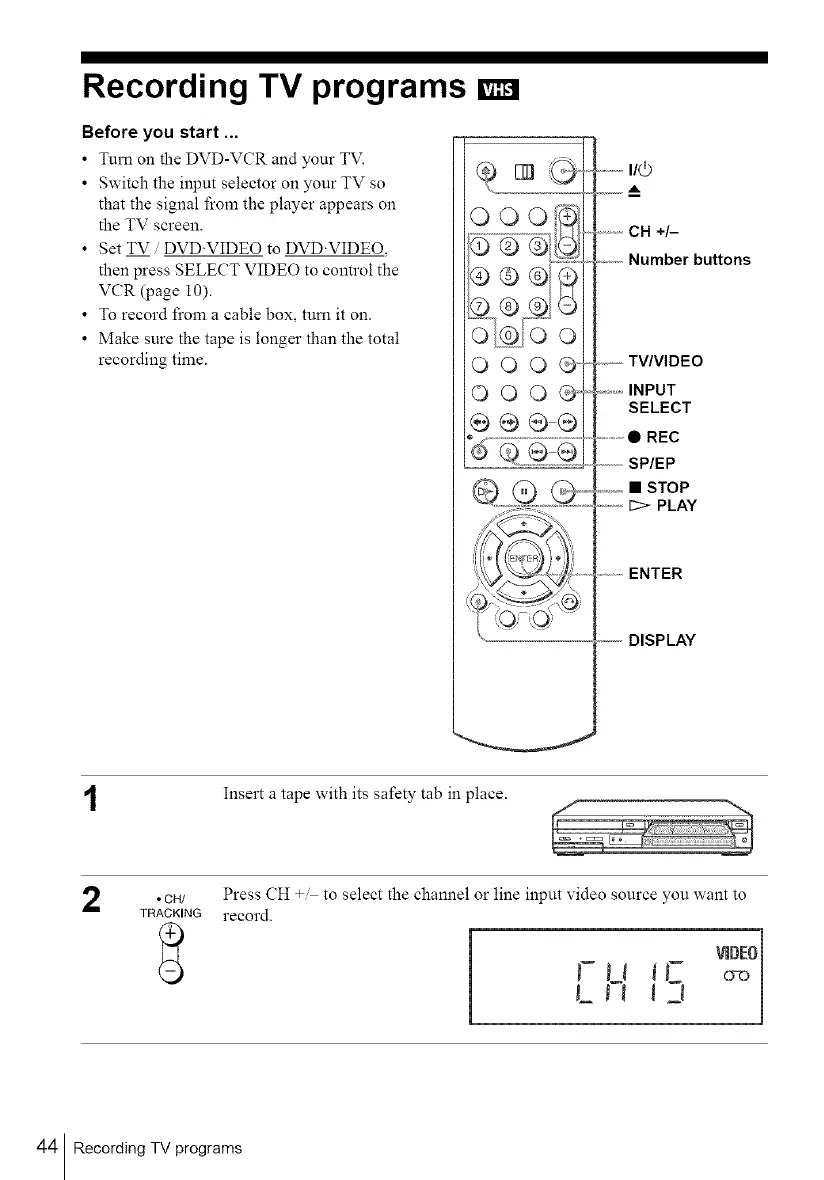
• Turn on the DVD-VCR and your TV.
• Switch the input selector on your TV so
that the signal from the player appears on
the TV screen.
• Set TV DVD'VIDEO to DVD'VIDEQ,
then press SELECT VIDEO to control the
VCR (page 1O).
• To record from a cable box, tum it on.
• Make sure the tape is longer than the total
recording time.
OOO@
OOO@
@0@@
I/0
A
CH +/-
.........Number buttons
,,------TV/VIDEO
...........INPUT
SELECT
.............• REC
SP/EP
_._,,_,• STOP
..........1:>- PLAY
........ENTER
----------DISPLAY
Insert a tape with its safety tab in place.
2
• CH/ Press CH + to select the channel or line input video source you want to
TRACKING record.
LJl 3
44 Recording TV programs



 To Next Page