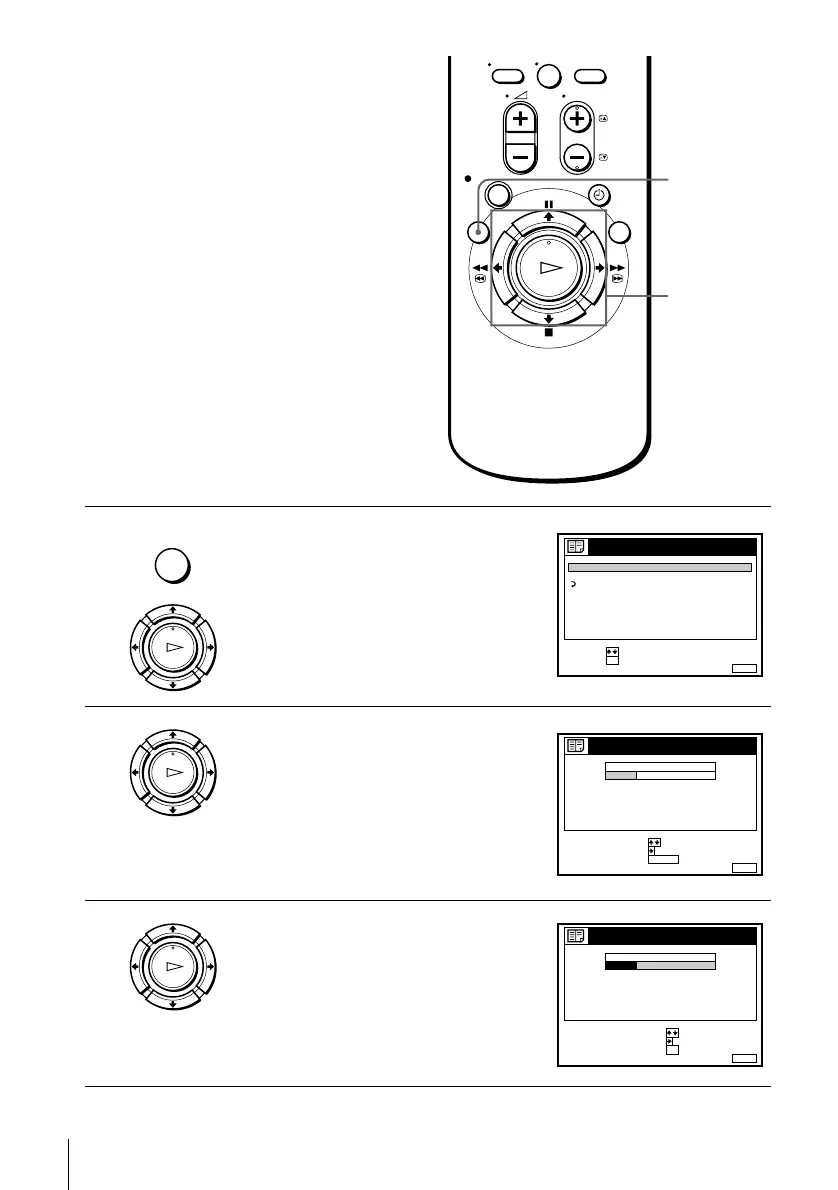
34
Changing/disabling programme positions
Changing the station names
(not available on SLV-SE600A/E
and SX600E)
You can change or enter the station names
(up to 5 characters). The VCR must receive
channel information (for instance,
SMARTLINK information) for station names
to appear automatically.
Before you start…
• Turn on the VCR and the TV.
• Set the TV to the video channel.
1
Press MENU, then press M/m to highlight
LISTS and press OK.
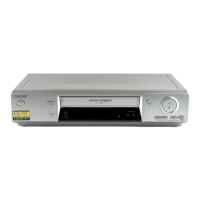
2
Press M/m to highlight CHANNEL LIST,
then press OK.
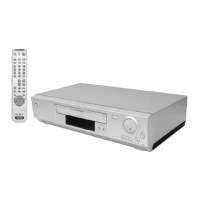
3
Press M/m to highlight the row which you
want to change or enter the station name,
then press ,.
To display other pages for programme
positions 6 to 60, press M/m repeatedly.
0
MENU
M/m/</,
OK
MENU
OK
PLAY
RETURN
SET :
SELECT :
OK
MENUEXIT :
LISTS
CHANNEL LIST
TIMER LIST
OK
PLAY
MENUEXIT :
CHANNEL LIST
PROG
1
2
3
4
5
AAB
CDE
FGH
C
C
C
C
1
0
5
0
2
3
6
9
NAME
CH
C
27
ERASE PROGRAM
MOVE PROGRAM
:
:
SELECT :
CLEAR
OK
PLAY
MENUEXIT :
CHANNEL LIST
PROG
1
2
3
4
5
AAB
CDE
FGH
C
C
C
C
1
0
5
0
2
3
6
9
NAME
CH
C
27
CONFIRM
SET STATION NAME
:
:
SELECT :
OK


 To Next Page