22
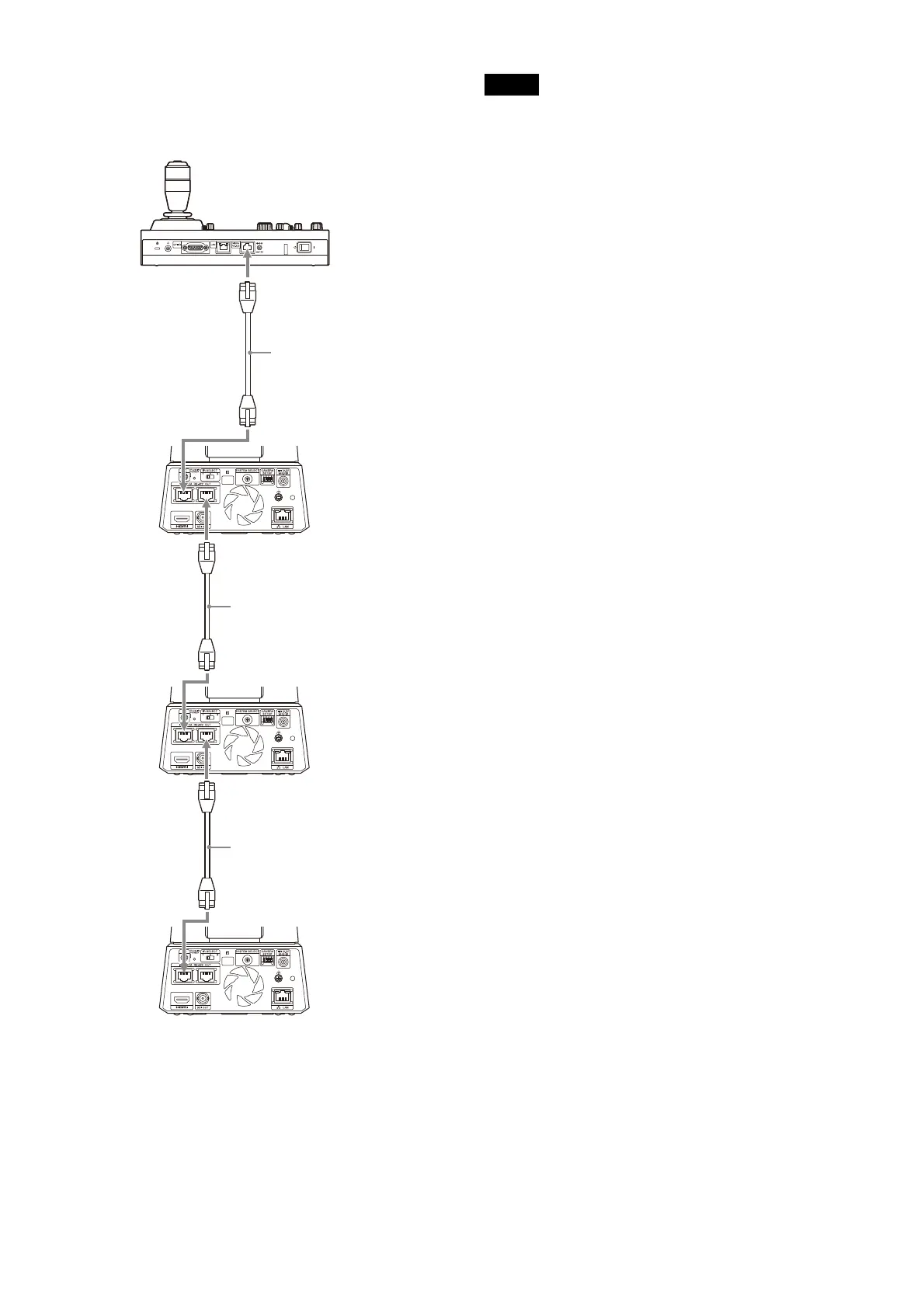
Using the VISCA RS-422 terminal
Up to 7 cameras can be connected via the VISCA
R
S-422 terminal. The VISCA RS-422 allows
connections of up to 1.2 km in length.
* Use straight network cables.
Notes
• When RM-IP10 (sold separately) is used as the
remote controller, make a connecting cable
using the RS-422 terminal board connectors
supplied with the remote controller.
When you make the connecting cable, refer to
the
pin array of the VISCA RS-422 terminal
(page 100) and VISCA RS-422 connection
diagram (page 100).
• Turn on switch number 3 on the CAMERA
S
ETUP switch when using VISCA
communication.
• Use the same settings for both switch number
4
on the CAMERA SETUP switch located on the
back of all the cameras connected and the
Baud Rate setting on the remote controller.
When the settings differ, the operation cannot
be performed correctly.
Network cable
(commercially available)*
Network cable
(commercially available)*
Network cable
(commercially available)*



 To Next Page