1-3
SSC-DC593/DC593P/DC598P (E)
PR-269 board
B 2x3
B 2x4
Projections
Holes
CN602
CN601
CN1
Harnesses
Rear
assembly
CT-221 board
Switching regulator
For SSC-DC598P
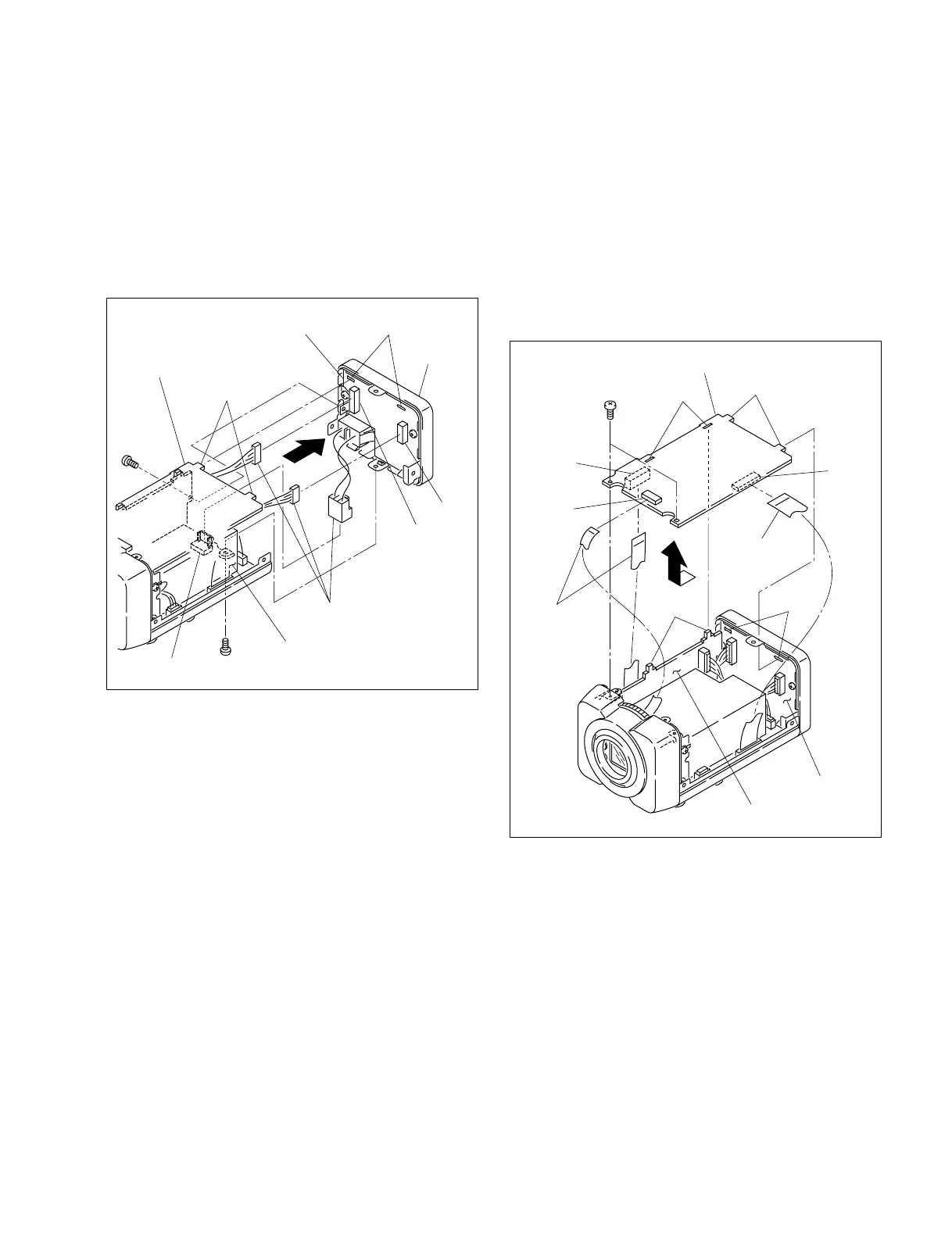
1. Remove the upper case. (Refer to Section 1-2-1)
2. Remove one screw (B 2x3) and one screw (B 2x4),
then remove the rear assembly in the direction
indicated by the arrow.
3. Disconnect the three harnesses from the connector
(CN1) on the switching regulator and the connectors
(CN601 and CN602) on the CT-221 board.
4. Attach the rear assembly in the reverse order of steps 1
to 3.
n
When attaching the rear assembly, align the two
projections of the PR-269 board with the two holes of the
CT-221 board and attach it securely.
B 2x4
FC-92 board
CT-221 board
PR-269 board
Holes
Holes
CN301
CN201
CN203
Flexible flat
cable
Flexible flat
cables
Projections
Projections
1-3. Installation and Removal of Board
1-3-1. PR-269 Board
1. Remove the upper case. (Refer to Section 1-2-1)
2. Remove the two screws, then remove the PR-269
board in the direction indicated by the arrow.
3. Disconnect the three flexible flat cables from the
connectors (CN201, CN203 and CN301) on the PR-
269 board.
4. Install the PR-269 board in the reverse order of steps 1
to 3.
n
When installing the PR-269 board, align the two
projections of the PR-269 board with the two holes of the
CT-221 board and the two projections of the FC-92 board
with the two holes of the PR-269 board, and install it
securely.



 To Next Page