3-9
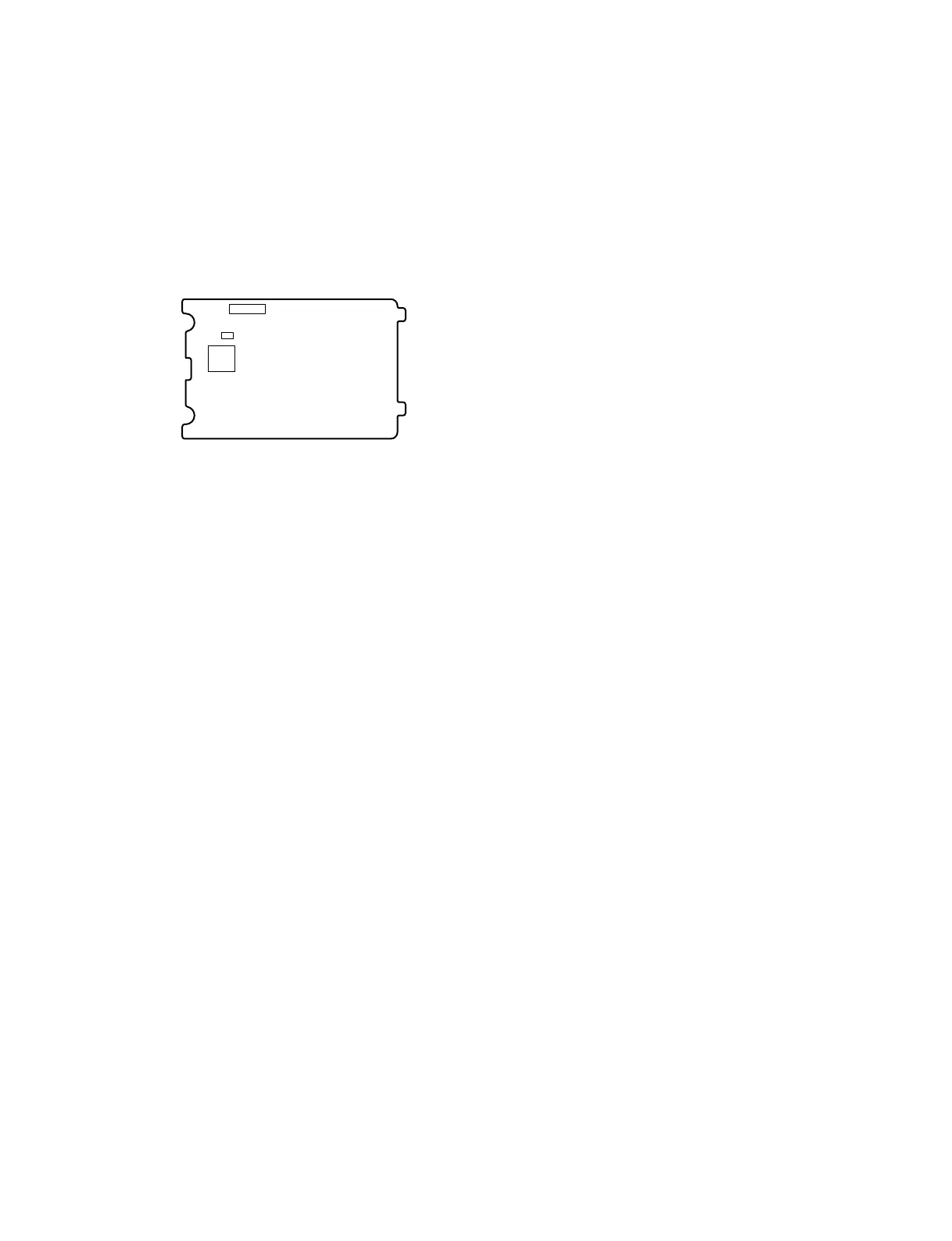
SSC-DC593/DC593P/DC598P (E)
CN202
IC202
TP503
PR-269 board (Side A)
3-5-3. Confirmation of VCO Adjustment
1. Set the DIP switch on the rear panel to LL.
2. Set the input power frequency as follows.
. SSC-DC593: 60 Hz
. SSC-DC593P/DC598P: 50 Hz
3. Check that the measuring voltage is within
specification.
Subject: Not required
Measuring point: PR-269 board, TP503
Measuring equipment: Digital voltmeter
Specification: 1.9 ±0.1 V
3-5-4. Confirmation of Burst Level
Adjustment
Check that the measuring voltage is within specification.
Subject: Not required
Measuring equipment: Vectorscope
Specification: Shall match with 75% mark.
3-5-5. Confirmation of SET UP Adjustment
1. Set AGC of the EXPOSURE menu to OFF. (Refer to
Section 3-4-2.)
2. Check that the measuring voltage is within
specification.
Subject: Not required
Measuring point: SET UP level of VIDEO OUT
Measuring equipment: Waveform monitor
Specification: 7.5 ±2.0 IRE
(SSC-DC593)
20 ±15 mV
(SSC-DC593P/598P)
Lens aperture: Close
3-5-6. Confirmation of WB Adjustment
(3200K Preset and WB Data Reading)
1. Set AGC of the EXPOSURE menu to OFF. (Refer to
Section 3-4-2.)
2. Set SHUTTER and BLC to OFF.
3. Set WHITE BALANCE of the WHITE BALANCE
menu to ATW RRO.
4. Attach the C14 filter.
5. Shoot the image of 100% white pattern, then adjust the
lens aperture so that the VIDEO OUT image level is
within specification.
Subject: 100% white pattern
Measuring point: Image level of VIDEO OUT
Measuring equipment: Waveform monitor
Specification: 65 ±3 IRE
(SSC-DC593)
455 ±35 mV
(SSC-DC593P/598P)



 To Next Page