97
GB
D:\NORM'S JOB\SONY HA\SO0071\STR-DN2010\GB\GB05ENJ_STR-DN2010-CEL.fm masterpage: Right
STR-DN2010
4-182-049-11(1)
S-AIR Operations
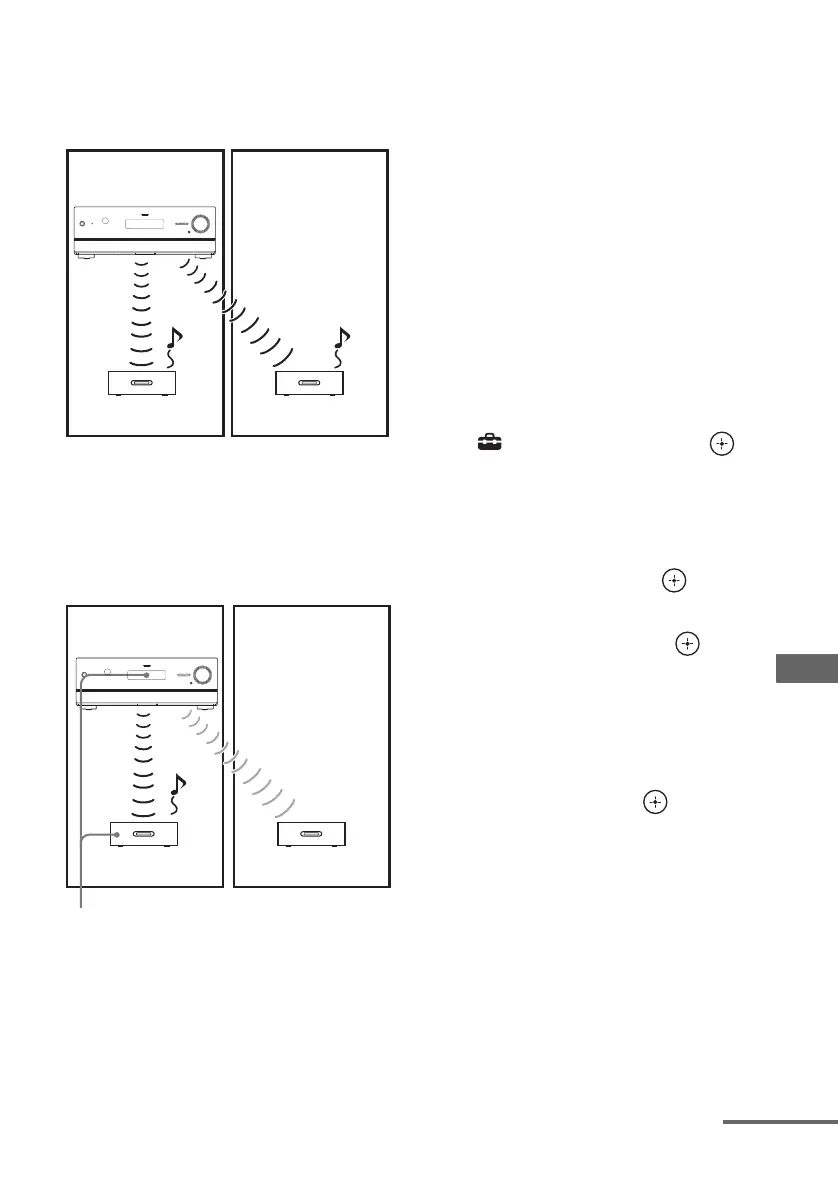
x Before pairing
Sound transmission is established by the ID
(example).
x After pairing
Sound transmission is established between the
paired S-AIR main unit and S-AIR sub unit(s)
only.
1 Place the S-AIR sub unit that
you want to pair near the S-AIR
main unit.
2 Match the IDs of the S-AIR main
unit and the S-AIR sub unit.
• To set the ID of the S-AIR main unit,
see “To set the ID of the S-AIR main
unit” (page 95).
• To set the ID of the S-AIR sub unit,
refer to the operating instructions
supplied with the S-AIR sub unit.
3 Press GUI MODE.
After “GUI ON” appears on the display
for a while, the GUI menu appears on the
TV screen.
Press MENU if the GUI menu does not
appear on the TV screen.
4 Press V/v repeatedly to select
“ Settings”, then press or
b.
The Settings menu list appears on the TV
screen.
5 Press V/v repeatedly to select
“S-AIR”, then press .
6 Press V/v repeatedly to select
“Pairing”, then press or b.
“Put the S-AIR sub unit near the S-AIR
main unit, and turn on power. Start
pairing.” appears on the TV screen. The
S-AIR main unit is ready to start pairing.
7 Press B/b repeatedly to select
“Yes”, then press .
The S-AIR main unit starts pairing.
“Pairing. Do the pairing operation with
the S-AIR sub unit.” appears.
8 Start pairing of the S-AIR sub
unit.
Refer to the operating instructions of the
S-AIR sub unit.
ID A
ID A
ID A
Your room
S-AIR main unit
(this receiver)
S-AIR sub unit S-AIR sub unit
Neighbor
ID A ID A
Your room
S-AIR main unit
(this receiver)
S-AIR sub unit S-AIR sub unit
Neighbor
No transmission
Pairing
continued



 To Next Page