96
GB
D:\NORM'S JOB\SONY HA\SO0071\STR-DN2010\GB\GB05ENJ_STR-DN2010-CEL.fm masterpage: Left
STR-DN2010
4-182-049-11(1)
2 Press V/v repeatedly to select
“ Settings”, then press or b.
The Settings menu list appears on the TV
screen.
3 Press V/v repeatedly to select “S-AIR”,
then press .
4 Press V/v repeatedly to select “S-AIR
ID”, then press or b.
5 Press V/v repeatedly to select the ID
(A, B or C) you want, then press .
The ID of the S-AIR main unit is set. “Set
S-AIR ID of the sub unit to the same as that
of the main unit.” appears.
6 Press .
7 Press GUI MODE.
The GUI menu turns off.
Tip
To check the current ID, select “S-AIR” in the
Settings menu list. When you pair the S-AIR main
unit with the S-AIR sub unit (page 96), “(Pairing)”
appears beside the ID on the TV screen in the GUI
menu.
To set the ID of the S-AIR sub
unit
Be sure to match the ID on S-AIR sub unit you
want to the S-AIR main unit.
For details on setting the ID of the surround
amplifier and S-AIR receiver, refer to the
operating instructions supplied with the
surround amplifier and S-AIR receiver.
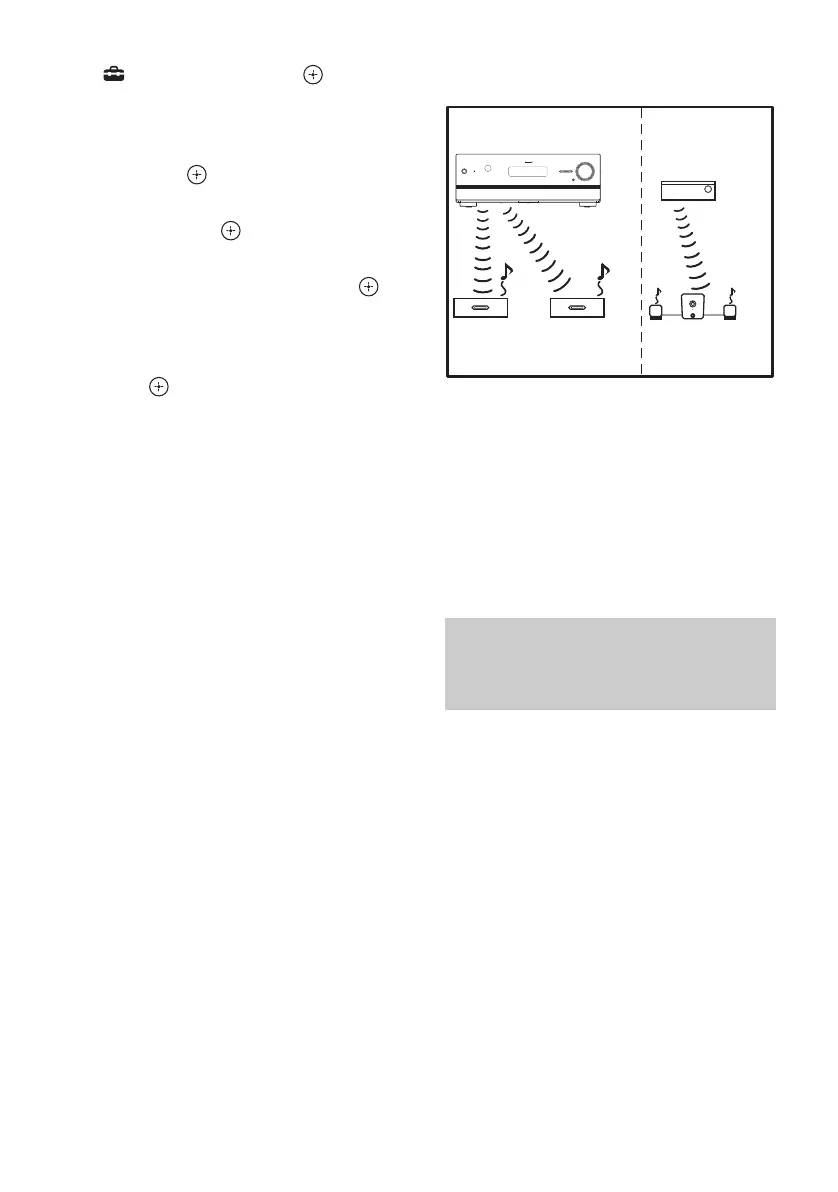
Sound transmission is established as follows
(example):
Notes
• Sources with copyright protection may not be
playable on S-AIR sub unit.
• If you have connected surround amplifier,
surround sound will not be output from S-AIR
main unit.
Tip
You can use multiple S-AIR main units by setting a
different ID for each component.
To establish sound transmission, you need to
set the same ID for your S-AIR main unit and
S-AIR sub unit.
However, if your neighbors have S-AIR
products and their IDs are the same as yours,
your neighbors could receive the sound of
your S-AIR main unit or vice versa.
To prevent this, you can pair the S-AIR main
unit with a specific S-AIR sub unit by
performing the pairing operation.
Pairing the S-AIR main unit with
a specific S-AIR sub unit
(Pairing operation)
ID A ID A ID B
ID A ID B
S-AIR main unit
(this receiver)
Other S-AIR
main unit
S-AIR sub
unit
S-AIR sub
unit
S-AIR sub unit



 To Next Page