MULTI CHANNEL AV RECEIVER
STR-DN1050/STR-DN850
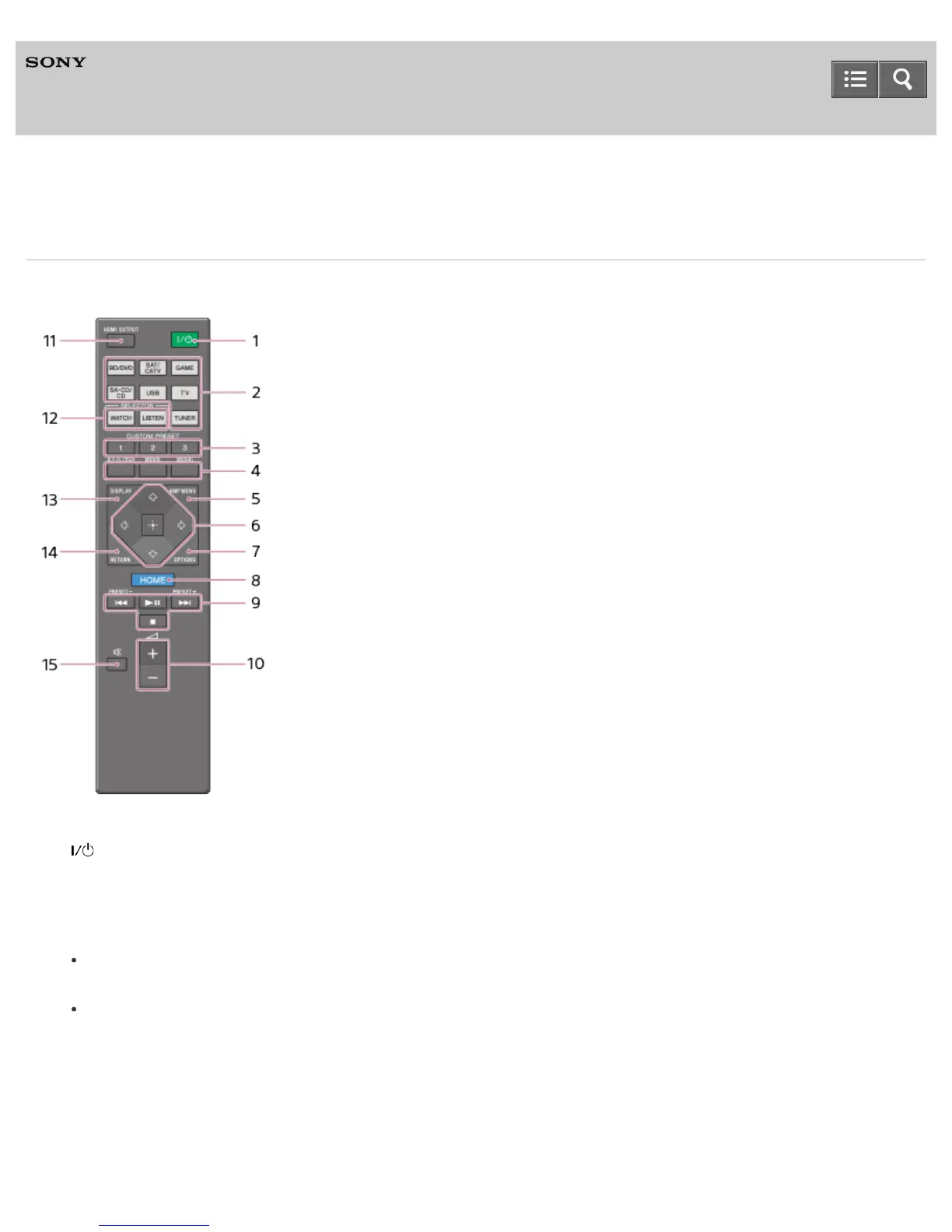
Remote control
Use the supplied remote control to operate this receiver.
1. (on/standby)
Turns the receiver on or sets it to the standby mode.
Saving power in standby mode
Save power by setting the receiver as follows:
Set [Control for HDMI], [Pass Through], [Network Standby] (for USA and Canadian models only), and [Bluetooth
Standby] to [Off].
Turn off the receiver in zone 2 (for STR-DN1050 only).
2. Input buttons
Select the device you want to use.
When you press any of the input buttons, the receiver turns on.
3. CUSTOM PRESET
4. A.F.D./2CH, MOVIE, MUSIC
Select a sound field.
Help Guide



 To Next Page